Command Palette
Search for a command to run...
ACE-Step: Basic Model for Music Generation

1. Tutorial Introduction

ACE-Step-v1-3.5B was jointly developed by the artificial intelligence company StepFun and the digital music platform ACE Studio and was open sourced on May 7, 2025. The model can synthesize up to 4 minutes of music in just 20 seconds on the A100 GPU, which is 15 times faster than the LLM-based baseline, while achieving excellent musical coherence and lyric alignment in terms of melody, harmony, and rhythm metrics. In addition, the model retains fine acoustic details and supports advanced control mechanisms such as voice cloning, lyric editing, remixing, and track generation.
2. Core Functions
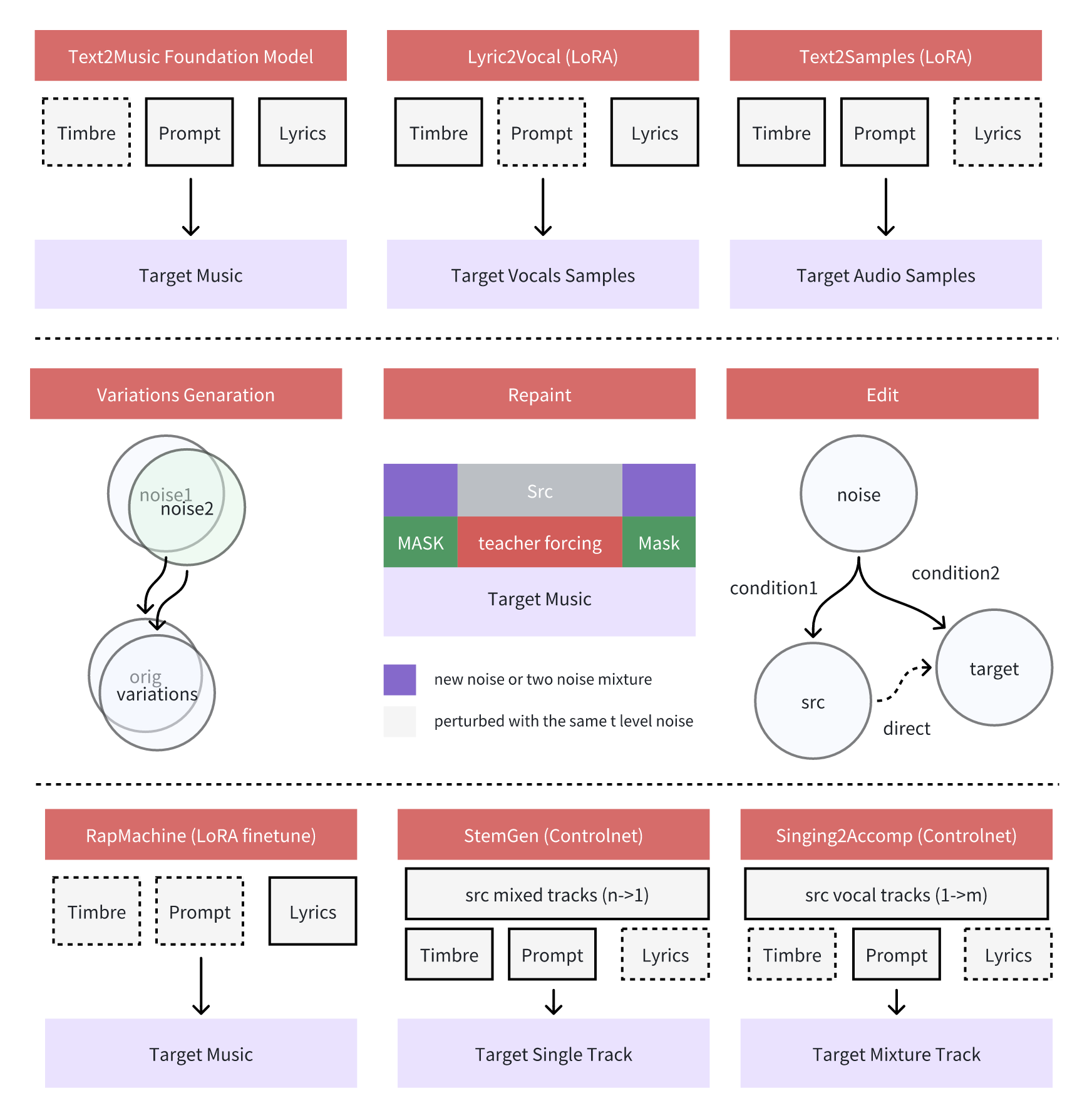
Diverse styles and genres
- Supports all mainstream music styles, and can be input in various forms such as short tags/description text/usage scenarios
- Can automatically adapt instrument combinations and style characteristics according to different types (such as jazz standard saxophone and swing rhythm)
Multi-language support
- Supports 19 languages input, the top 10 languages include: 🇺🇸 English, 🇨🇳 Chinese, 🇷🇺 Russian, 🇪🇸 Spanish, 🇯🇵 Japanese, 🇩🇪 German, 🇫🇷 French, 🇵🇹 Portuguese, 🇮🇹 Italian, 🇰🇷 Korean
Instrumental Expression
- Supports cross-genre instrumental generation, and can accurately restore the timbre characteristics of musical instruments (such as piano pedal resonance and guitar slide noise)
- Generate multi-track music with complex arrangements, maintaining harmony and rhythmic unity between parts
- Automatically adapt to instrument playing techniques (such as string vibrato, brass tonguing)
Vocal expressiveness
- Supports multiple singing styles (popular singing, bel canto, opera singing, etc.)
- Ability to control the intensity of emotional expression (e.g., suppressed low singing vs. explosive high notes)
3. Operation steps
1. Start the container
If "Bad Gateway" is displayed, it means the model is initializing. Since the model is large, please wait about 1-2 minutes and refresh the page.

2. Usage Examples
Usage Guidelines
When using the Safari browser, the audio may not be played directly and needs to be downloaded before playing.
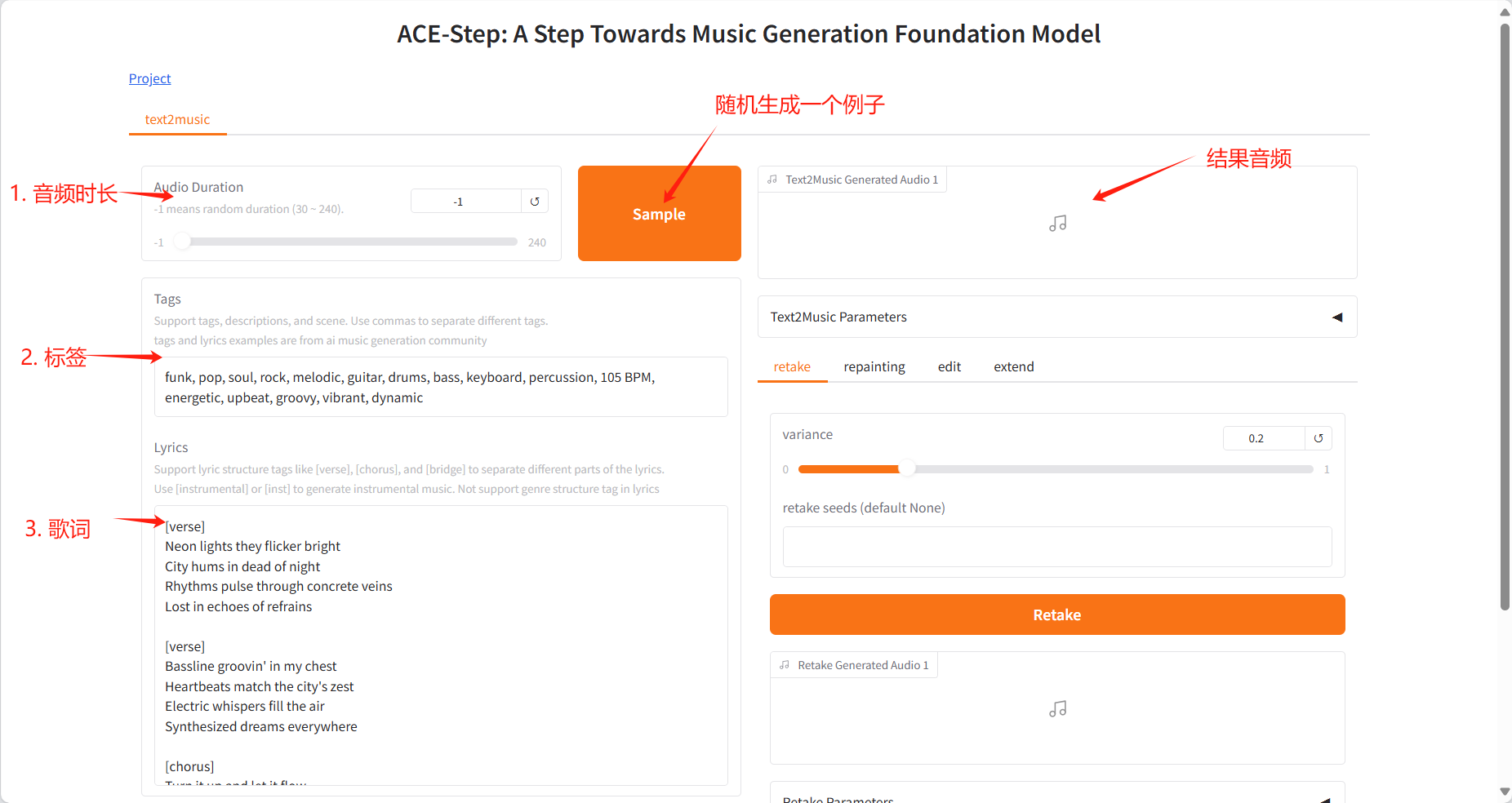
The project provides multi-tasking creation panels: Text2Music Tab, Retake Tab, Repainting Tab, Edit Tab and Extend Tab.
The functions of each module are as follows:
Text2Music Tab
- Input Fields
- Tags: Enter descriptive tags, music genres, or scene descriptions, separated by commas
- Lyrics: Enter lyrics with structure tags, such as [verse], [chorus], [bridge]
- Audio Duration: Set the duration of the generated audio (-1 means random generation)
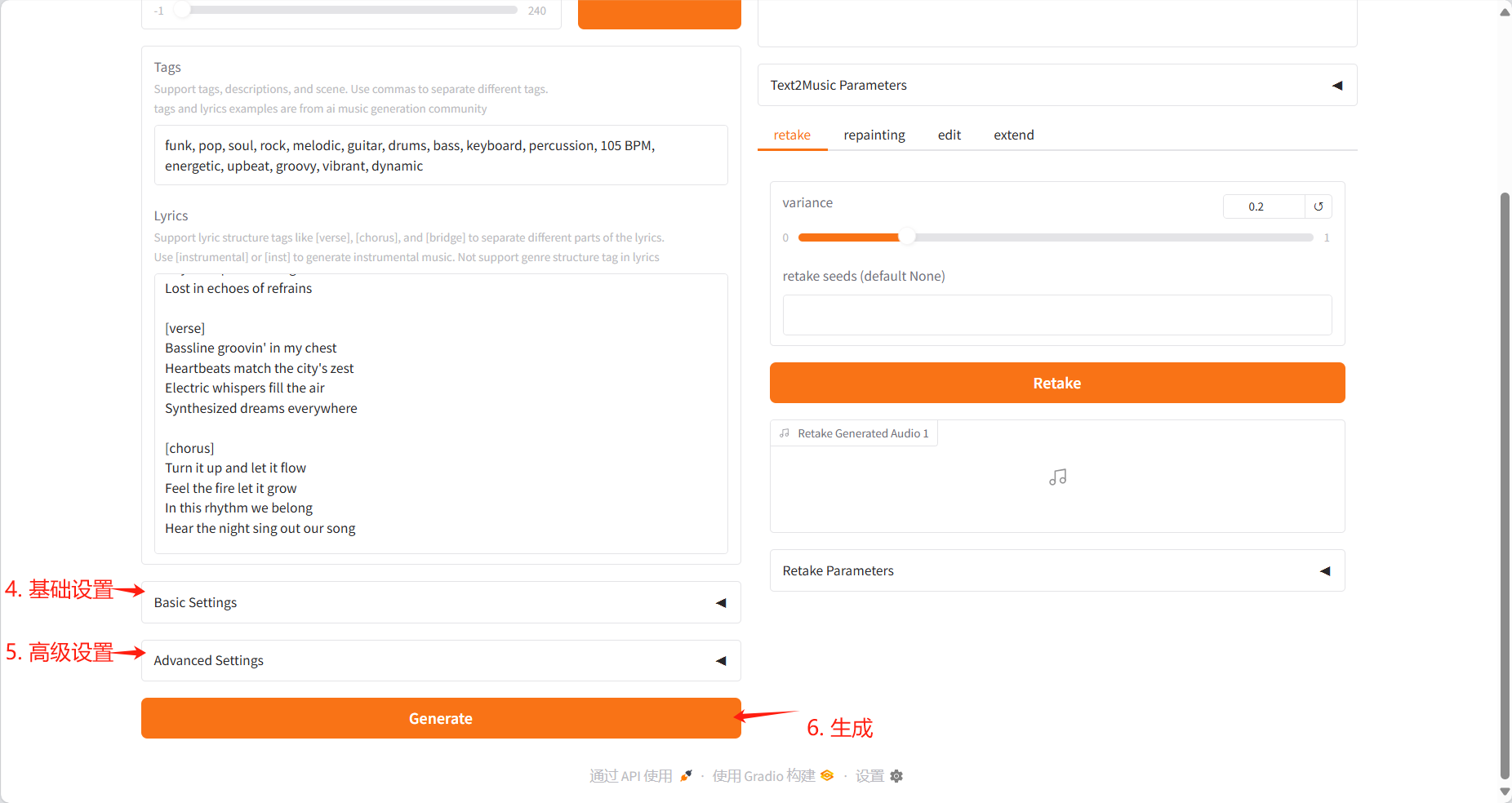
- Settings
- Basic Settings: Adjust the number of inference steps, guidance ratio, and seed value
- Advanced Settings: fine-tune scheduler type, CFG type, ERG settings and other parameters
- Generation
- Click the "Generate" button to create music based on the input content
Generate results
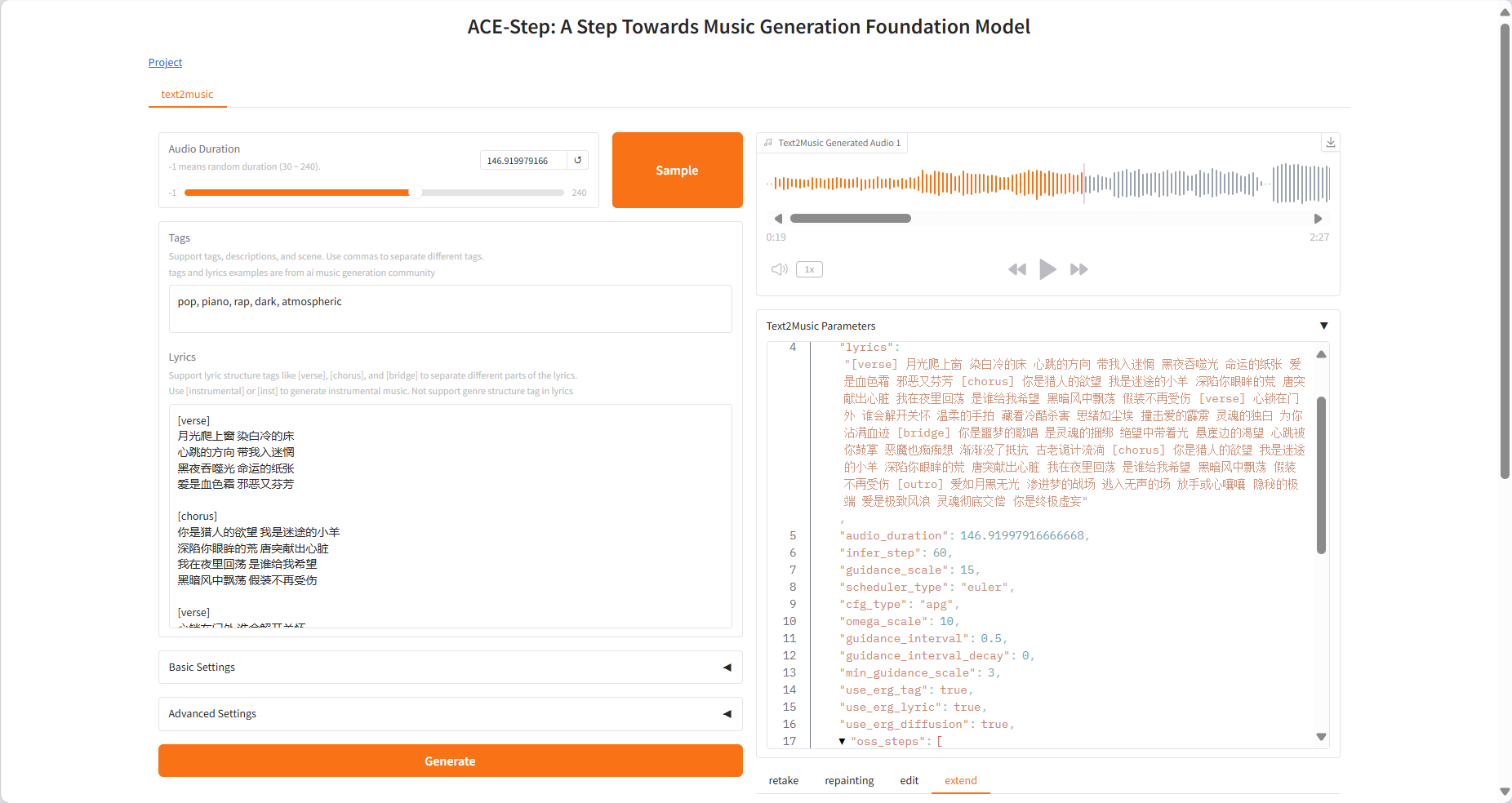
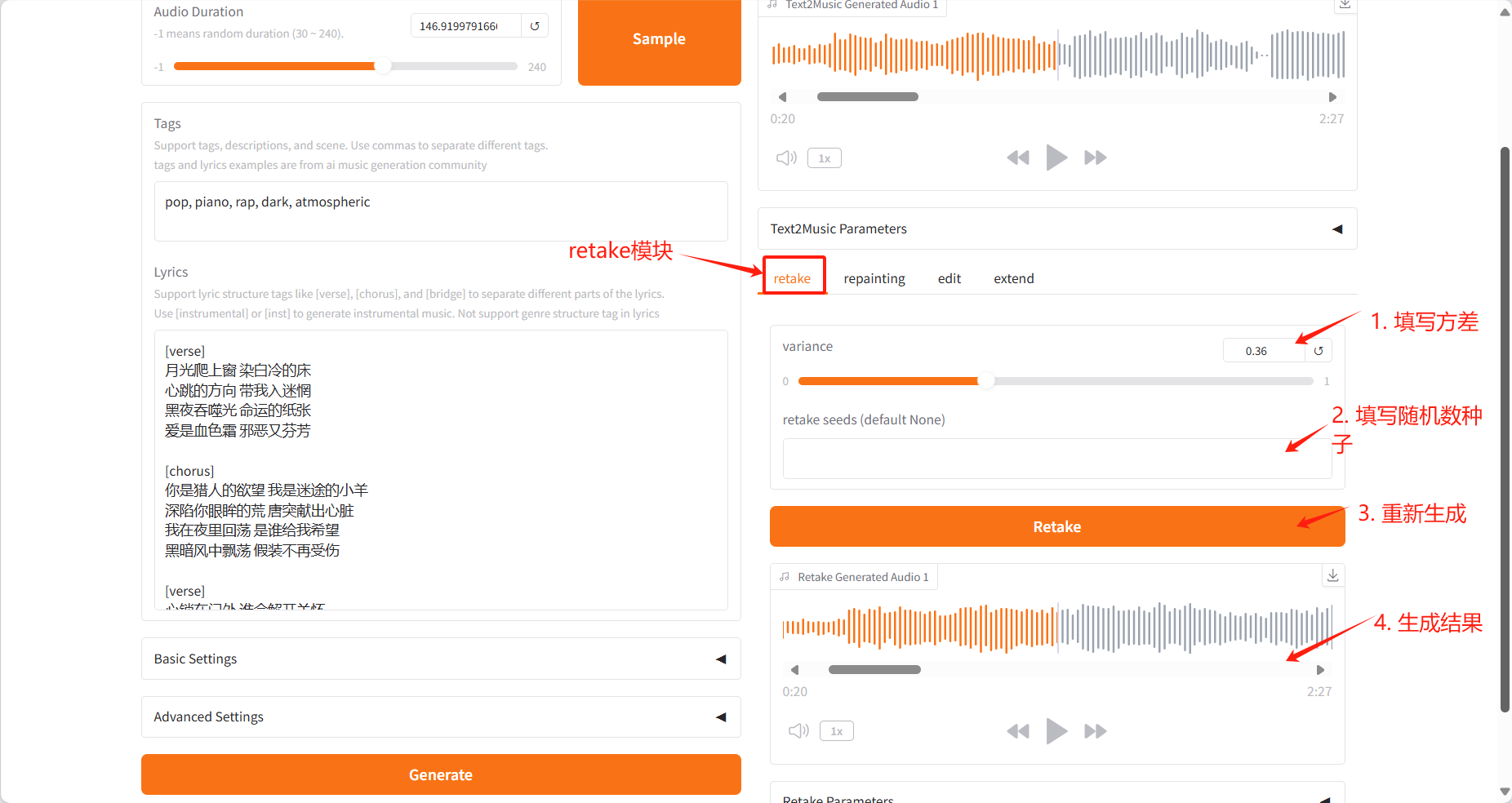
Retake Tab
- Regenerate the music with different seed values and produce slight variations
- Adjust the variation parameters to control how much the new version differs from the original
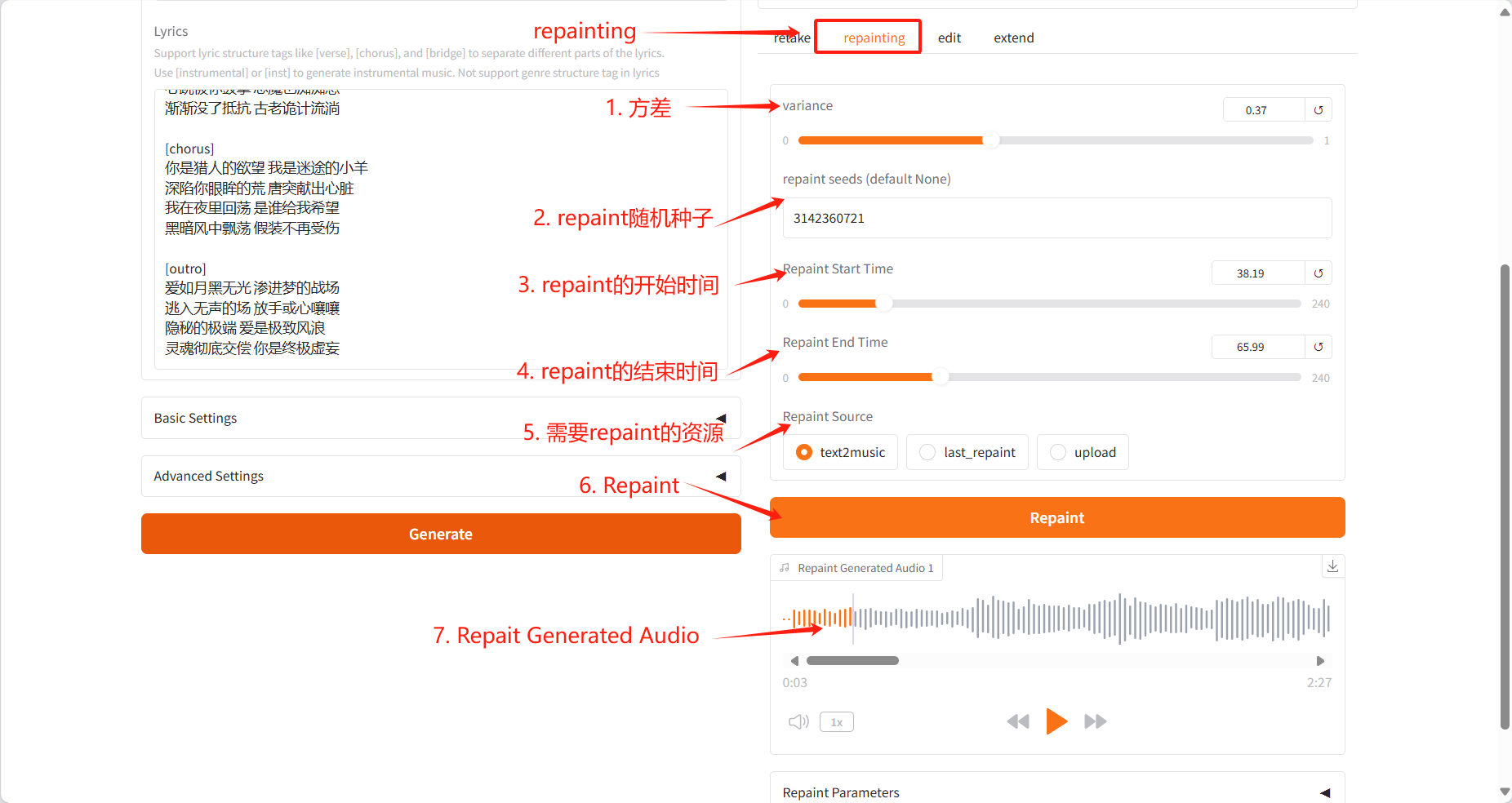
Repainting Tab
- Selectively regenerate specific passages of music
- Specify the start and end time of the segment to be regenerated
- Select the source audio (text2music, last_repaint or upload)
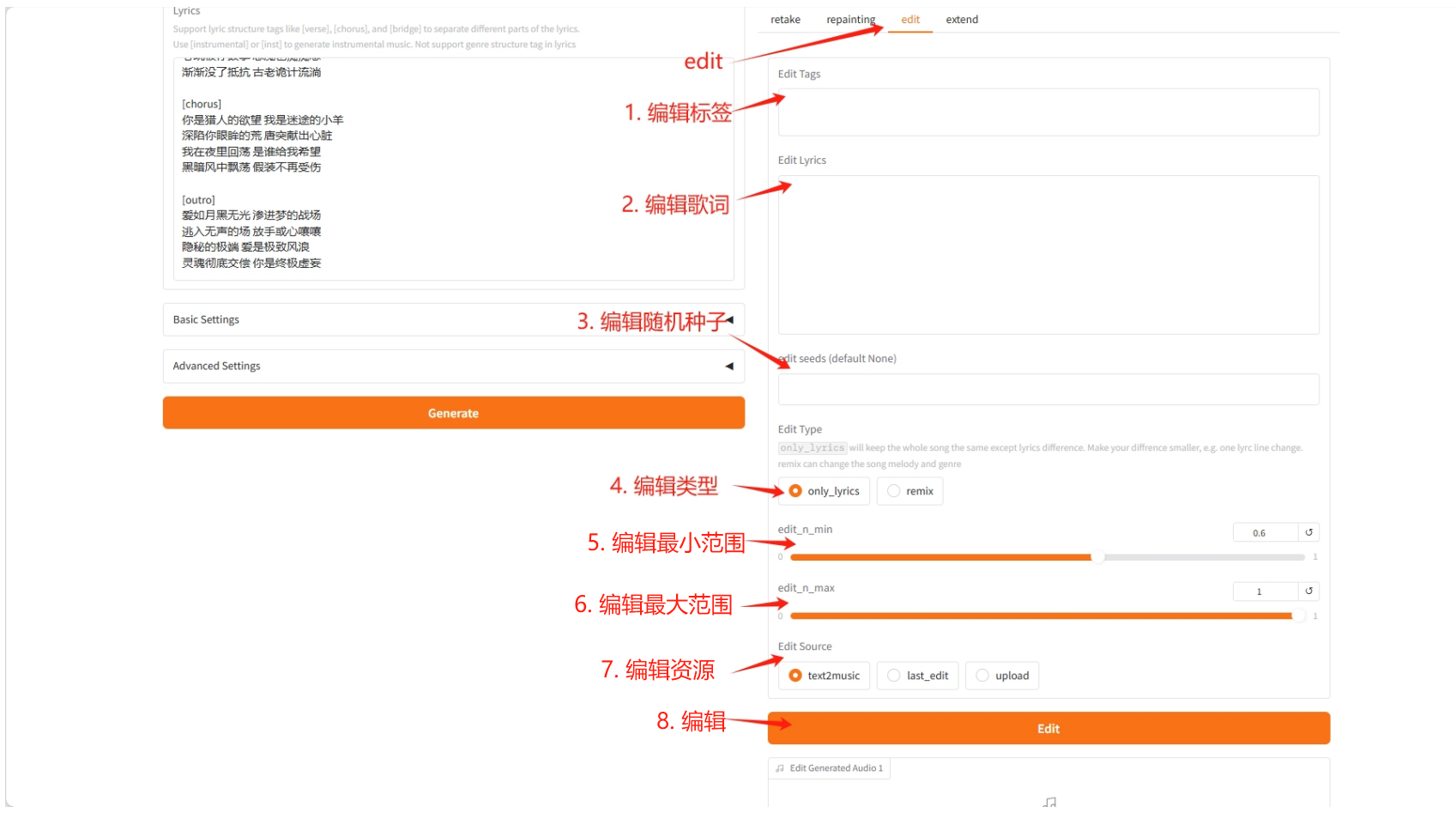
Edit Tab
- Adapt existing music by changing the label or lyrics
- You can choose between "only_lyrics" mode (keep the original melody) or "remix" mode (change the melody)
- Control the degree of preservation of the original song by adjusting the editing parameters
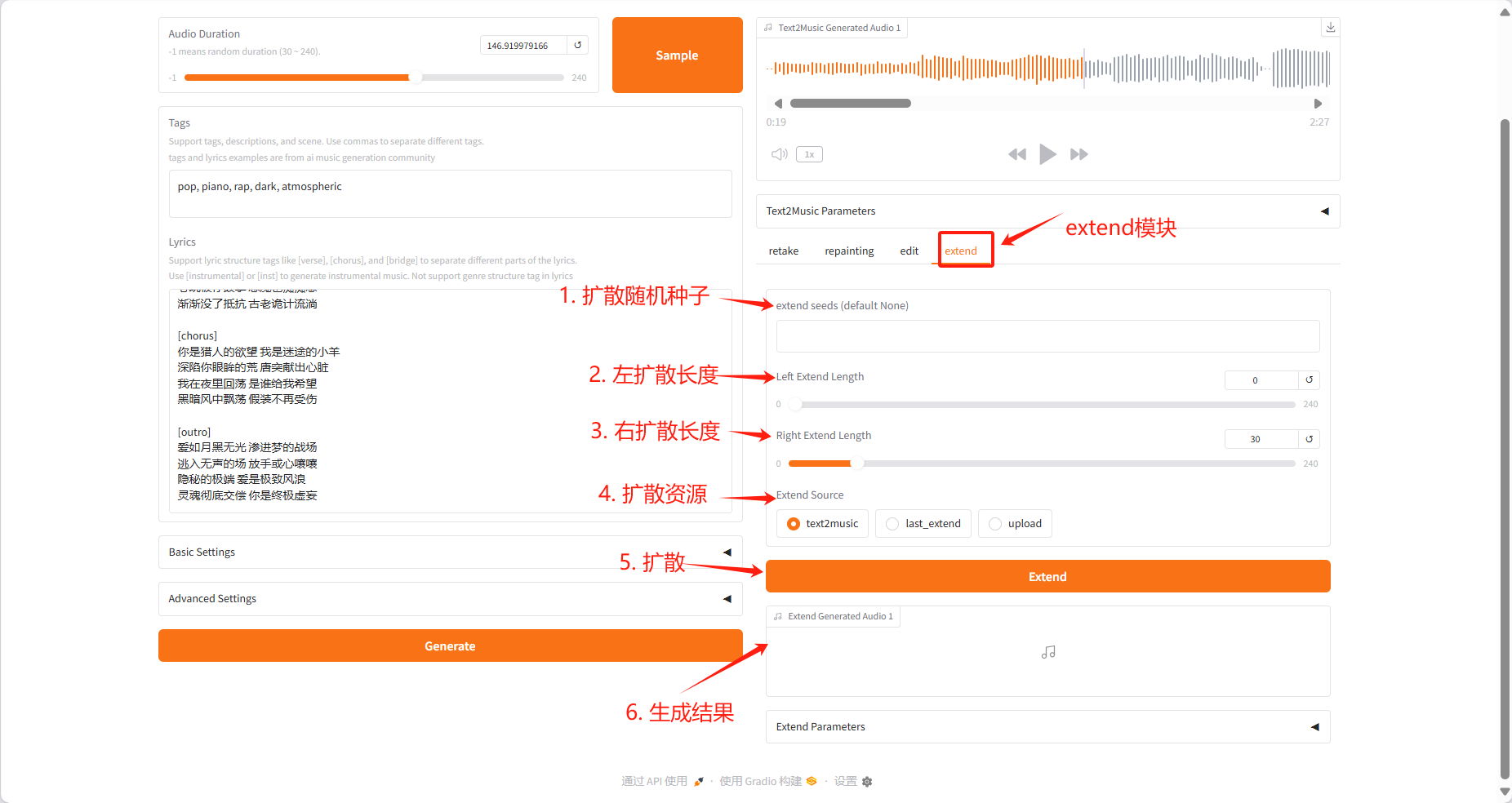
Extend Tab
- Add a piece of music at the beginning or end of existing music
- Specify the extension duration on the left and right sides
- Select the source audio that needs to be expanded
4. Discussion
🖌️ If you see a high-quality project, please leave a message in the background to recommend it! In addition, we have also established a tutorial exchange group. Welcome friends to scan the QR code and remark [SD Tutorial] to join the group to discuss various technical issues and share application effects↓

Citation Information
Thanks to Github user SuperYang Deployment of this tutorial. The reference information of this project is as follows:
@misc{gong2025acestep,
  title={ACE-Step: A Step Towards Music Generation Foundation Model},
  author={Junmin Gong, Wenxiao Zhao, Sen Wang, Shengyuan Xu, Jing Guo},
  howpublished={\url{https://github.com/ace-step/ACE-Step}},
  year={2025},
  note={GitHub repository}
}
Notebook Overview
Level
Topic
Build AI with AI
From idea to launch — accelerate your AI development with free AI co-coding, out-of-the-box environment and best price of GPUs.