Command Palette
Search for a command to run...
Stable Diffusion Online Tutorial - RTX5090
1. Tutorial Introduction

Stable Diffusion WebUI is an open-source project released in August 2022 by developer AUTOMATIC1111. Designed for local deployment and efficient use of the Stable Diffusion text-to-image model, it aims to lower the barrier to entry for generative AI. The project provides a feature-rich graphical web interface supporting various creation modes, including text-to-image (txt2img), image-to-image (img2img), inpainting, and outpainting, meeting complex needs from basic drawing to advanced editing. It boasts an intuitive user experience and integrates powerful features such as cue word attention control, negative cueing, multi-cue combination (AND), LoRA model fusion, checkpoint merging, and image super-resolution inpainting (RealESRGAN/GFPGAN/CodeFormer). It also supports loading custom scripts and plugins through system extensions. Users can directly adjust sampling methods, generation parameters, train embedding models (Textual Inversion), and even preview the generation progress in real time through the interface.
This tutorial uses a single RTX 5090 card as the resource.
Functional Description
AI painting, which integrates real-life models, AnimateDiff for creating videos and GIFs, and prompt travel, etc.
Note: The workspace storage is close to 50 GB, and the project files are large, so the cloning process will take approximately 5 minutes or more.
Video Tutorial
https://www.bilibili.com/video/BV1WC411W79t
3. Operation steps
1. After starting the container, click the API address to enter the Web interface
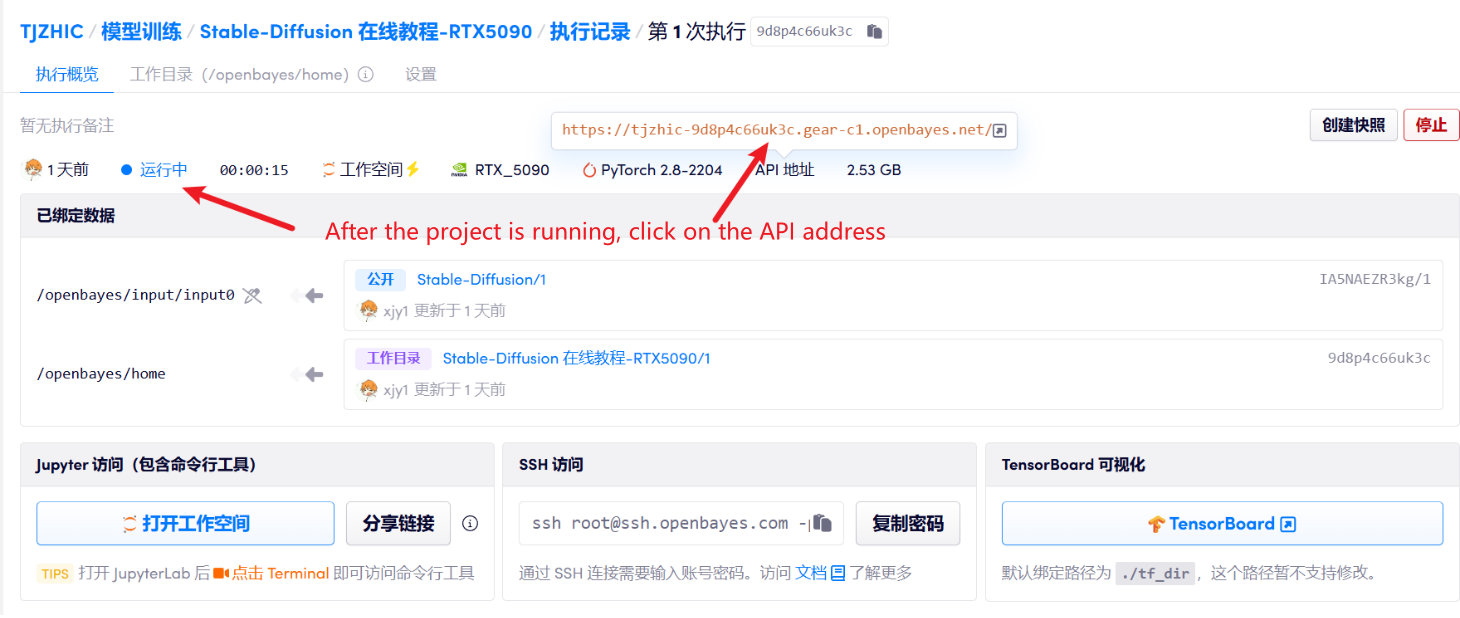
2. Usage steps
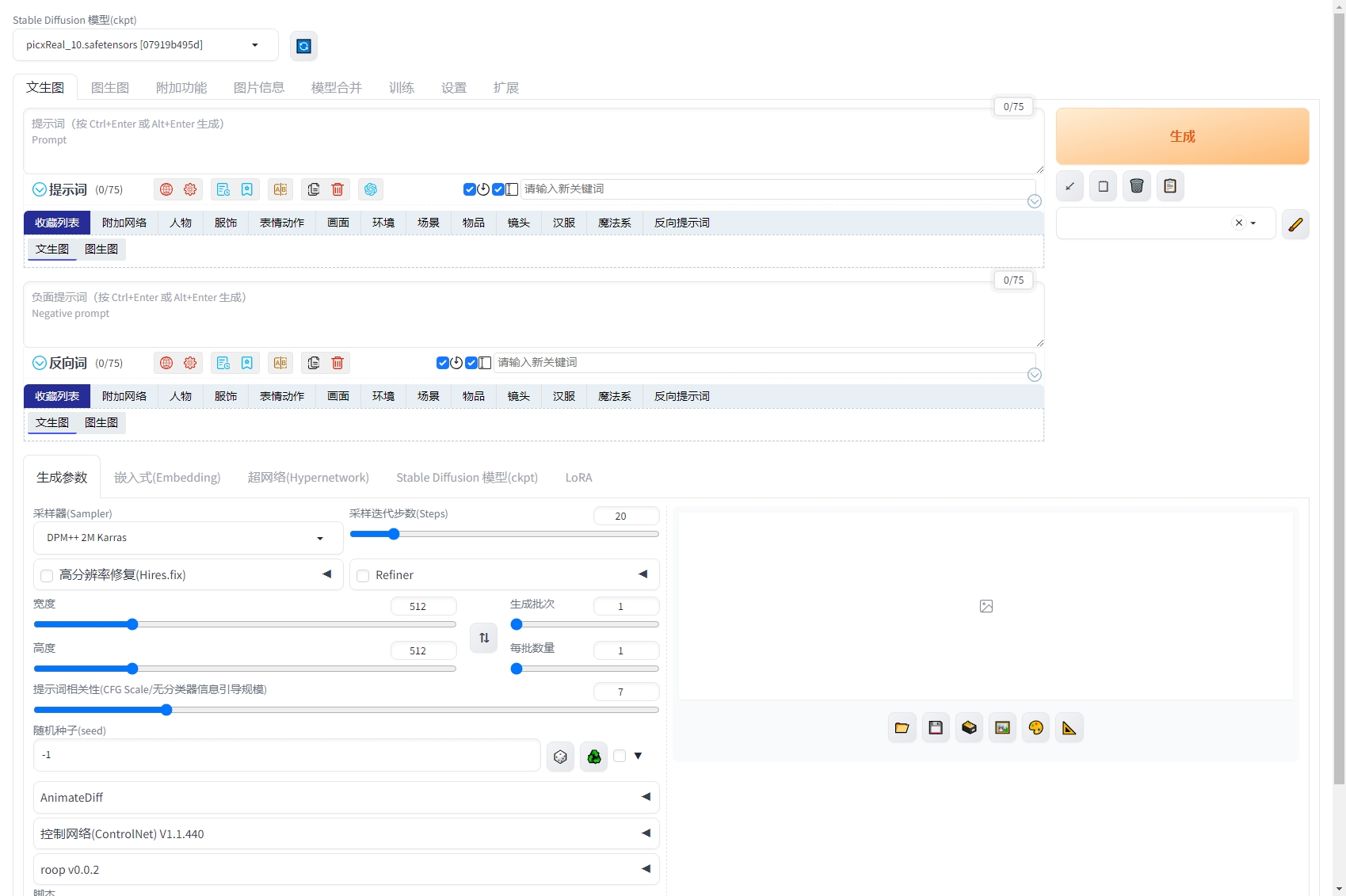
If "Bad Gateway" is displayed, it means the model is initializing. Since the model is large, please wait about 2-3 minutes and refresh the page.
We've prepared a realistic picxReal model for you, and installed the Chinese localization plugin and prompt word plugin. It supports Roop AI face swapping, ControlNet, and AnimateDiff for generating videos or GIFs. However, Roop AI face swapping and ControlNet configurations were unsuccessful.
Notebook Overview
Level
Build AI with AI
From idea to launch — accelerate your AI development with free AI co-coding, out-of-the-box environment and best price of GPUs.