Supertonic: A high-speed TTS Speech Synthesis Model Based on ONNX
1. Tutorial Introduction

This tutorial is based on the official Supertone open-source project.SupertonicThank you to the Supertone team for their contributions to the open-source community! ❤️
Supertonic is a native text-to-speech (TTS) engine launched by the Supertone team in January 2025. Its core inference layer is implemented using the ONNX Runtime, designed specifically for low-latency and high-concurrency scenarios. Unlike traditional large-scale TTS models, Supertonic significantly lowers the hardware barrier while maintaining high-quality speech synthesis, supporting fully offline real-time inference on desktops, servers, and even edge devices. It is particularly suitable for scenarios with privacy and security requirements, or those needing integration into real-time interactive applications (such as digital humans and game voice chat).
Please note: This project currently only supports speech synthesis of English text.
This tutorial demonstrates the computing power of a single RTX 5090 GPU on the OpenBayes platform, using onnxruntime-gpu hardware acceleration and Grado to build a visual web interface that achieves millisecond-level English speech synthesis.
2. Project Examples
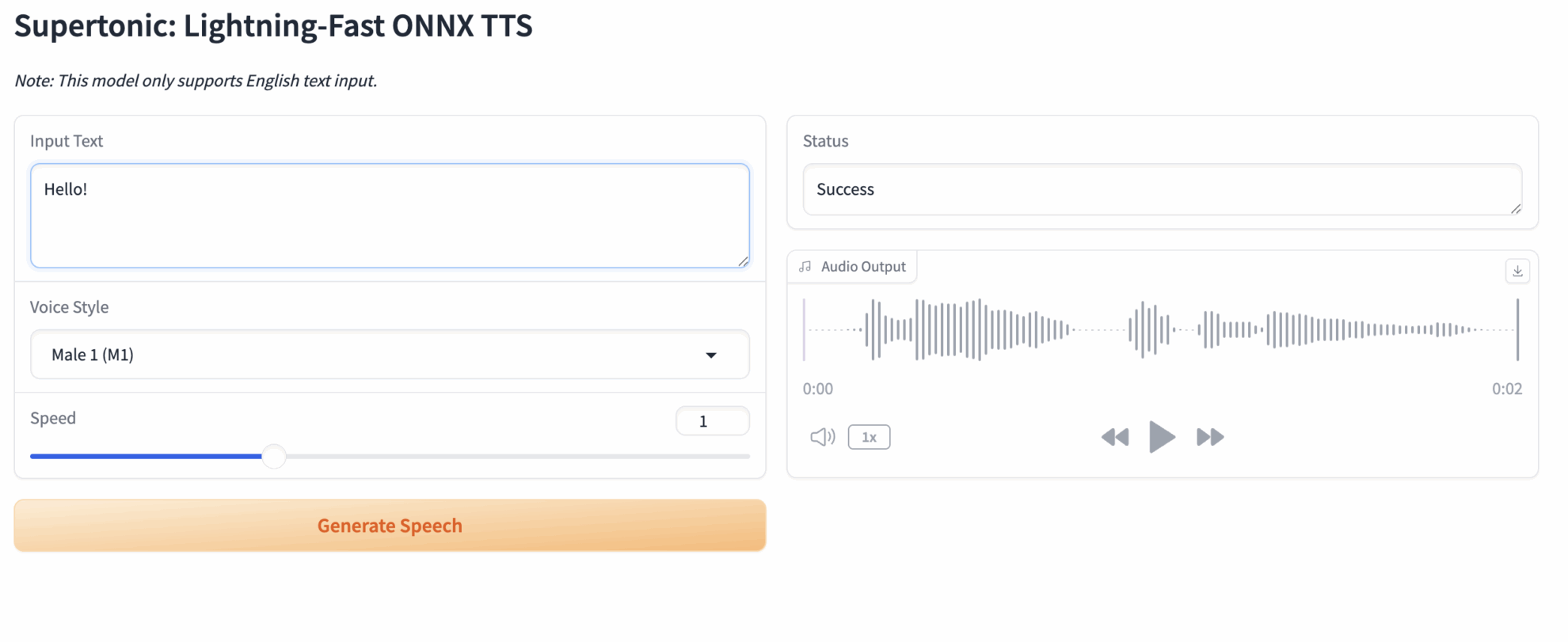
3. Operation steps
1. After starting the container, click the API address to enter the Web interface
- Clone this public tutorial in the OpenBayes console.
- Start the container: The system will automatically allocate RTX 5090 resources for you.
- Waiting to start: After the container starts, the background script
dependencies.shThe CUDA environment will be configured automatically and the model will be loaded. Since core dependencies are pre-installed, this process is very fast, usually taking only 1-2 minutes. - Accessing the application: After the container status changes to "Running", click the "API Address" button in the upper right corner of the container details page to open the Grado web interface.
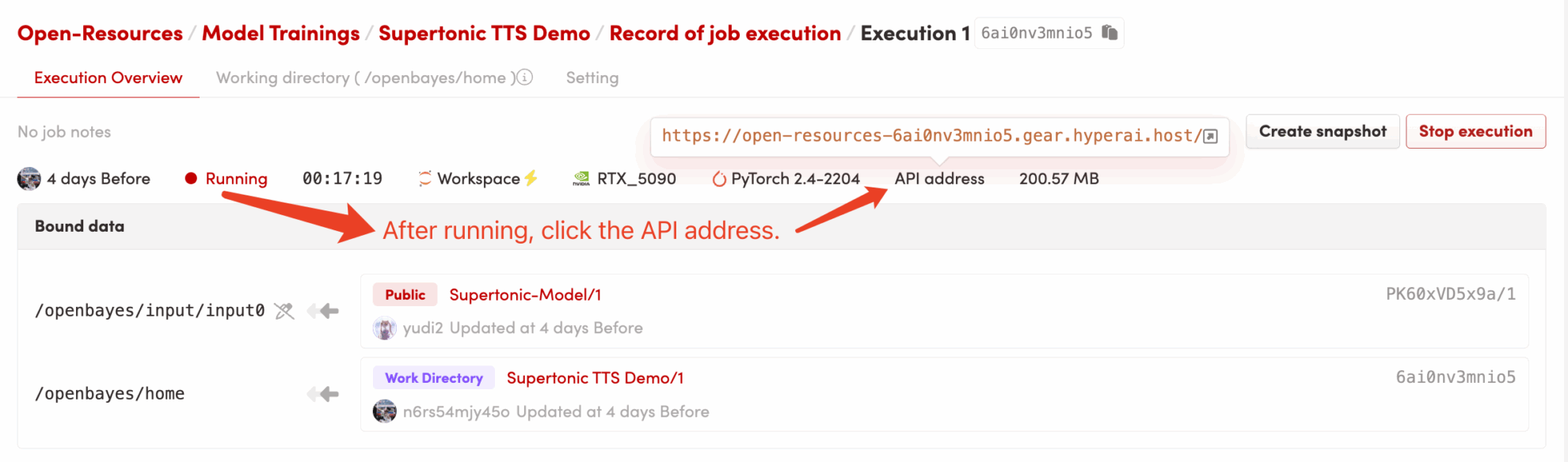
2. Input text into a webpage and synthesize speech.
If "Bad Gateway" is displayed, it means that the service is starting up. Since model loading takes time, please wait about 1-2 minutes and then refresh the page.
When using the Safari browser, the audio may not be played directly and needs to be downloaded before playing.
After entering the webpage, you will see an interactive interface entirely in English.
Basic usage steps:
- Input Text: Enter the English text you want to synthesize in the text box on the left. Example: Supertonic is a lightning-fast text-to-speech model.
- Voice Style: Select a preset style from the drop-down menu (e.g., ...).
Male 1Male voice orFemale 1(Female voice) - Speed: Drag the slider to adjust the speaking speed. The default value is 1.0.
- Generate Speech: Click the Generate button.
- Audio Output: Please wait a moment, and the player on the right will automatically play the generated audio. You can also click the download button in the upper right corner to save it.
.wavdocument.
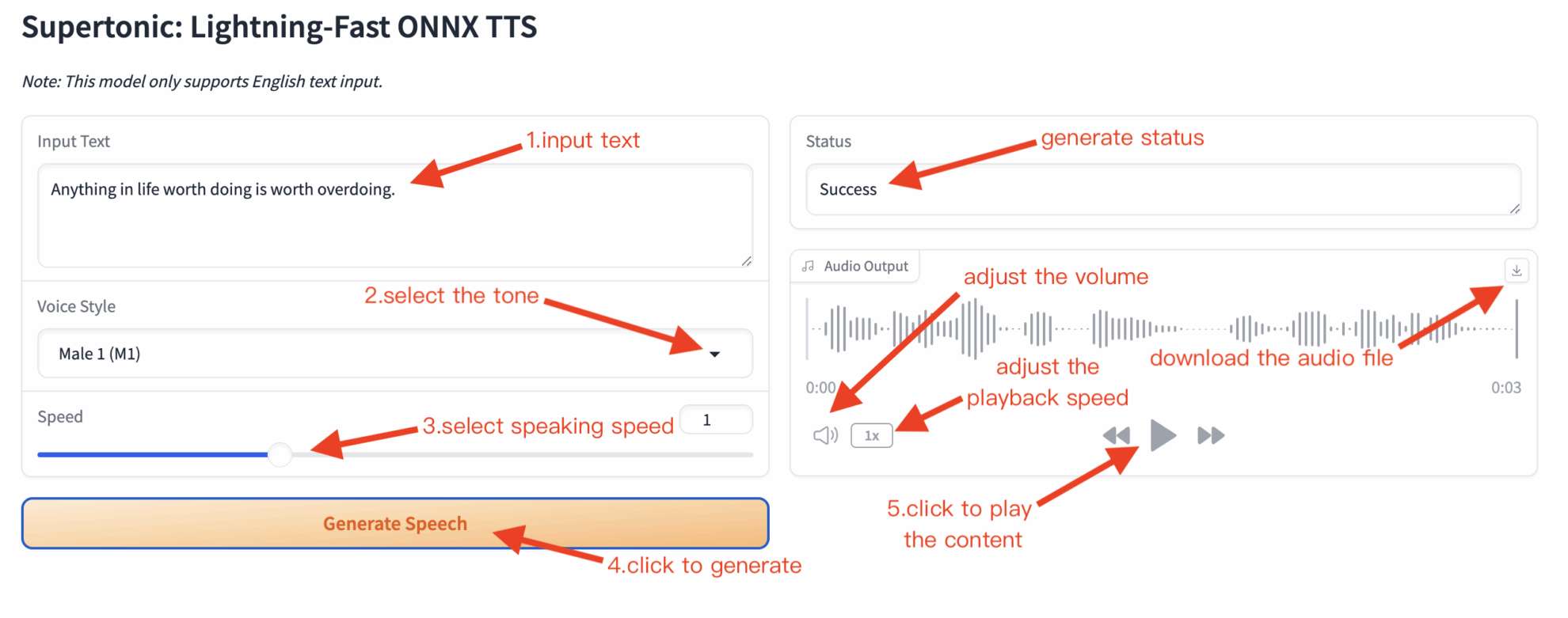
Note: When you click "Generate" for the first time, the ONNX Runtime may take a few seconds to perform CUDA initialization and graph optimization. Subsequent generation speeds will be very fast.

Citation Information
@article{kim2025supertonic, title={SupertonicTTS: Towards Highly Efficient and Streamlined Text-to-Speech System}, author={Kim, Hyeongju and Yang, Jinhyeok and Yu, Yechan and Ji, Seunghun and Morton, Jacob and Bous, Malek and Lee, Sungjae}, journal={arXiv preprint arXiv:2503.23108}, year={2025}, url={[https://arxiv.org/abs/2503.23108](https://arxiv.org/abs/2503.23108)} } @article{kim2025larope,
title={Length-Aware Rotary Position Embedding for Text-Speech Alignment},
author={Kim, Hyeongju and Lee, Juheon and Yang, Jinhyeok and Morton, Jacob},
journal={arXiv preprint arXiv:2509.11084},
year={2025},
url={https://arxiv.org/abs/2509.11084}
}@article{kim2025spfm,
title={Training Flow Matching Models with Reliable Labels via Self-Purification},
author={Kim, Hyeongju and Yu, Yechan and Yi, June Young and Lee, Juheon},
journal={arXiv preprint arXiv:2509.19091},
year={2025},
url={https://arxiv.org/abs/2509.19091}
}
Build AI with AI
From idea to launch — accelerate your AI development with free AI co-coding, out-of-the-box environment and best price of GPUs.