3D Christmas Tree Based on Gesture Recognition
1. Tutorial Introduction

3D Christmas Tree is an innovative project launched by moleculemmeng020425 in November 2025. It delivers an immersive, cinematic visual experience. Built on React and Three.js (R3F), the project utilizes advanced AI gesture recognition technology, allowing users to easily control the shape of the Christmas tree (aggregating and dispersing) and freely rotate the viewpoint using gestures. It's not just an ordinary Christmas tree, but an interactive digital art gallery filled with memories. Thousands of exquisite particle effects, dazzling light shows, and suspended precious Polaroid photos intertwine to create a luxurious and vibrant virtual Christmas tree, providing users with an unprecedented sensory experience.
This tutorial uses CPU as the resource.
2. Project Examples
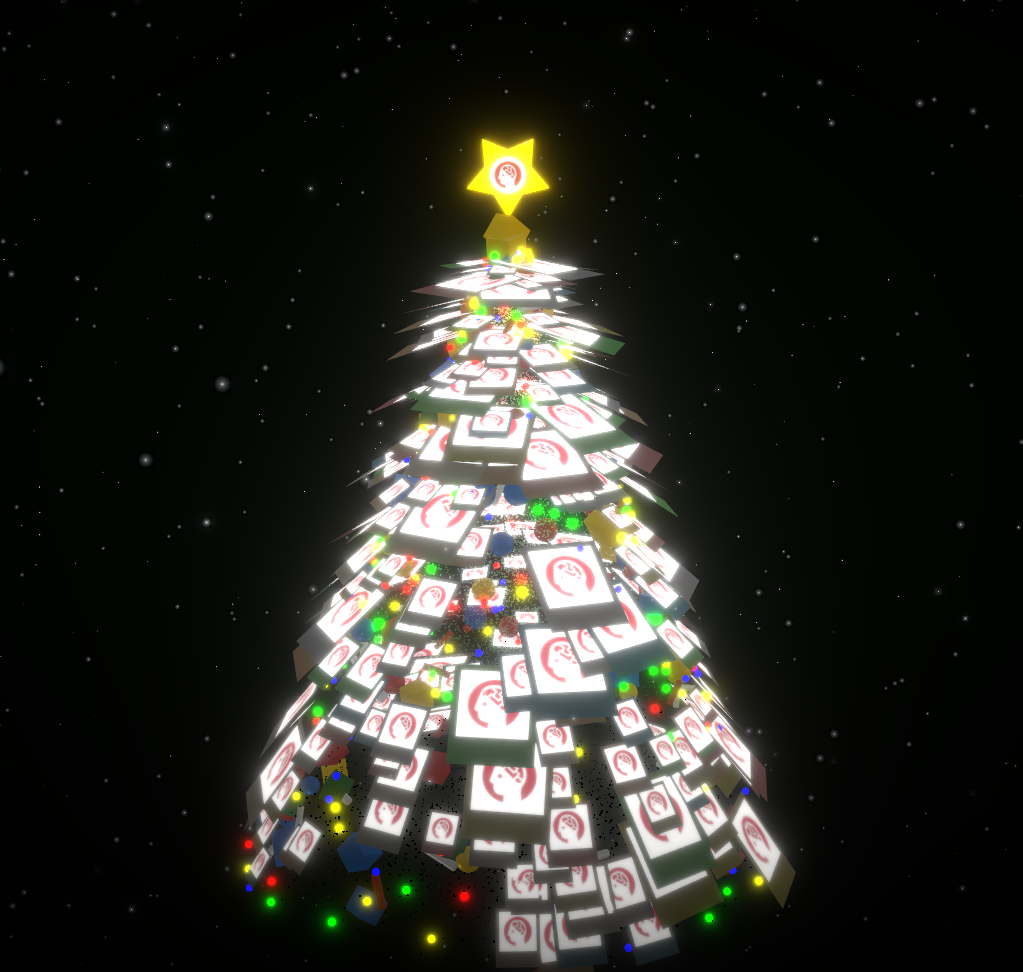
3. Operation steps
1. After starting the container, click the API address to enter the Web interface
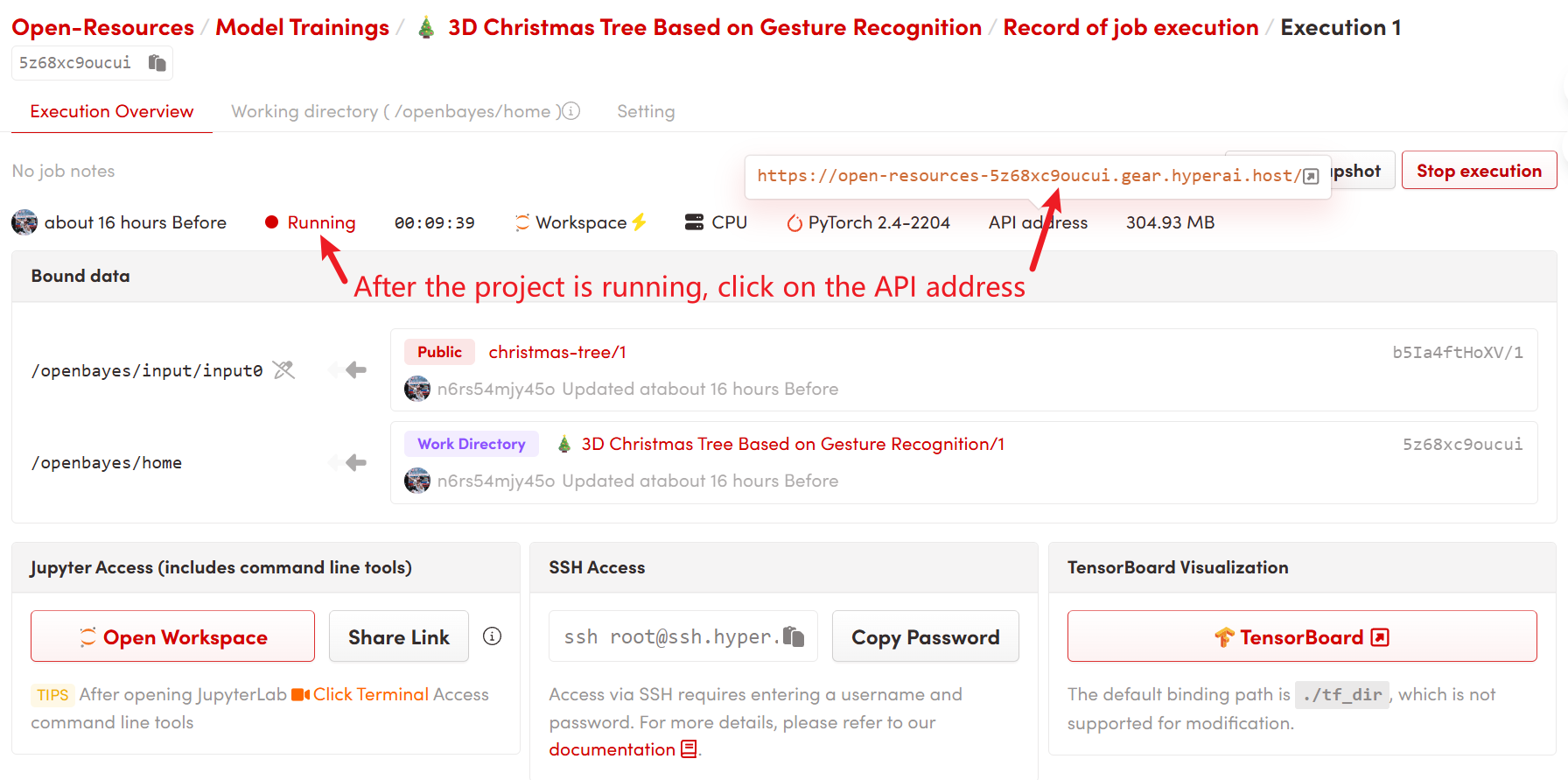
2. Usage steps
- Prepare photos
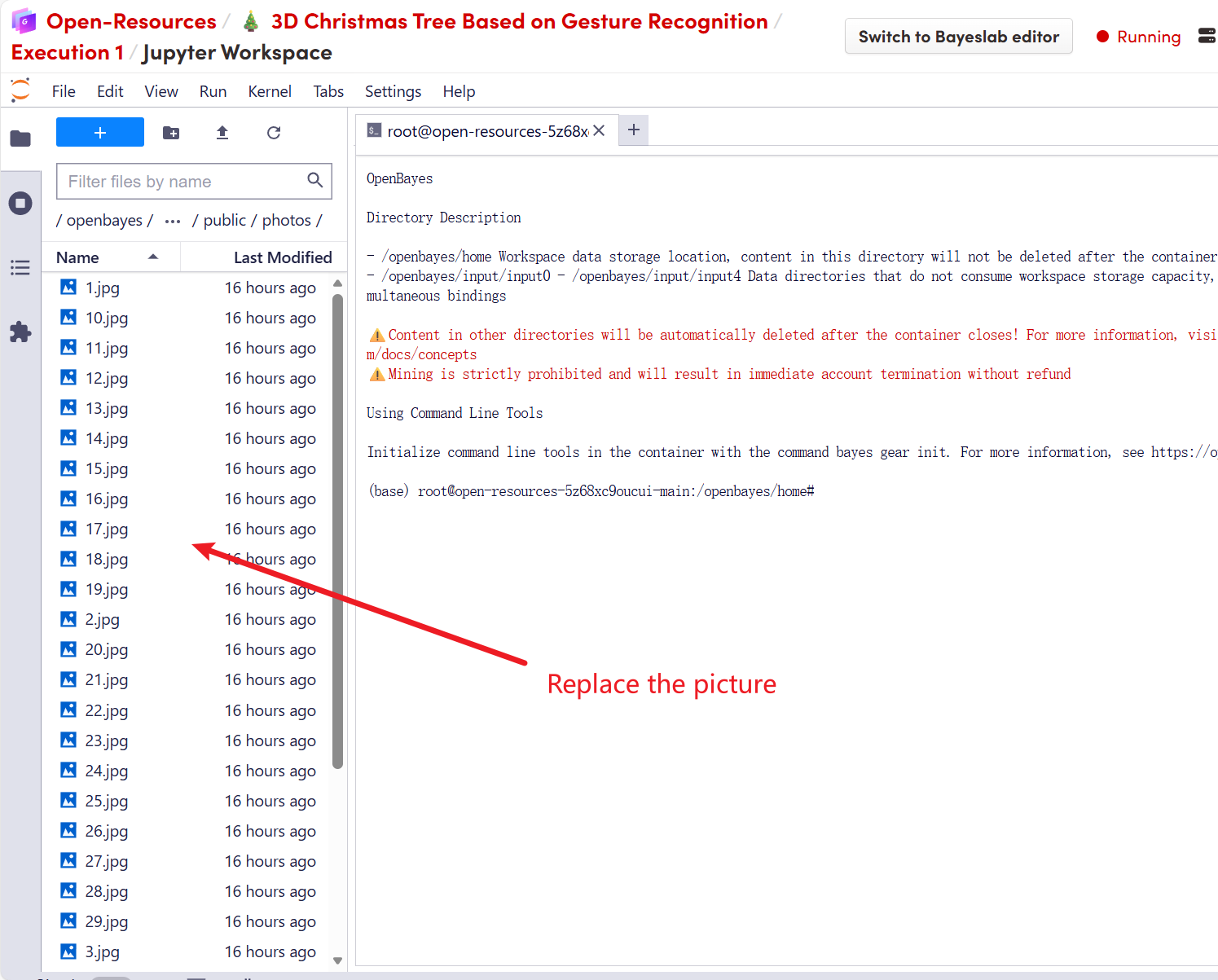
Locate the folder `/openbayes/home/christmas-tree/public/photos/` in the project directory. For the top/cover image: name it `top.jpg` (it will appear on the 3D five-pointed star at the top of the tree). For the tree trunk photos: name them 1.jpg, 2.jpg, 3.jpg, and so on. Recommendation: Use square or 4:3 aspect ratio images, and keep file sizes low (ideally under 500kb per image to ensure smooth playback).
2. Replace the photo
Simply copy your own photos to the /openbayes/home/christmas-tree/public/photos folder, overwriting the existing images. Please keep the filename format unchanged (1.jpg, 2.jpg, etc.).
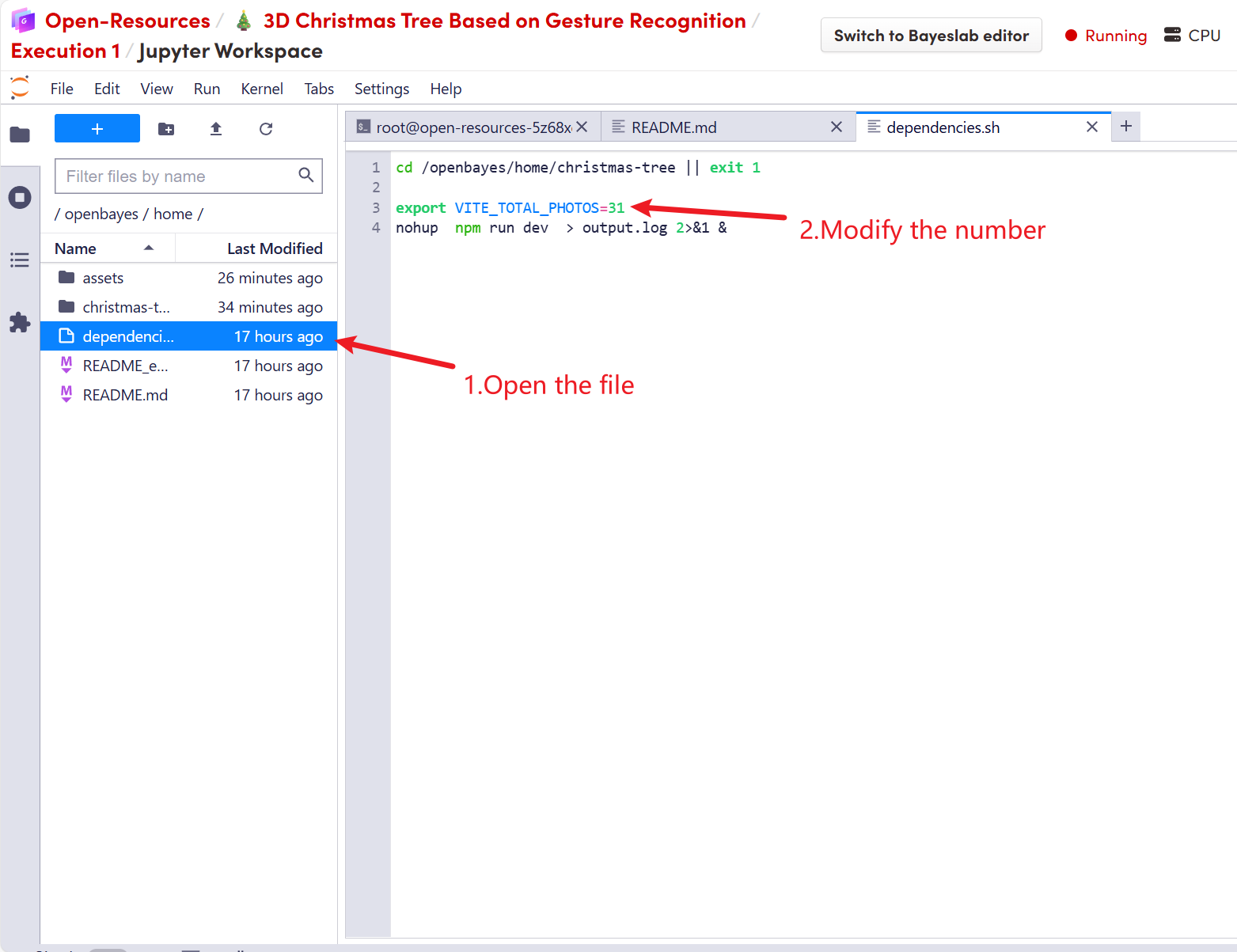
3. Adjust the number of photos (increase or decrease)
If you add more photos (for example, increasing from the default 31 to 100), you need to open the file: dependencies.sh. You will see: export VITE_TOTAL_PHOTOS=31. Change the number "31" to your number of images, then close the container and start it again.

4. Gesture Control Instructions
This project has a built-in AI gesture recognition system. Please stand in front of the camera to operate (there is a DEBUG button in the lower right corner of the screen to view the camera feed):
🖐 Open Palm Disperse: The Christmas tree explodes into a shower of particles and photos.
✊ Clench your fist (Closed Fist) and Assemble. All elements instantly combine into a perfect Christmas tree.
👋 Move your palm left and right to rotate the view. Move your hand to the left and the tree will turn to the left; move your hand to the right and the tree will turn to the right.
Build AI with AI
From idea to launch — accelerate your AI development with free AI co-coding, out-of-the-box environment and best price of GPUs.