Command Palette
Search for a command to run...
Online Tutorial: Deploy Large Models Without Any Pressure! Run Llama 3.1 405B and Mistral Large 2 With One Click
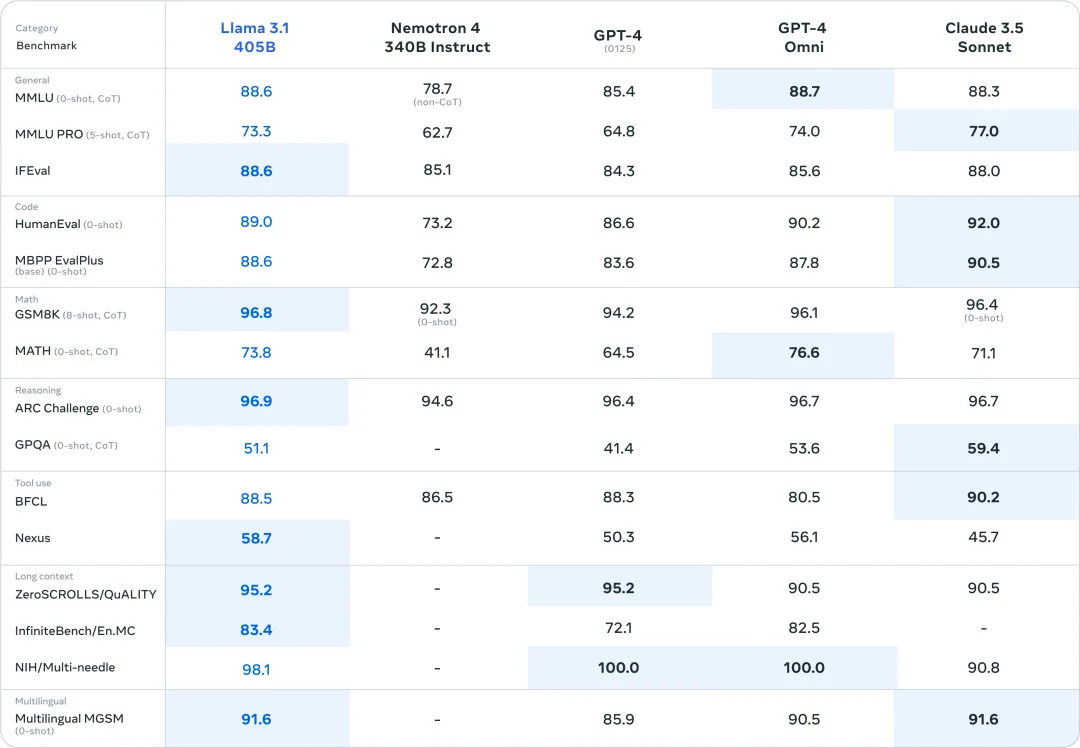
On July 23rd local time, Meta officially released Llama 3.1. The oversized 405B parameter version strongly opened the highlight moment of the open source model. In multiple benchmark tests, its performance caught up with or even surpassed the existing SOTA models GPT-4o and Claude 3.5 Sonnet.
Interestingly, just as Llama 3.1 was vying for the throne, Mistral AI launched Mistral Large 2 to directly confront the 405B model, which is difficult to deploy.
Undoubtedly, the hardware capabilities required for the 405B parameter scale are not a threshold that individual developers can easily cross, and most enthusiasts can only look on with daunting eyes. The Mistral Large 2 model has only 123B parameters, less than one-third of the Llama 3.1 405B, and the deployment threshold is also lowered, but the performance can "compete" with Llama 3.1.
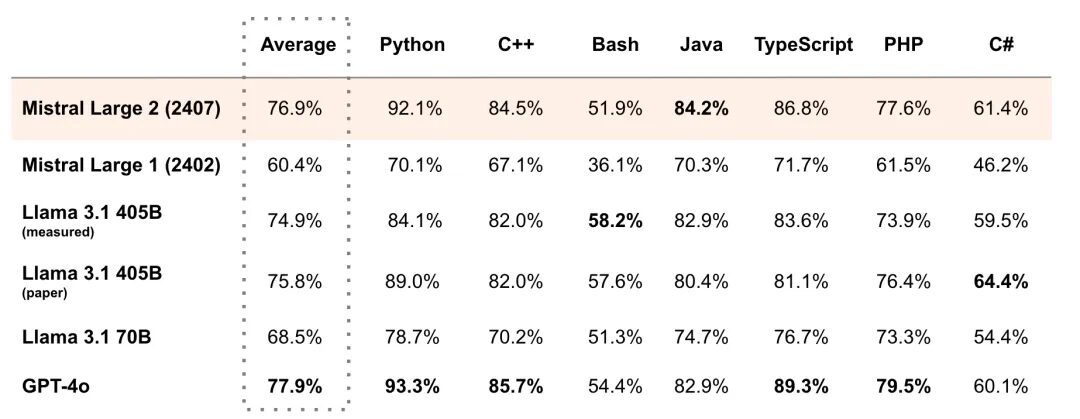
For example, in the MultiPL-E multiple programming language benchmark, Mistral Large 2's average score surpassed Llama 3.1 405B, and was 1% behind GPT-4o, and surpassed Llama 3.1 405B in Python, C++, Java, etc. As its official statement, Mistral Large 2 has opened up a new frontier in performance/service cost of evaluation indicators.
* Use Open WebUI to deploy the Llama 3.1 405B model in one click:
* Use Open WebUI to deploy Mistral Large 2407 123B in one click:
At the same time, we have also prepared advanced tutorials, you can choose as needed:
* One-click deployment of Llama 3.1 405B model OpenAI compatible API service:
* One-click deployment of Mistral Large 2407 123B model OpenAI compatible API service:
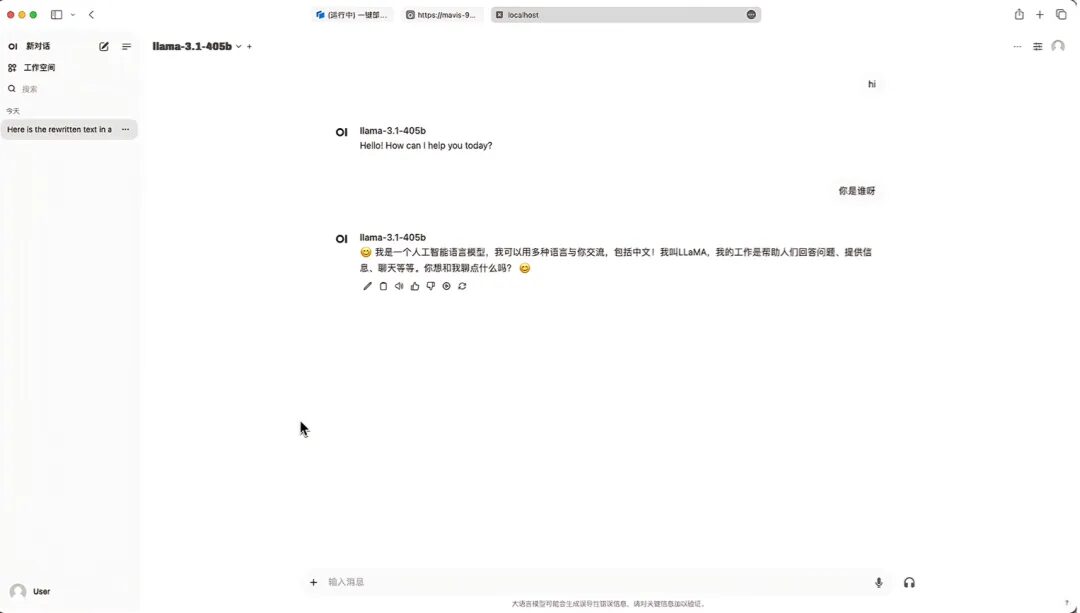
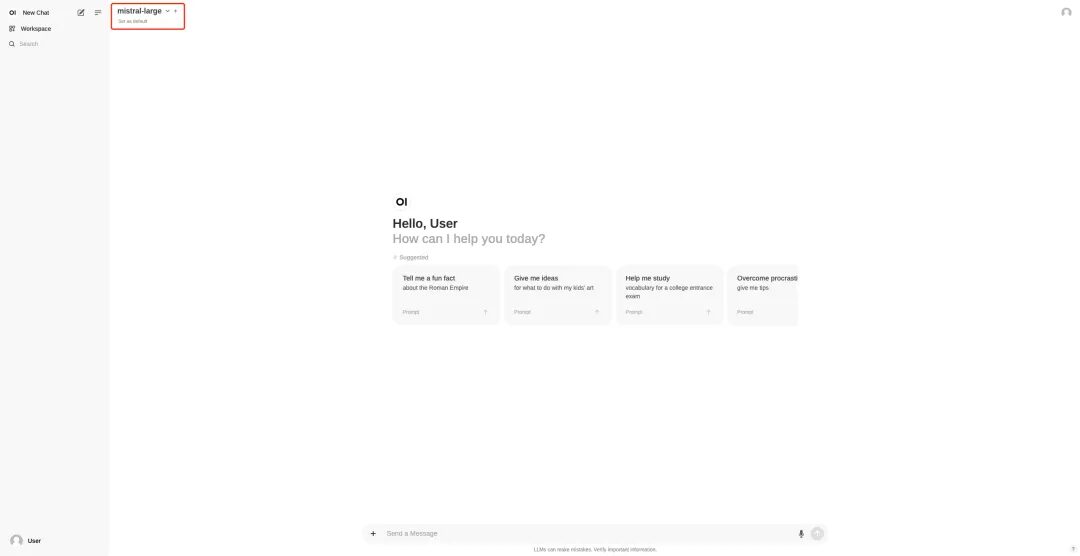
I used Open WebUI to deploy Mistral Large 2407 123B with one click and conducted a test. The large models frequently failed to meet the "9.9 or 9.11 which is bigger" problem, and Mistral Large 2 was not immune to this problem:

Demo Run
This text tutorial will take "Use Open WebUI to deploy Mistral Large 2407 123B in one click" and "Deploy Llama 3.1 405B model OpenAI compatible API service in one click" as examples to break down the operation steps for you.
Use Open WebUI to deploy Mistral Large 2407 123B in one click
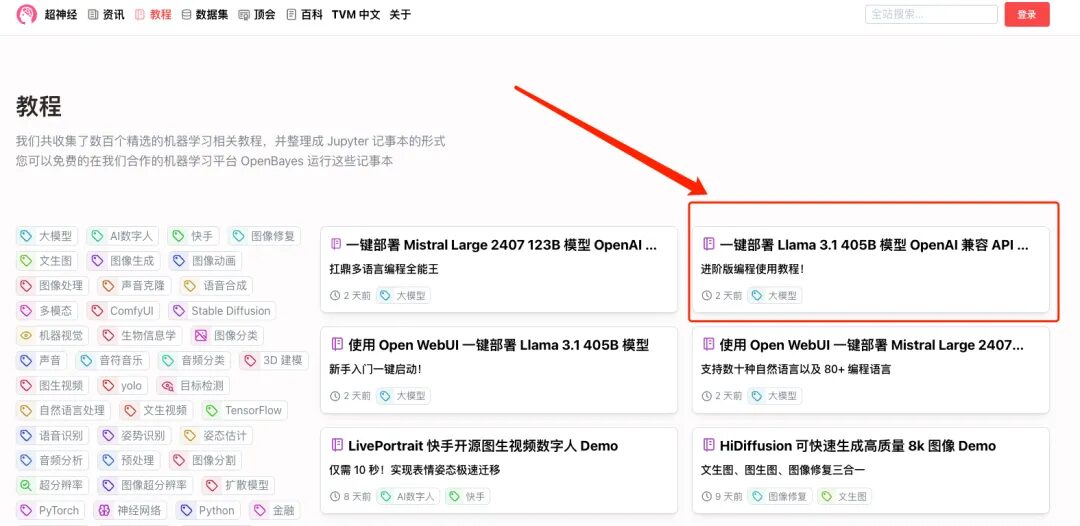
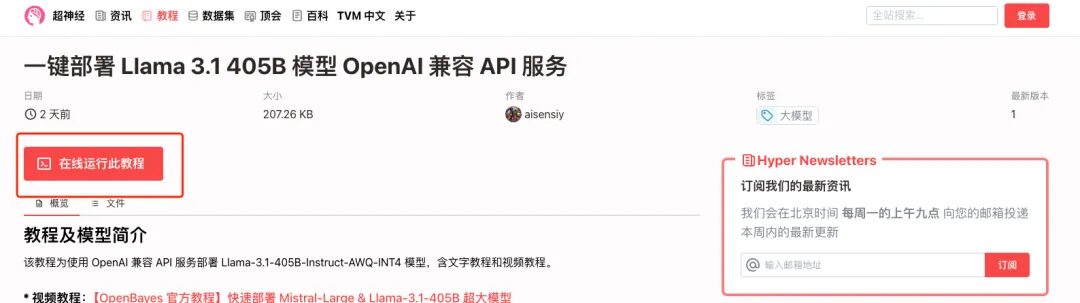
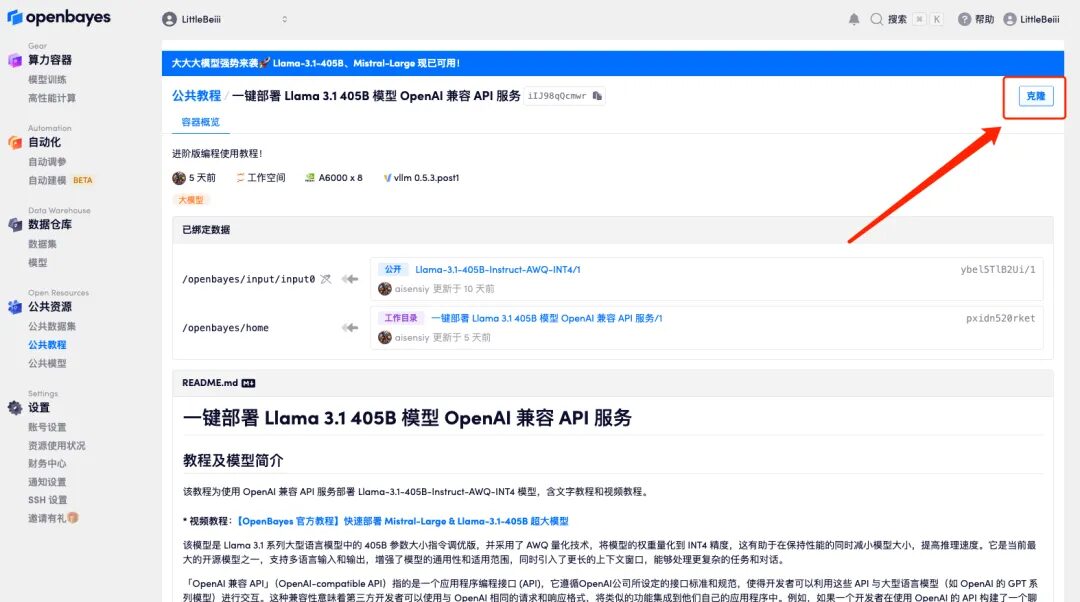
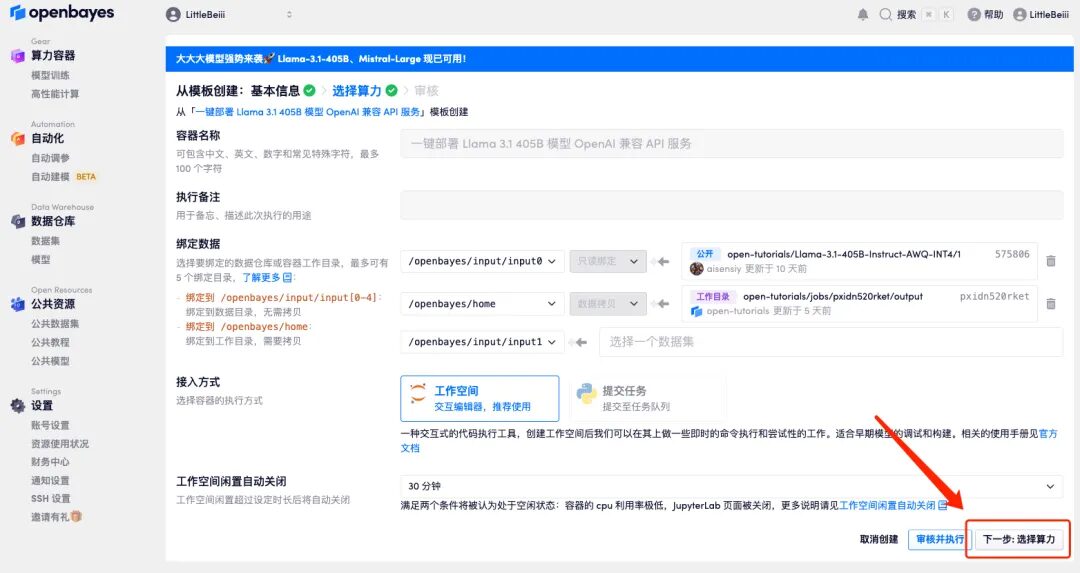
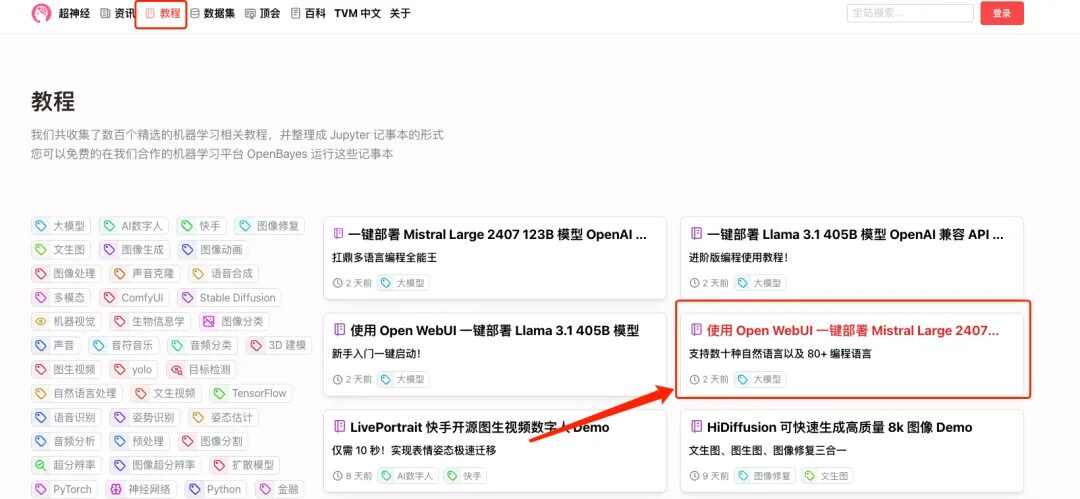
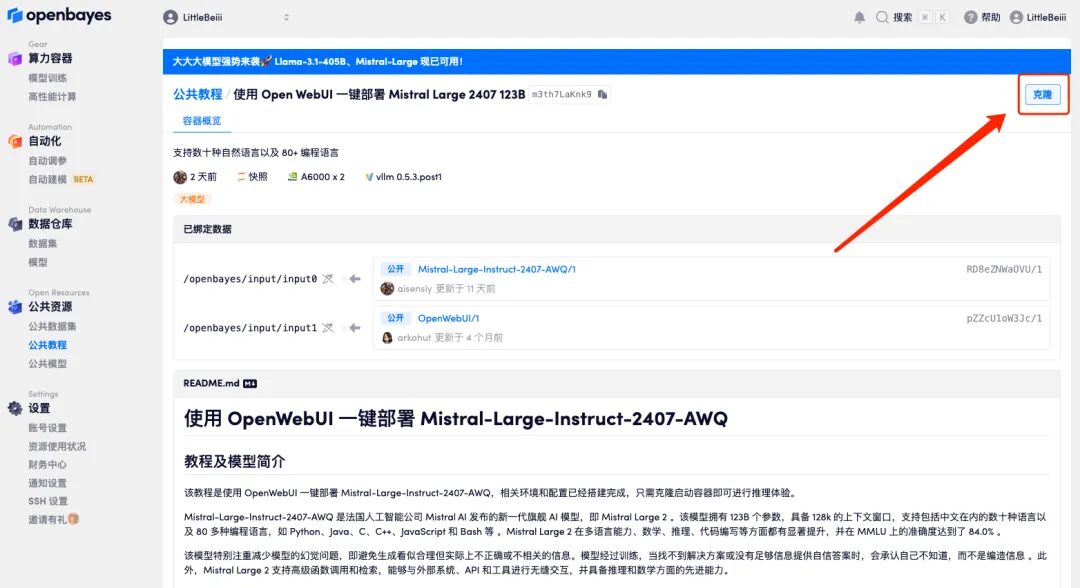
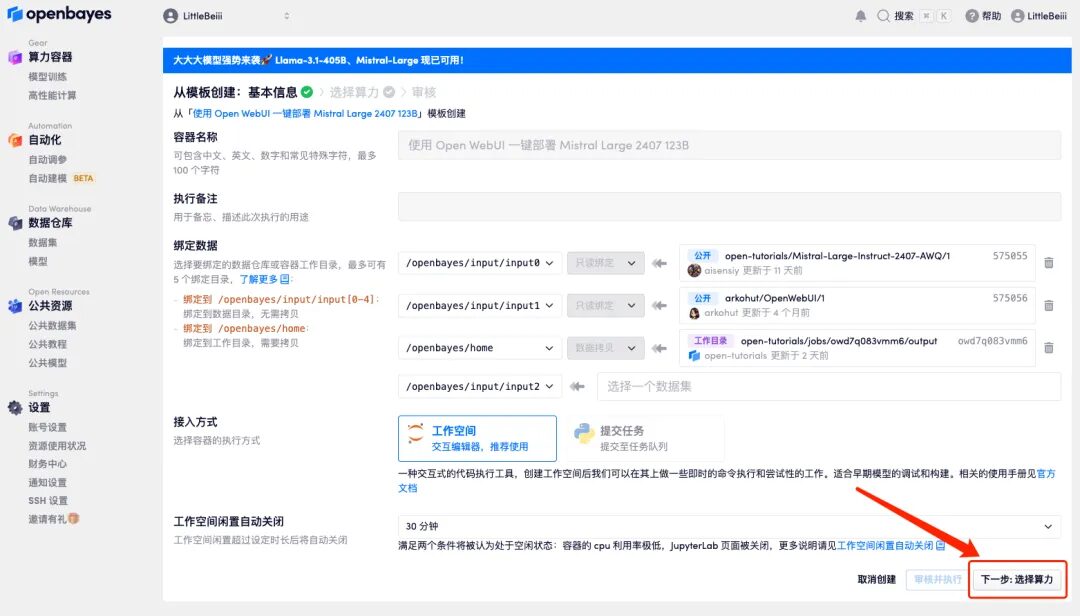
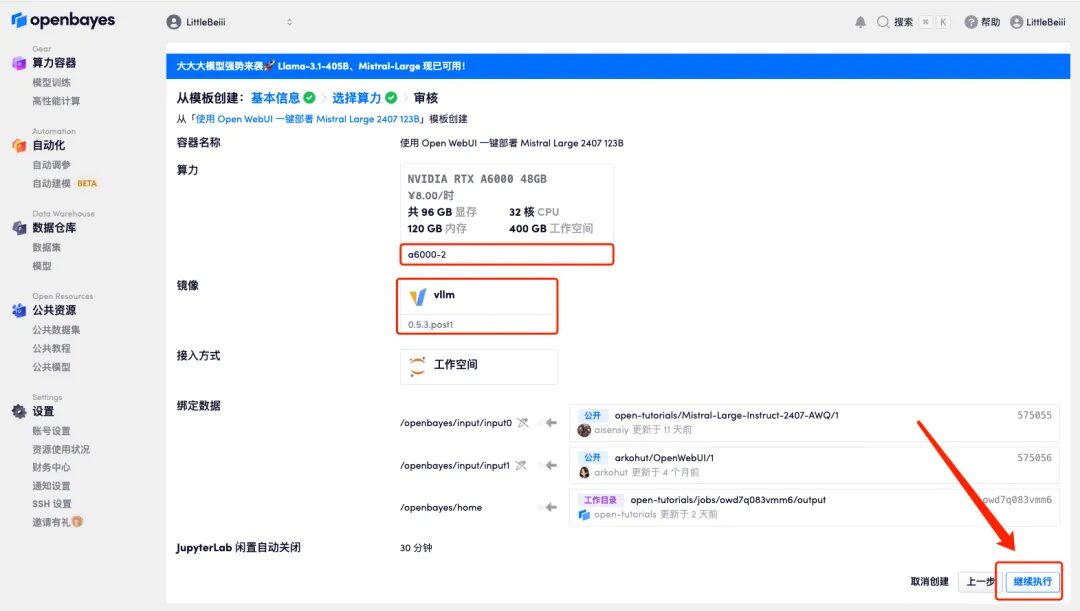
1. Log in to hyper.ai, on the Tutorial page, select Deploy Mistral Large 2407 123B with Open WebUI, and click Run this tutorial online.
HyperAI exclusive invitation link (copy and open in browser):
https://openbayes.com/console/signup?r=6bJ0ljLFsFh_Vvej
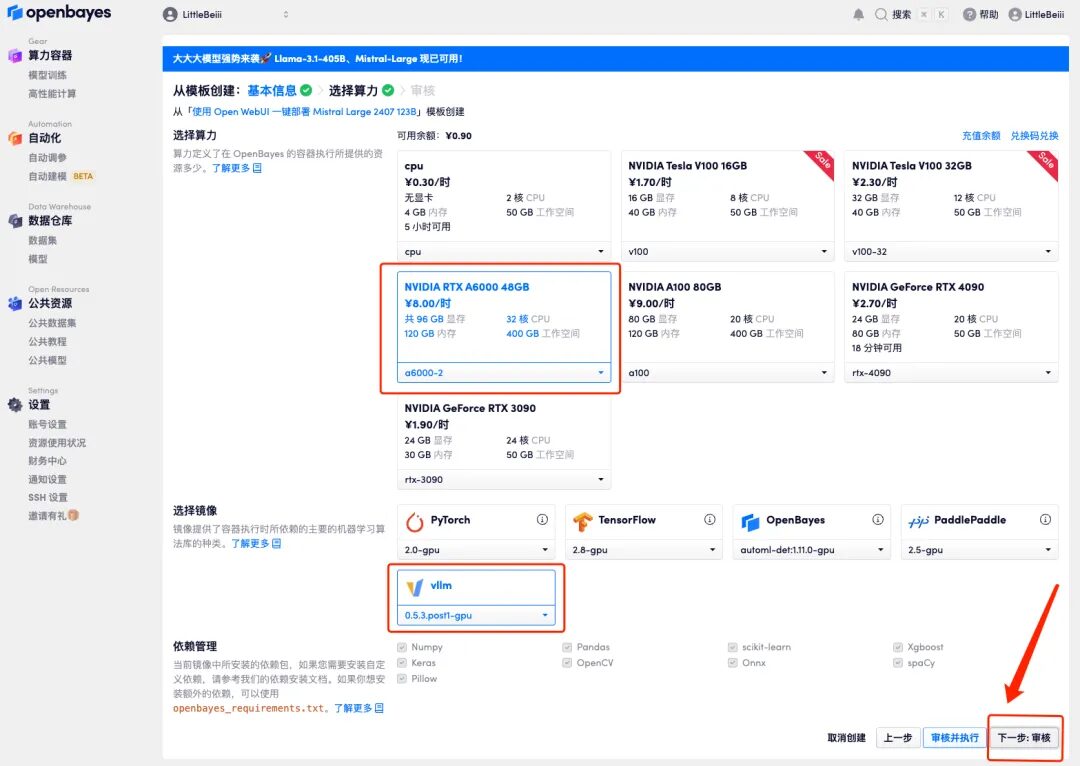
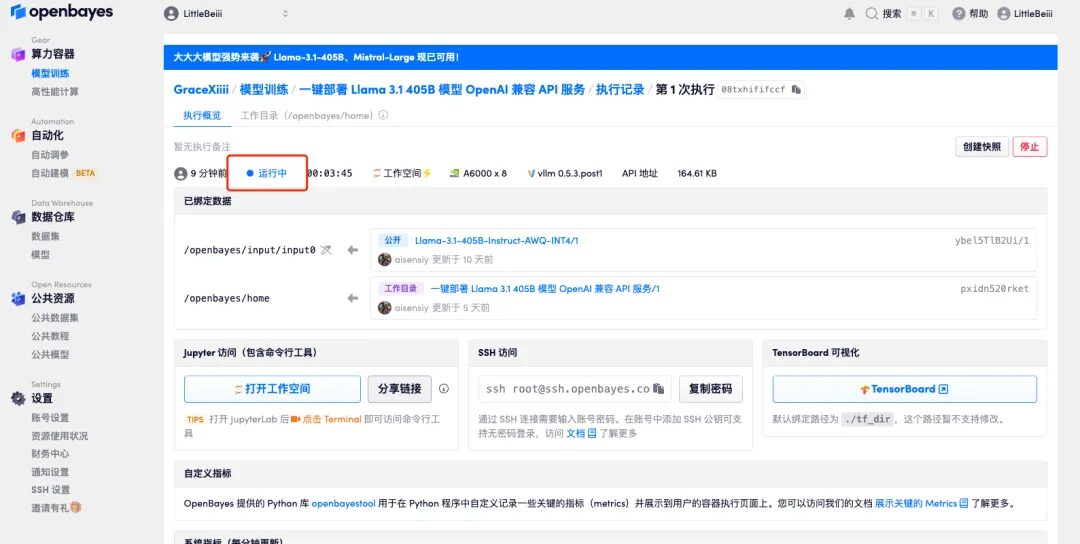
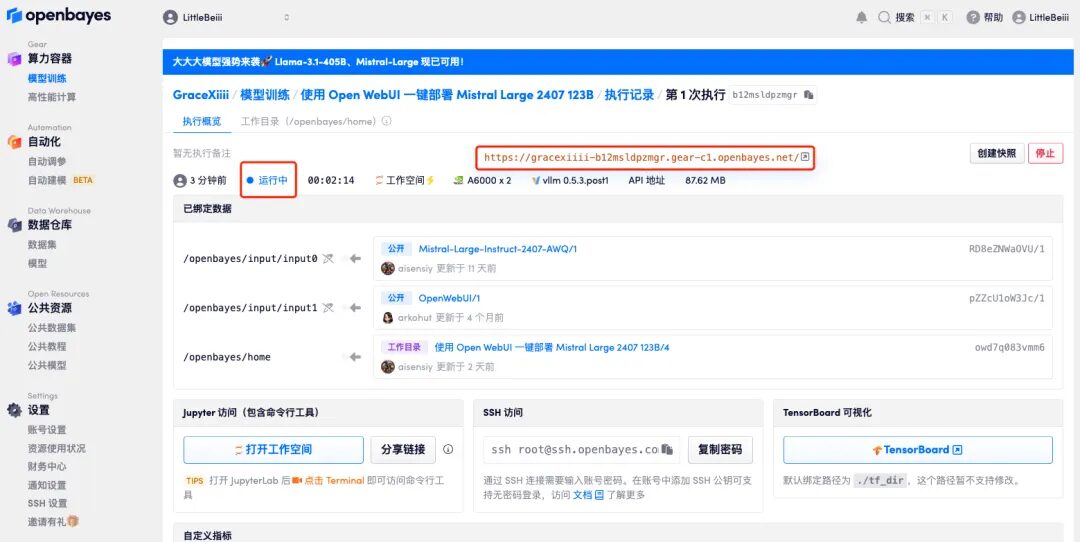
If the issue persists for more than 10 minutes and remains in the "Allocating resources" state, try stopping and restarting the container. If restarting still does not resolve the issue, please contact the platform customer service on the official website.
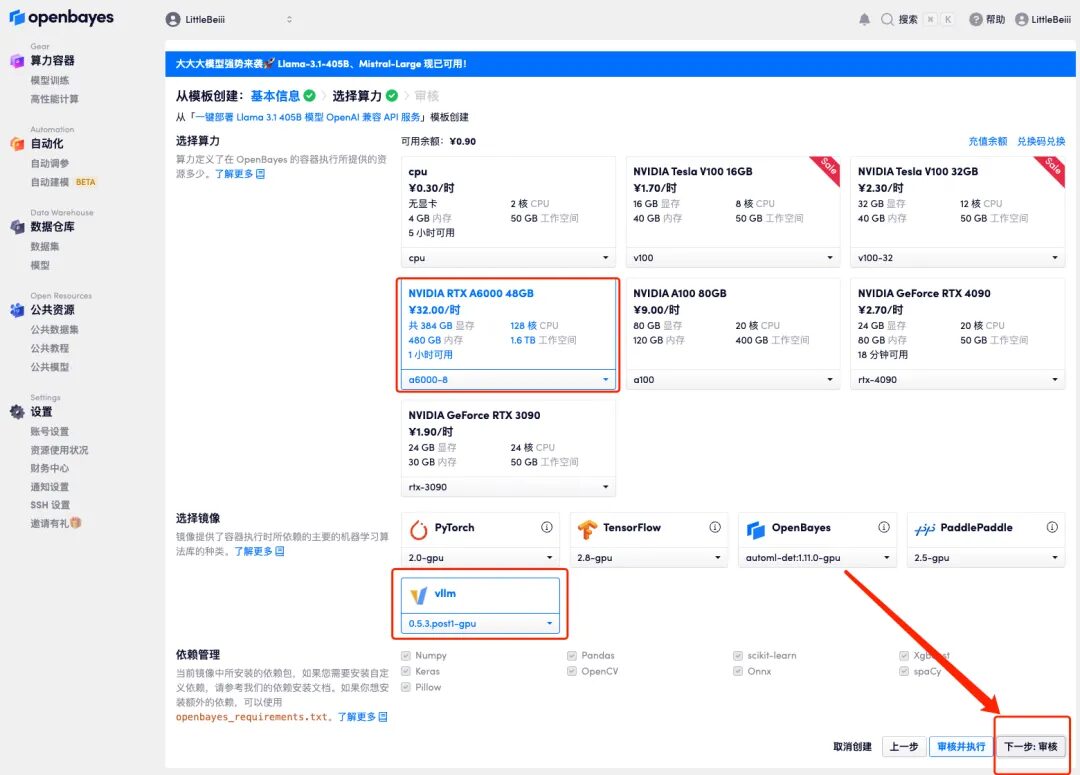
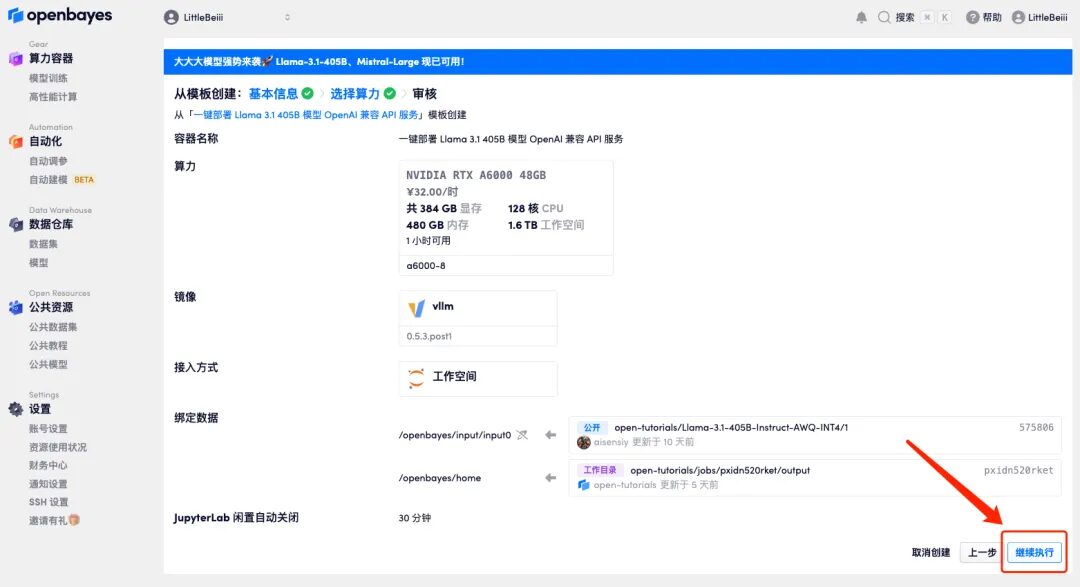
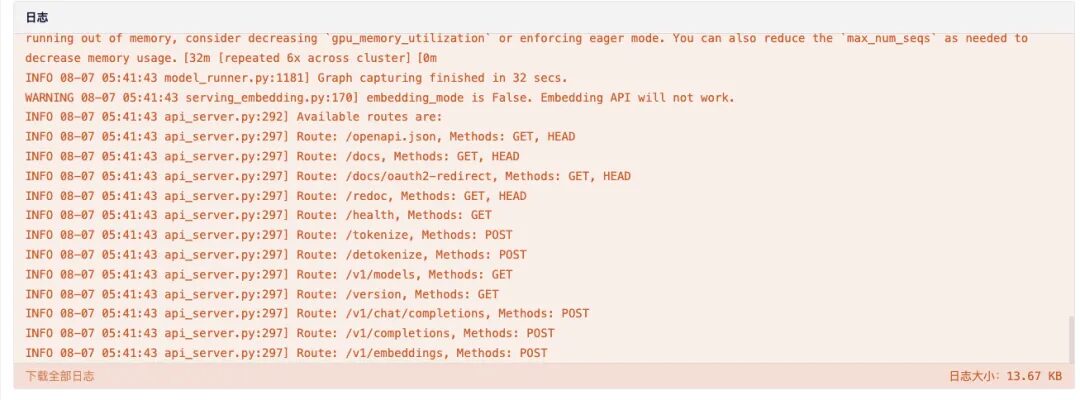
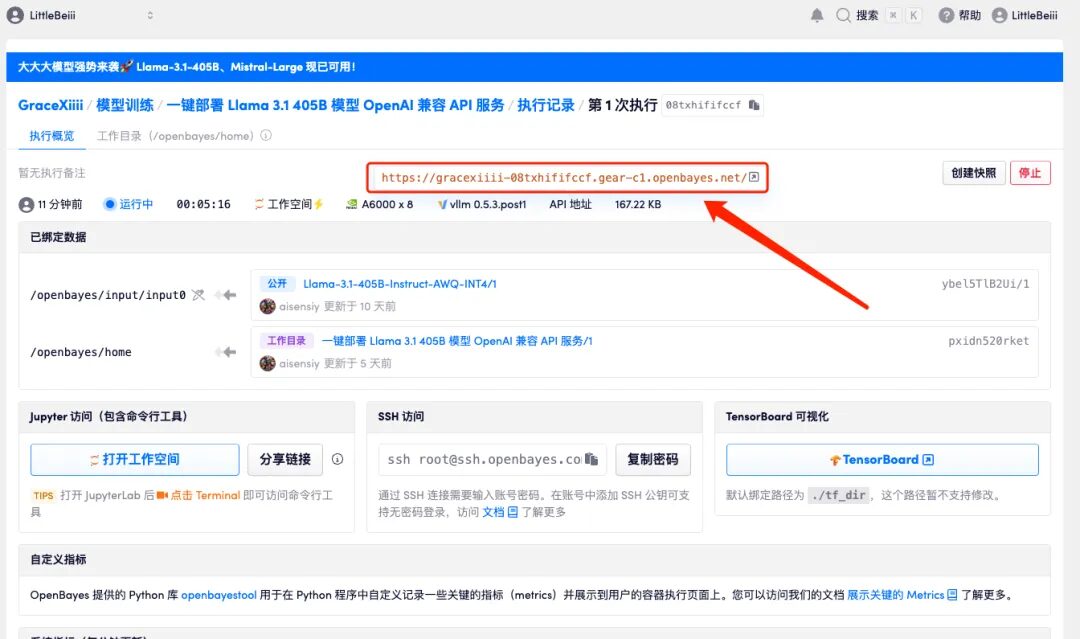
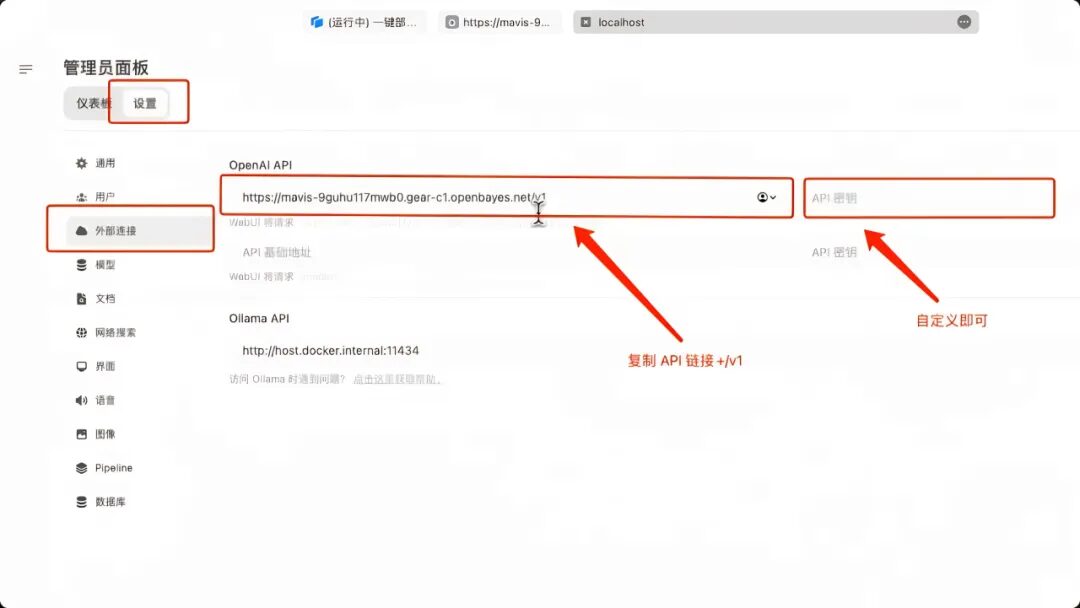
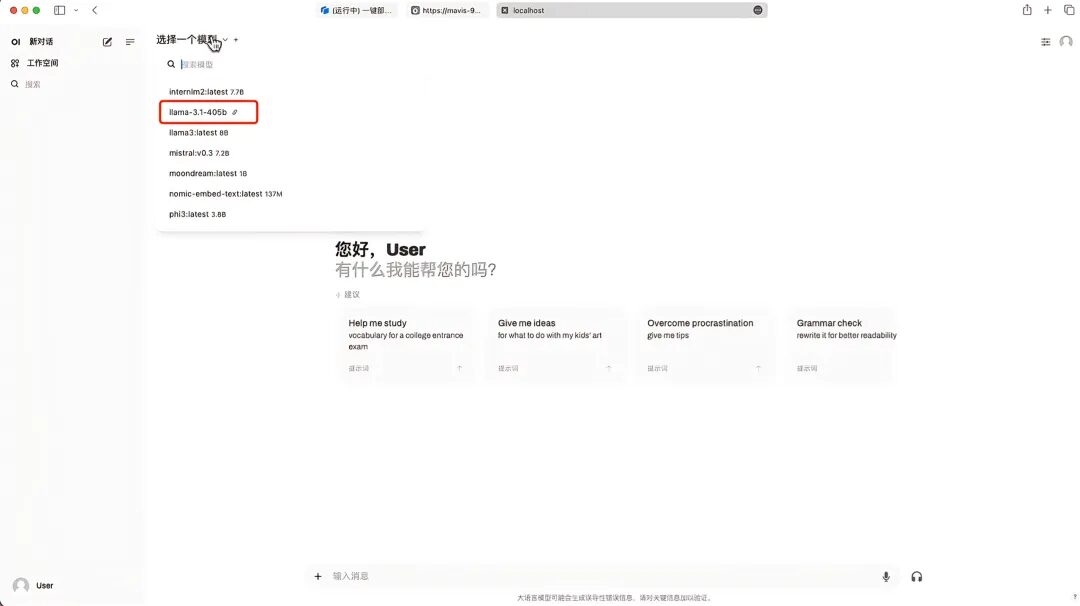
1. If you want to deploy OpenAI compatible API service, select "One-click deployment of Llama 3.1 405B model OpenAI compatible API service" on the tutorial interface. Similarly, click "Run tutorial online"