Command Palette
Search for a command to run...
Free CPU Online Tutorial | Hermes Agent: Learn Long-Term Memory? The Memory Enhancement Plugin TencentDB Agent Memory Can Store Facts, Preferences, Task States, etc., separately.
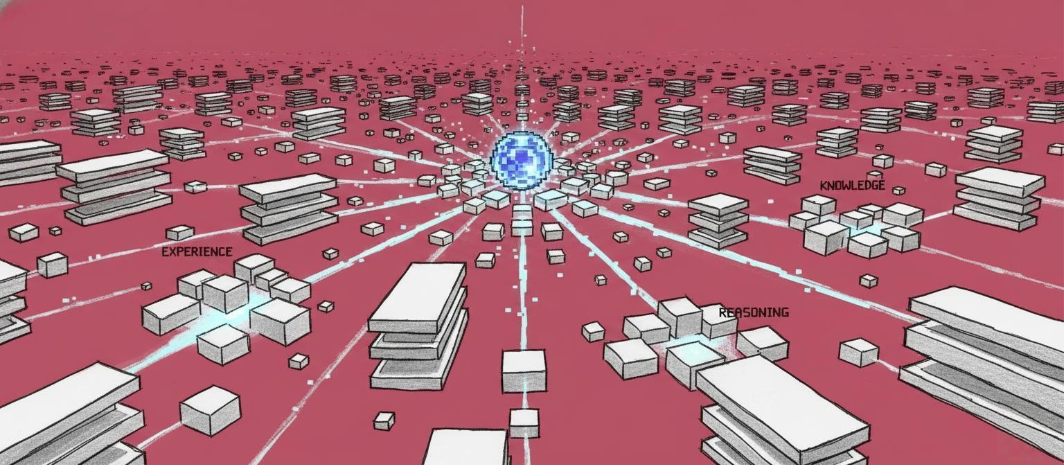
Over the past year, the development of AI agents has far exceeded expectations. From chatbots capable of understanding natural language to intelligent agents that can autonomously invoke tools and perform complex tasks, large language models are gradually moving away from the passive "question-and-answer" interaction mode and beginning to evolve into true digital employees. However, when these agents are deployed in real-world work scenarios...A key bottleneck quickly emerged: they often lacked the ability to retain memory and accumulate experience.
In the real world, whether it's software development, market research, or office automation, tasks often span days or even weeks. Agents not only need to understand current instructions, but also remember user preferences, track historical decisions, and reuse existing experience in subsequent tasks. However, most agents currently remain at the "single-session memory" stage—experience is difficult to retain after the conversation ends;**The longer the task cycle, the more bloated the context becomes, and the higher the token cost will be.**How to enable agents to continuously learn, retain long-term memories, and evolve like humans is becoming a new focus of attention in the industry.
Against this backdrop, Hermes Agent, developed by Nous Research, has attracted widespread attention. As an open-source agent framework designed for autonomous intelligent agent scenarios,**Hermes Agent has more than 40 built-in tools and innovatively introduces a self-evolving learning loop mechanism.**Unlike traditional AI assistants that operate on a "complete task and then stop" model, Hermes can automatically extract skills from experience during execution, continuously optimize decision-making strategies, and achieve parallel processing of complex tasks through a sub-Agent delegation mechanism, significantly improving its long-term task execution capabilities.
However, autonomous evolution is only one part of building the next generation of agents. To truly enable agents to operate long-term, another more fundamental problem needs to be solved—memory. Recently, TencentDB Agent Memory was first launched as a memory enhancement plugin for OpenClaw and has been further adapted to Hermes Agent, attempting to build a sustainable, long-term reusable memory system for agents. Unlike traditional solutions that simply compress historical dialogues and inject context,**TencentDB Agent Memory employs a hierarchical memory architecture, storing and managing facts, preferences, task states, and long-term profiles separately.**This prevents the agent from "forgetting" itself after starting a new session.
When Hermes Agent's self-learning capabilities are combined with TencentDB Agent Memory's long-term memory capabilities, a prototype of an AI Agent capable of continuous growth and experience accumulation is gradually taking shape. From personal productivity tools to complex workflow automation, and then to long-term collaborative digital employees, Agents are moving from "being able to use tools" to a new stage of "being able to learn, remember, and grow."
at present,**The tutorial section on the HyperAI website (hyper.ai) has launched "Hermes: Running APIs using Free-CPU". This tutorial is based on HyperAI's free CPU and specifically incorporates the TencentDB Agent.**And by using a Notebook format, the deployment threshold has been lowered.
Run online:https://go.hyper.ai/hBZnH
Welcome to visit our official website for more information:
Demo Run
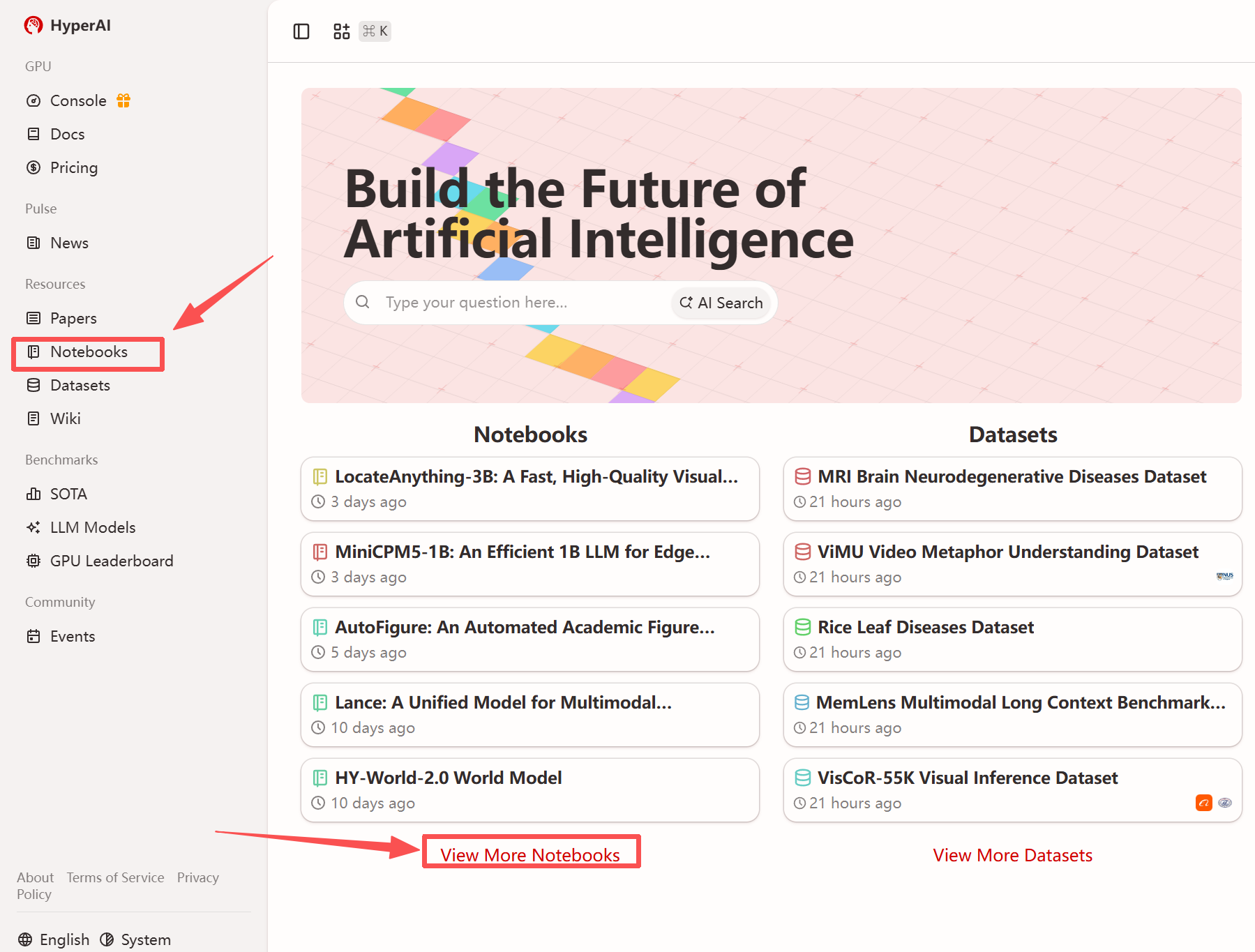
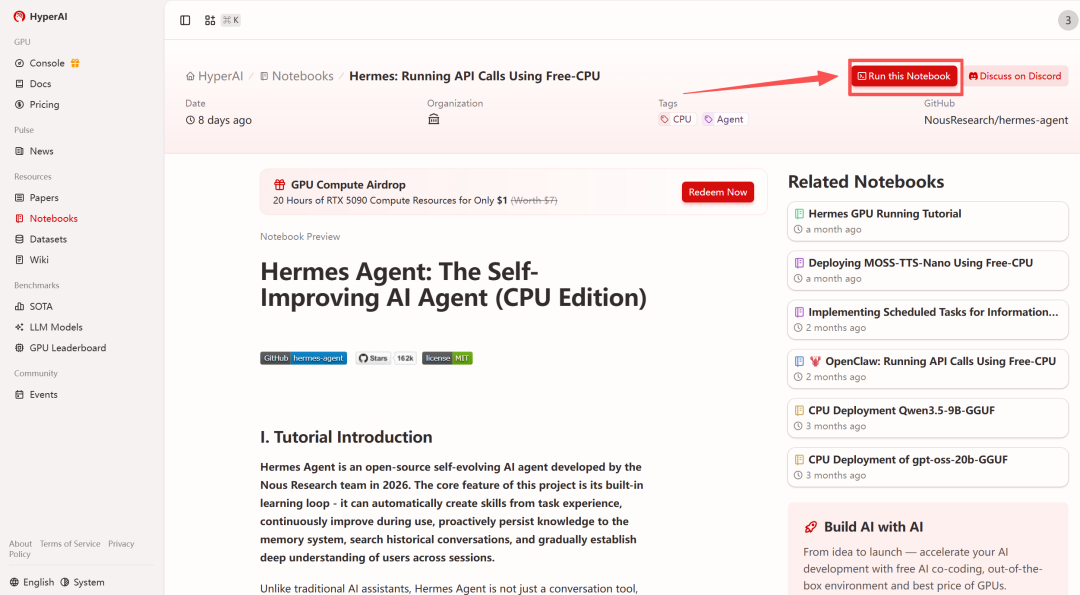
1. After entering the hyper.ai homepage, select the "Tutorials" page, or click "View More Tutorials", select "Hermes: Running API Calls Using Free-CPU", and click "Run this tutorial online".
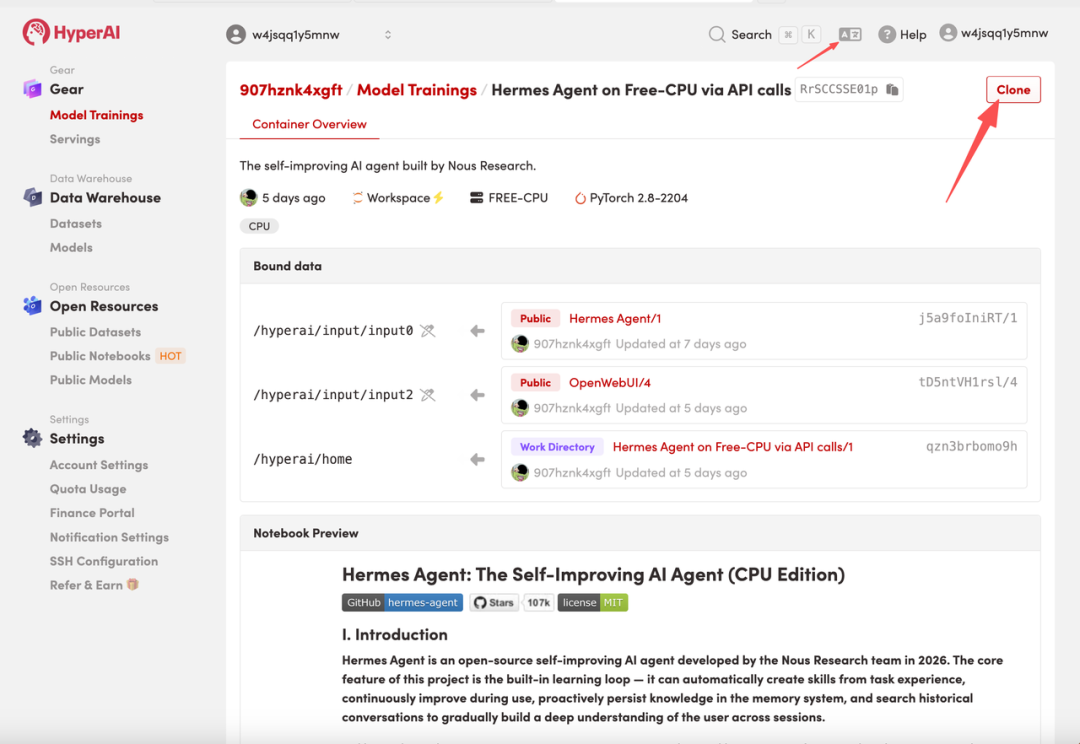
 2. After the page redirects, click "Clone" in the upper right corner to clone the tutorial into your own container.
Note: You can switch languages in the upper right corner of the page. Currently, Chinese and English are available. This tutorial will show the steps in English.
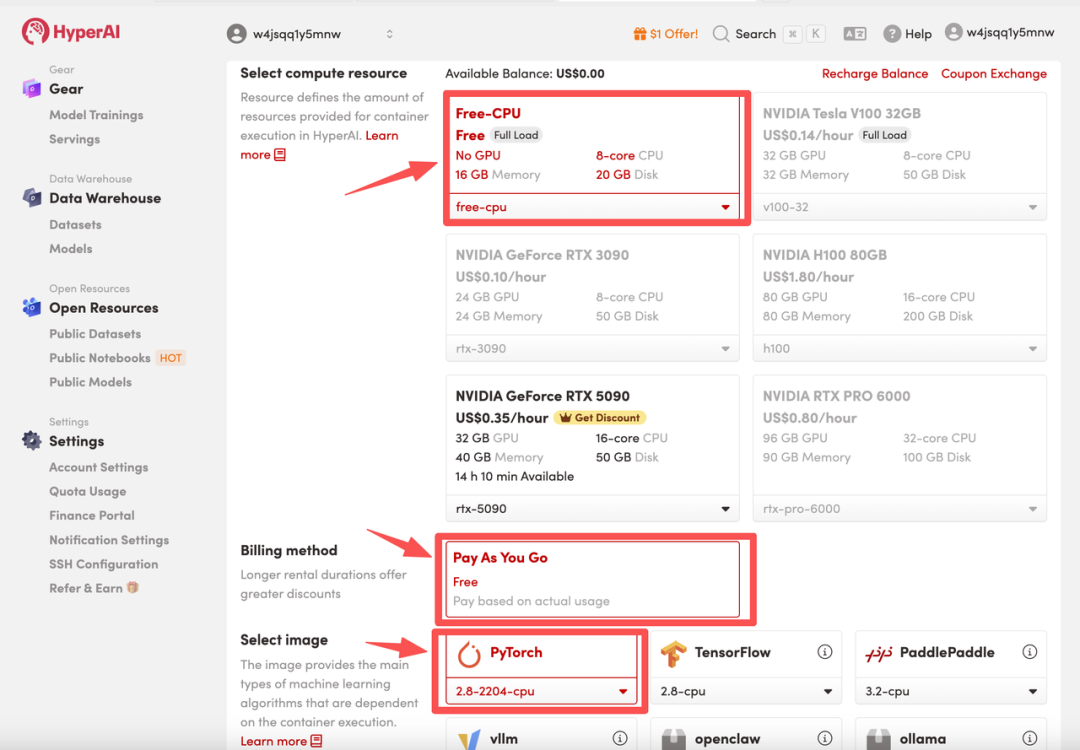
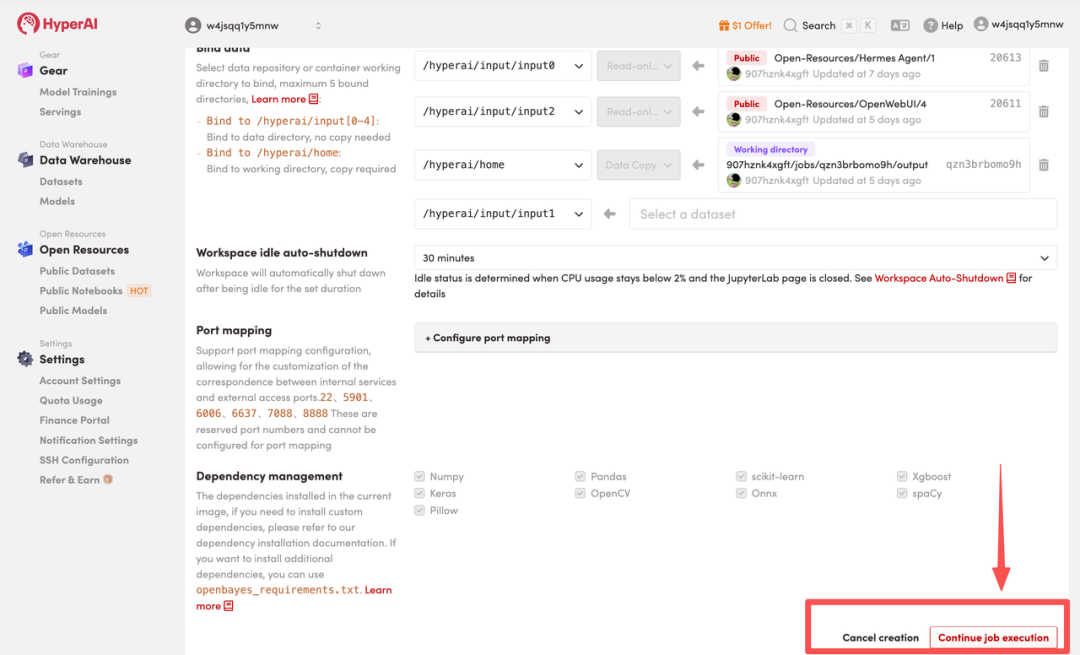
 3. Select "Free CPU" and "PyTorch" image, and click "Continue job execution".
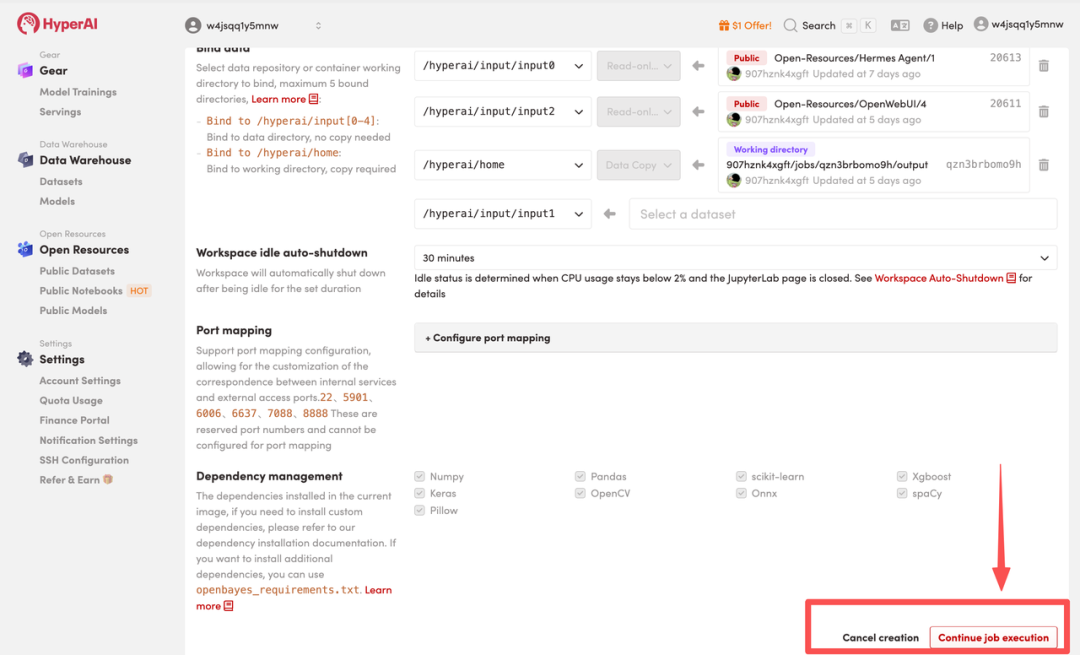 4. Wait for resources to be allocated. Once the status changes to "Running", click "Open Workspace" to enter the Jupyter Workspace.
Effect display
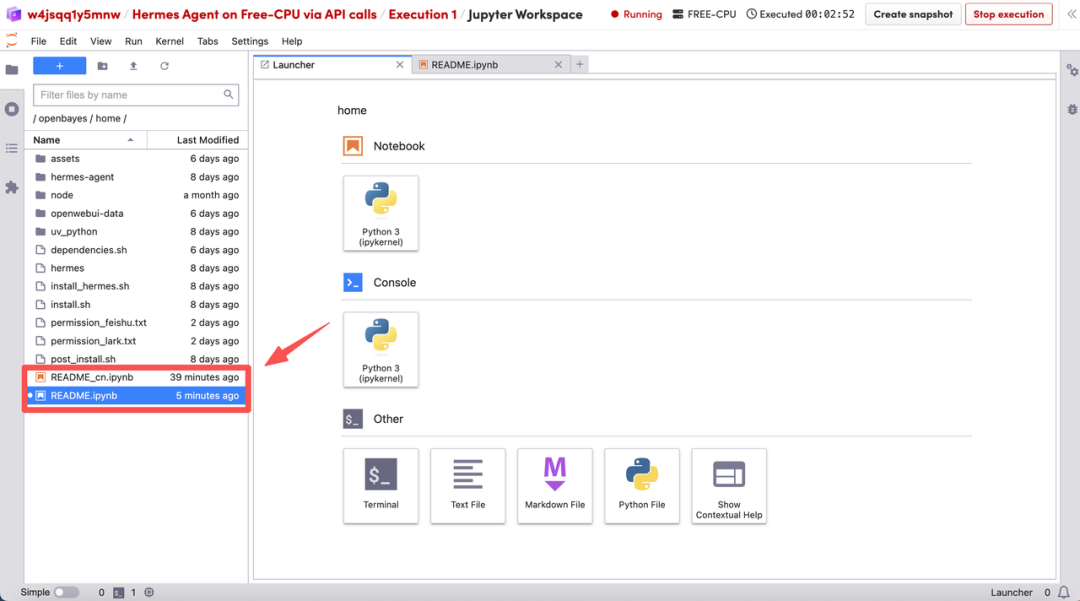
1. After the page redirects, click on the README file on the left, and then click on Run at the top.
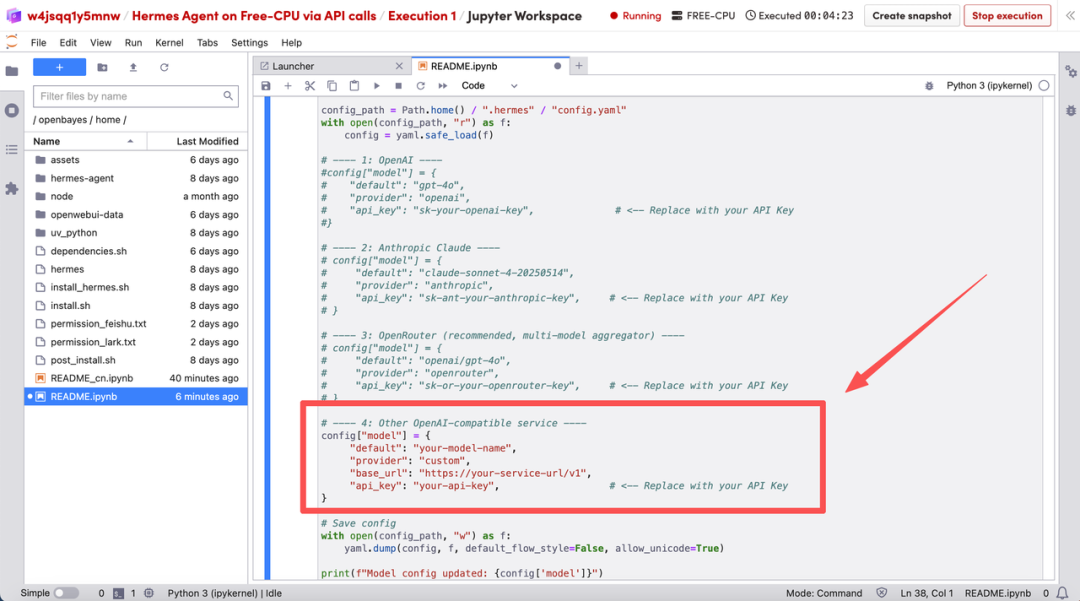
 2. Next, specify the model API to be called: Enter the API information in the parameters of the code block below and execute the code. The script will automatically complete the merging and writing with the configuration file.
 3. After the model starts up, configure Discord.
3.1 Creating Applications and Robots:
Log in to the Discord Developer Portal, click "New Application" to create an application, and name it, for example, "hermes". Then, click "Bot" in the left navigation bar and set the Username to your Hermes Agent name.
3.2 Privileged Gateway Intents:
On the Bot page, scroll down to find the Privileged Gateway Intents section. Message Content Intent must be enabled; it is recommended to also enable Server Members Intent.
3.3 Generate an invitation link and add the bot to the server:
Return to the "OAuth2" page in the developer platform, scroll down to OAuth2 URL Generator and check bot and applications.commands. In the Bot Permissions list that pops up below, check View Channels, Send Messages, Read Message History, Embed Links, and Attach Files. Copy the link generated at the bottom, open it in your browser, select your server, and click "Continue" to complete the connection.
3.4 Obtaining core credentials:
Return to the top of the Bot page and click "Reset Token" to generate and copy your Bot Token. This crucial credential will be used shortly in the subsequent environment configuration!
3.5 Enable developer mode and collect IDs:
Open the Discord client, right-click your server icon in the left sidebar, and click "Copy Server ID". Then right-click your own avatar and click "Copy User ID". Save these two IDs along with the previous Token, as you may need them later.
3.6 Allow server members to initiate private chats:
For the pairing process to work correctly, Discord must allow bots to send you direct messages. Right-click your server icon, go to "Privacy Settings," and make sure "Allow Direct Messages" is enabled.
Enter your Discord Bot Token and Username ID in the cell below, and then execute the command to automatically write the configuration.
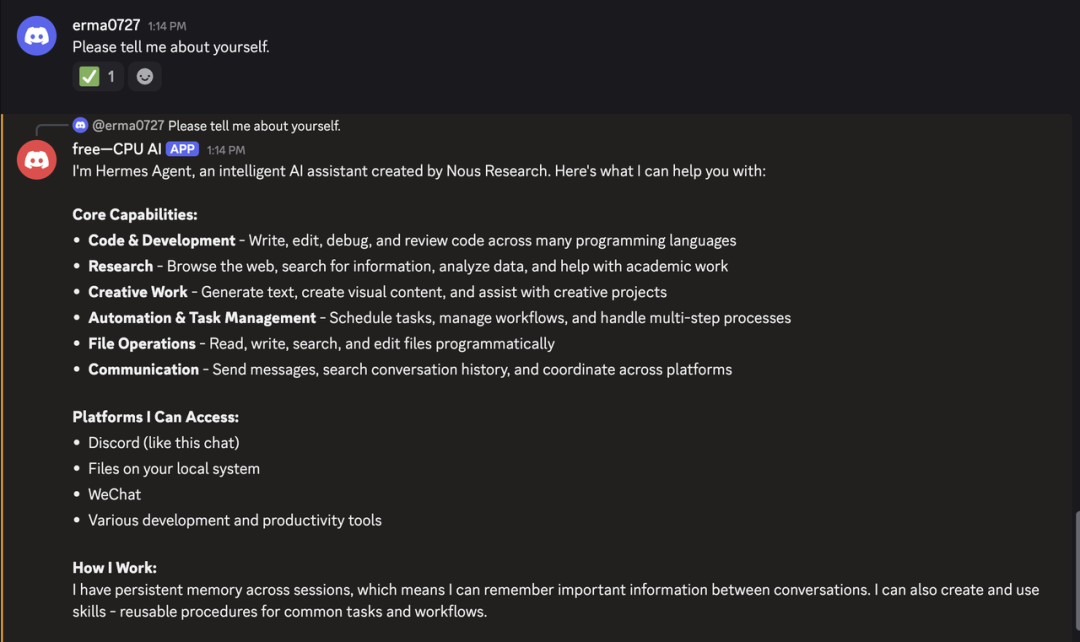
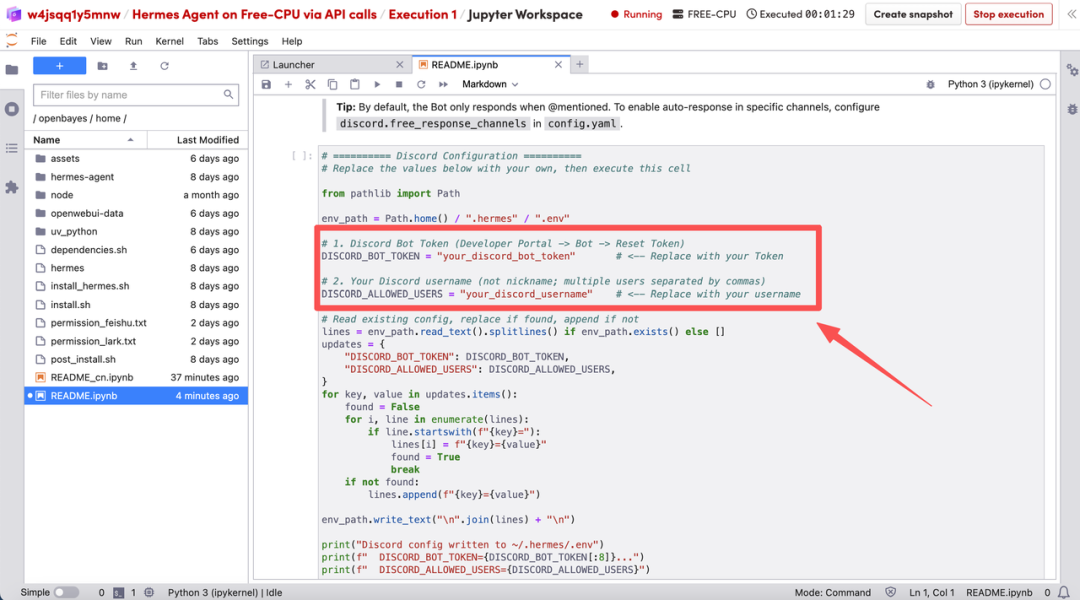 After restarting Gateway in the terminal, send a message to your bot via @ in the Discord server or via private message. A pairing code will appear in the first conversation. You will need to execute the pairing command in the terminal:
hermes pairing approve discord < 用户ID>
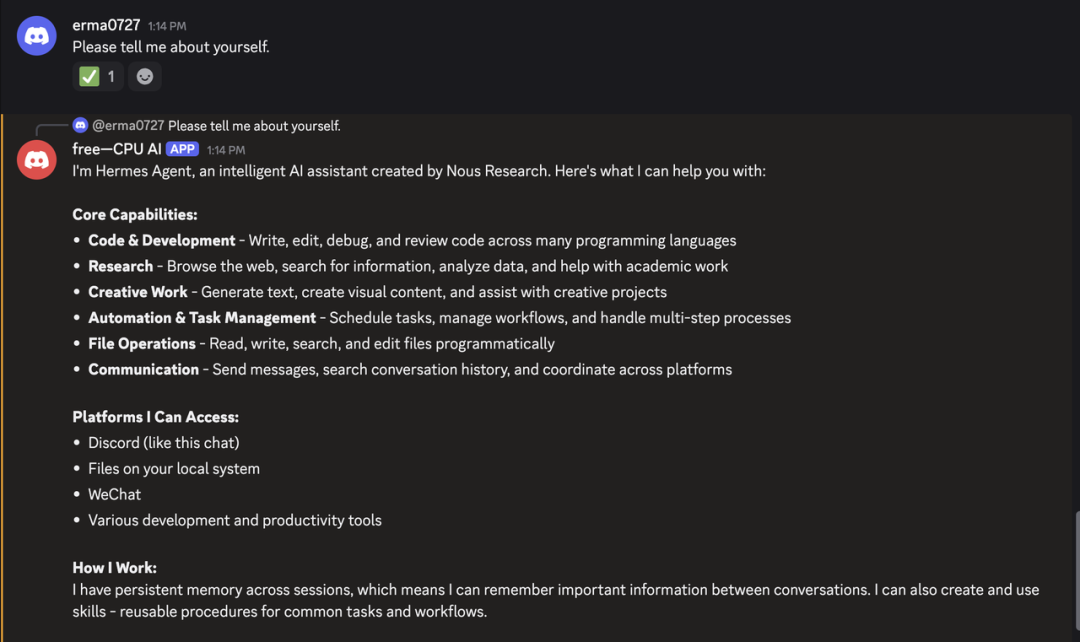
Once paired successfully, you can have a normal conversation with the agent in Discord.
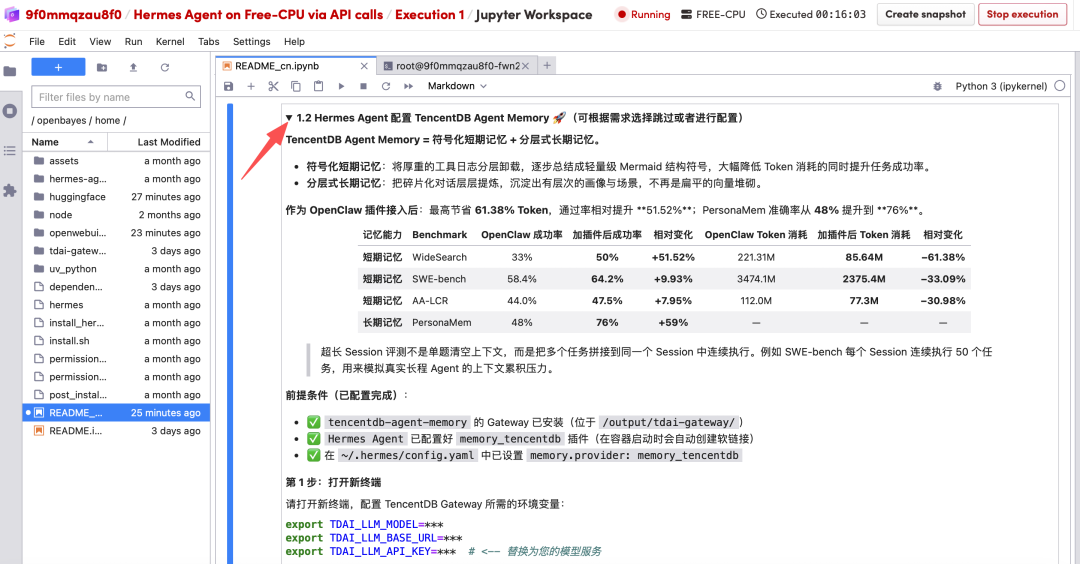
Hermes Agent Configure TencentDB Agent Memory 🚀
Click the triangle in section 1.2 to see detailed configuration information.
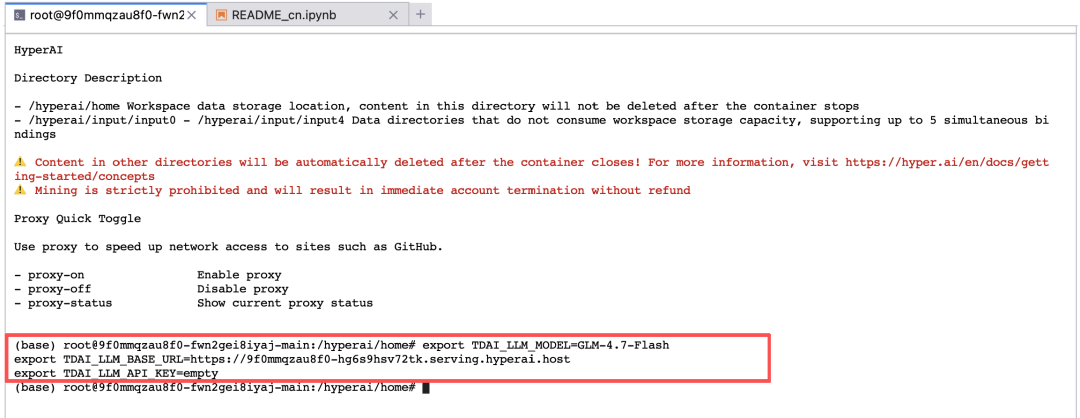
 Step 1: Open a new terminal
Please open a new terminal and configure the environment variables required by TencentDB Gateway:
export TDAI_LLM_MODEL=***
export TDAI_LLM_BASE_URL=***
export TDAI_LLM_API_KEY=*** # <-- 替换为您的模型服务
NoticePlease***Replace it with your actual TencentDB API Key.
 Step 2: Start the Gateway service
cd /output/tdai-gateway
node --import tsx/esm node_modules/@tencentdb-agent-memory/memory-tencentdb/src/gateway/server.ts
Gateway default listening port:8420
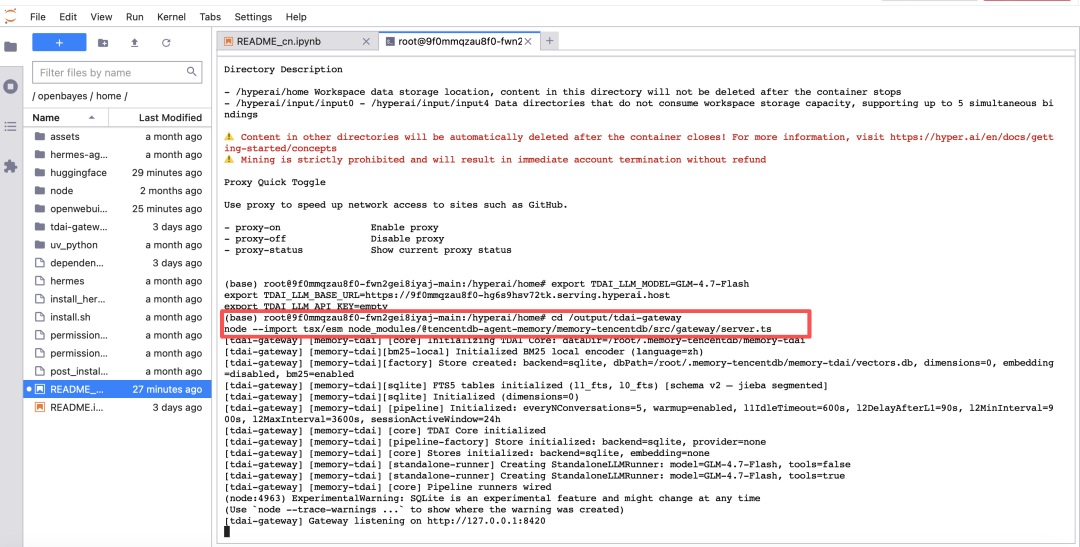 Step 3: Verify that the Gateway has started successfully.
existAnother terminalExecution in China:
curl http://127.0.0.1:8420/health
If the following JSON is returned, it means that Gateway has started successfully:
{"status":"ok","version":"0.1.0","uptime":1945,"stores":{"vectorStore":true,"embeddingService":false}}
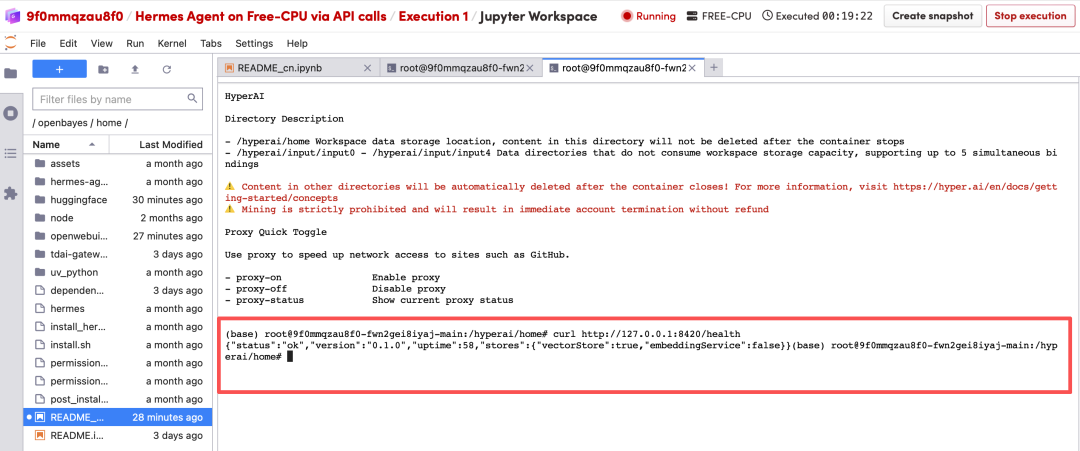 Step 4: Create a new terminal and restart Hermes
hermes
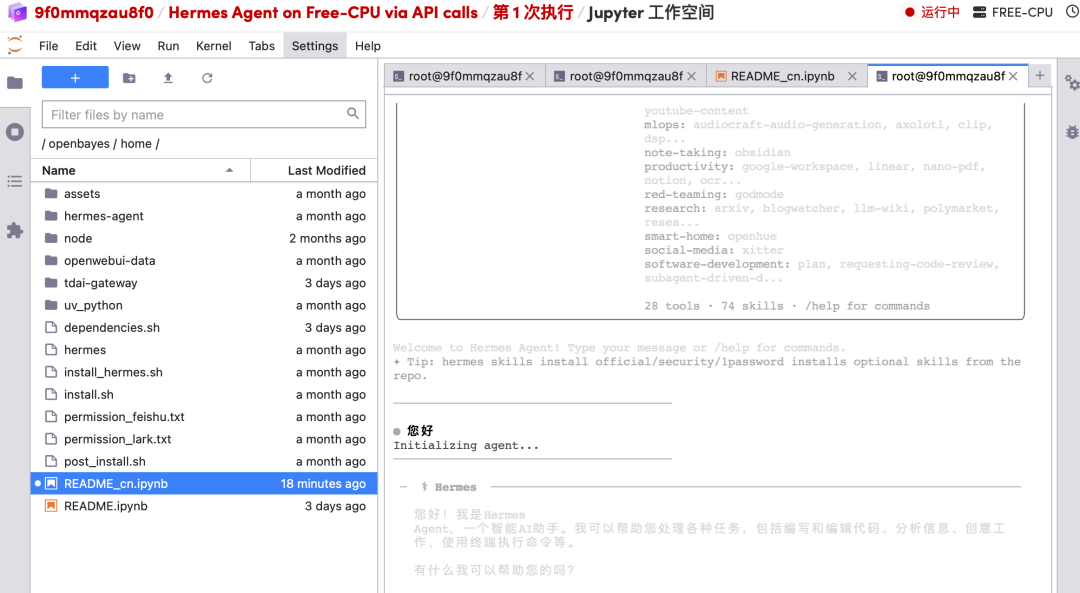 This enables persistent memory and context-aware dialogue capabilities based on Tencent Cloud's vector database, allowing it to maintain consistency of dialogue context across sessions and platforms, thereby providing coherent and personalized intelligent interaction services.
Complete the final setup by communicating with the Agent: Send the following natural language command directly to it in the chat box (replace the content within the angle brackets with your actual ID): I have configured the Discord bot token. Please complete the Discord setup using User ID <Your User_ID> and Server ID <Your Server_ID>.
Next, return to the Discord client to receive the pairing code. Find the bot you just added in the private message list on the left and send it any message. The bot will automatically reply with a pairing code consisting of letters or numbers. Then, return to the chat window where you sent the command to the Agent and send the received pairing code directly to the Agent: Approve this Discord pairing code: <Your Pairing Code>.
At this point, we have completed ID binding and authorization verification, and you can start a fully private AI conversation experience directly in Discord's private messages!
HyperAI will continue to update with more practical skill tutorials soon, so stay tuned!