Command Palette
Search for a command to run...
Online Tutorial | FLUX.2, the New state-of-the-art in Image Generation, Allows Simultaneous Reference to 10 Images for Extremely High character/style consistency.
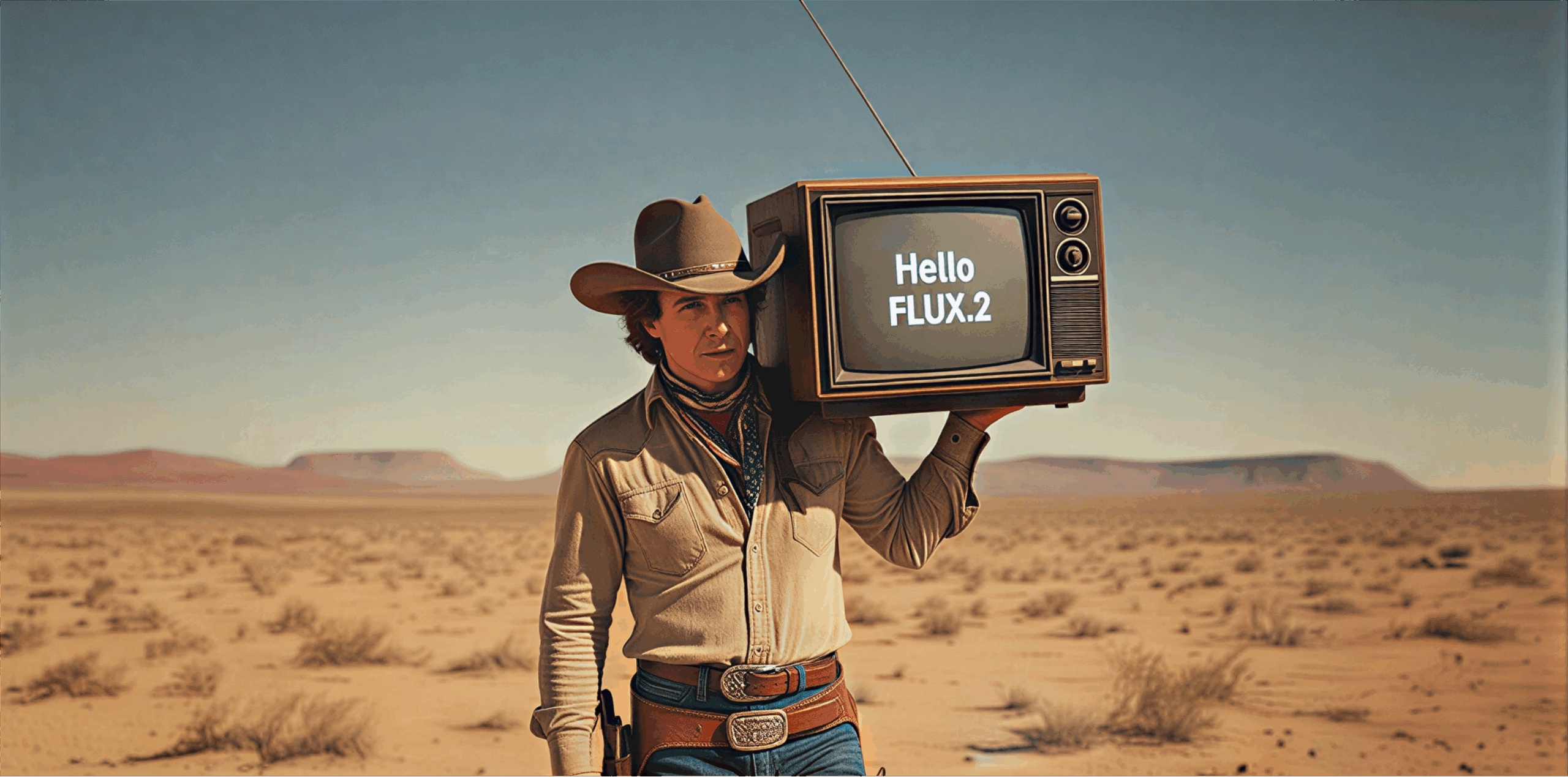
Black Forest Labs, after a long period of silence, has released its next-generation image generation and editing model, FLUX.2, which it has open-sourced. FLUX.1, released in 2024, achieved near-realistic results when generating images of people, especially real people. Now, FLUX.2's upgrades further enhance image quality and creative flexibility, reaching new heights.It has reached the industry's state-of-the-art (SOTA) level in terms of instruction understanding, visual quality, detail rendering, and output diversity.
*** Supports multiple images for reference.**It can reference 10 images simultaneously to achieve optimal consistency between roles, products, and styles.
*** Enhances image detail and realism.**It achieves finer texture details, sharper texture representation, and more stable lighting effects, making it suitable for product photography, visualization, and photographic applications.
*** Supports text rendering.**It can reliably generate complex layouts, infographics, network memes, and detailed text in UI prototypes.
*** Enhanced instruction compliance,**Significantly improves the execution accuracy of complex structured instructions, including multi-part prompts and graph constraints.
**To better understand the world,**Scene construction based on real-world knowledge, lighting, and spatial logic is significantly enhanced, presenting coherent scenes that better match expected behavior.
*** Higher resolution and flexible input/output ratio,**Supports image editing up to 4 megapixels.
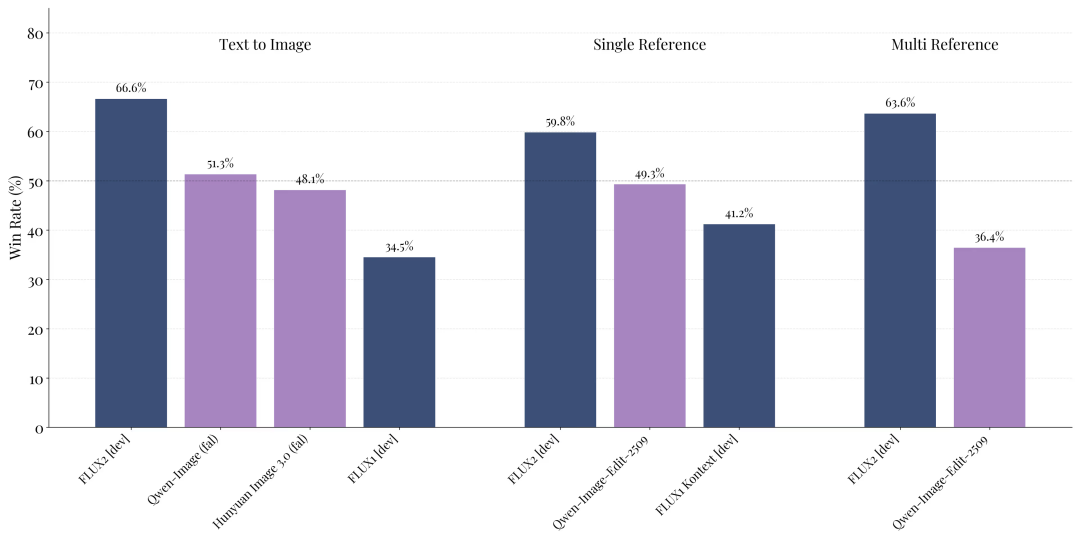
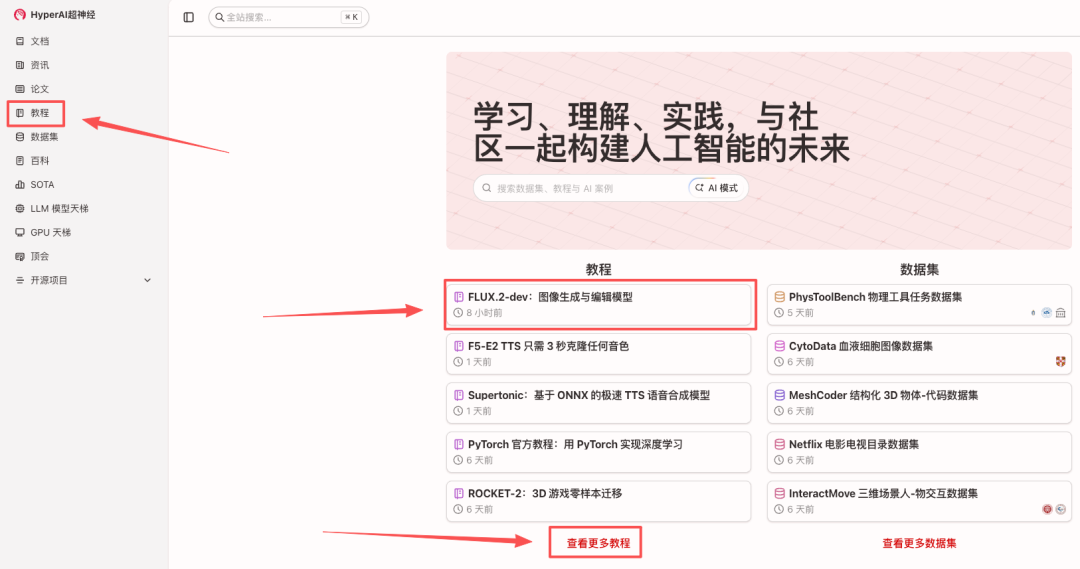
According to official information, FLUX.2 has achieved industry-leading performance in the open-source image model field, particularly in text-to-image generation, single-reference editing, and multi-reference editing. Currently...**"FLUX.2-dev: Image Generation and Editing Model" is now available on the HyperAI website (hyper.ai) tutorial section.**Come and start your creative journey!
Tutorial Link:
To make it easier for everyone to experience the tutorial,**HyperAI is offering registration benefits for new users.**After completing platform registration, use the redemption code "FLUX.2" in the "Finance Center" to redeem 1 hour of NVIDIA RTX PRO 6000 usage time (the resource is valid for 1 month). Limited quantity, first come first served!
Demo Run
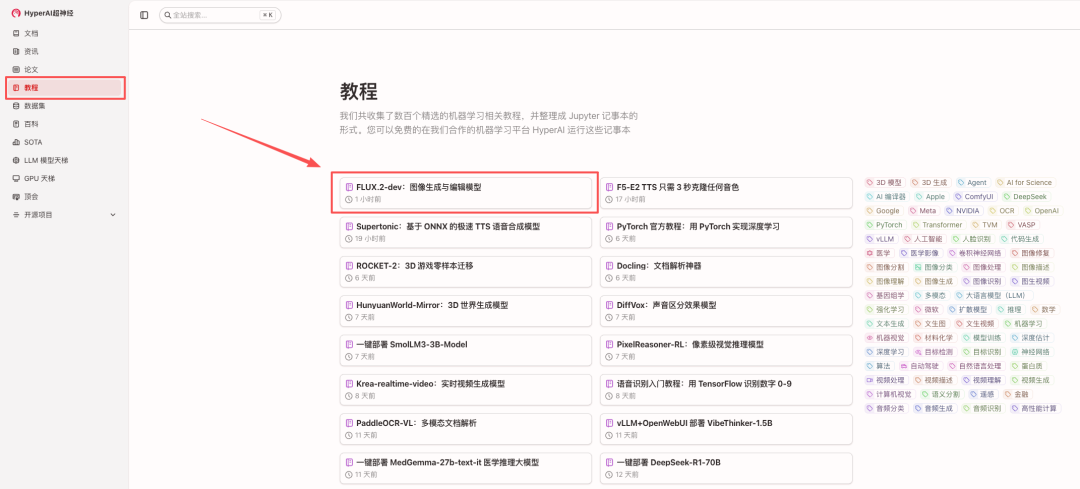
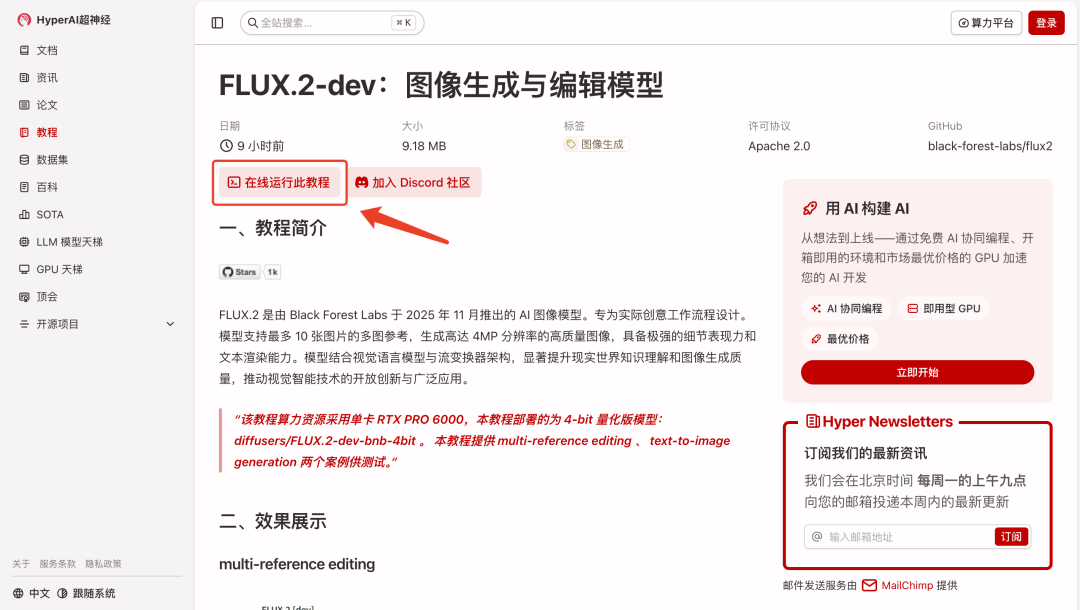
1. After entering the hyper.ai homepage, select "FLUX.2-dev: Image Generation and Editing Model", or go to the "Tutorials" page to select it. Then click "Run this tutorial online".
Alternatively, you can directly copy the link to your browser to access the model cloning page:https://go.hyper.ai/N4sTv
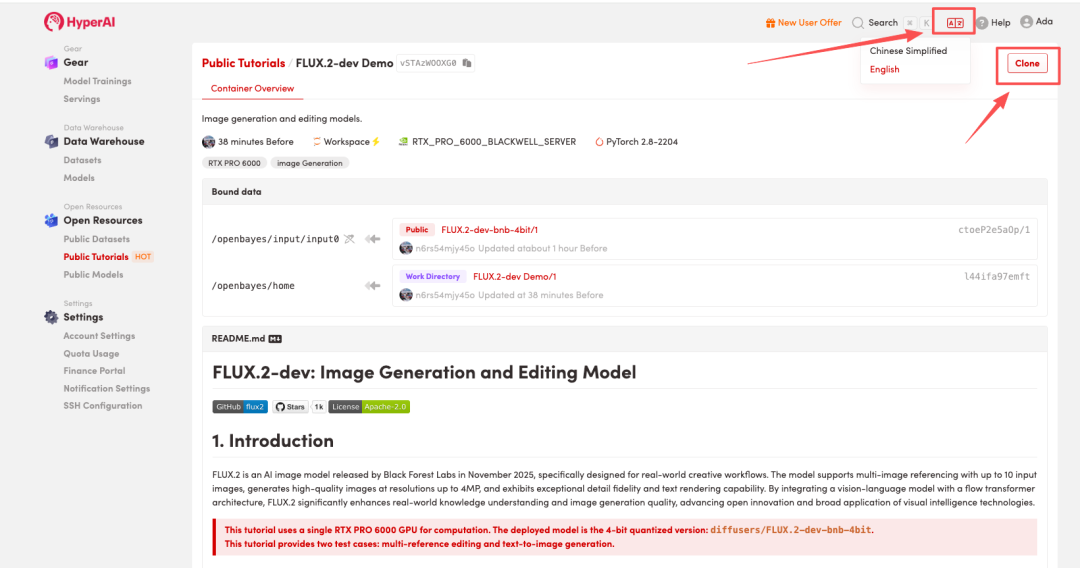
 2. After the page redirects, click "Clone" in the upper right corner to clone the tutorial into your own container.
Note: You can switch languages in the upper right corner of the page. Currently, Chinese and English are available. This tutorial will show the steps in English.
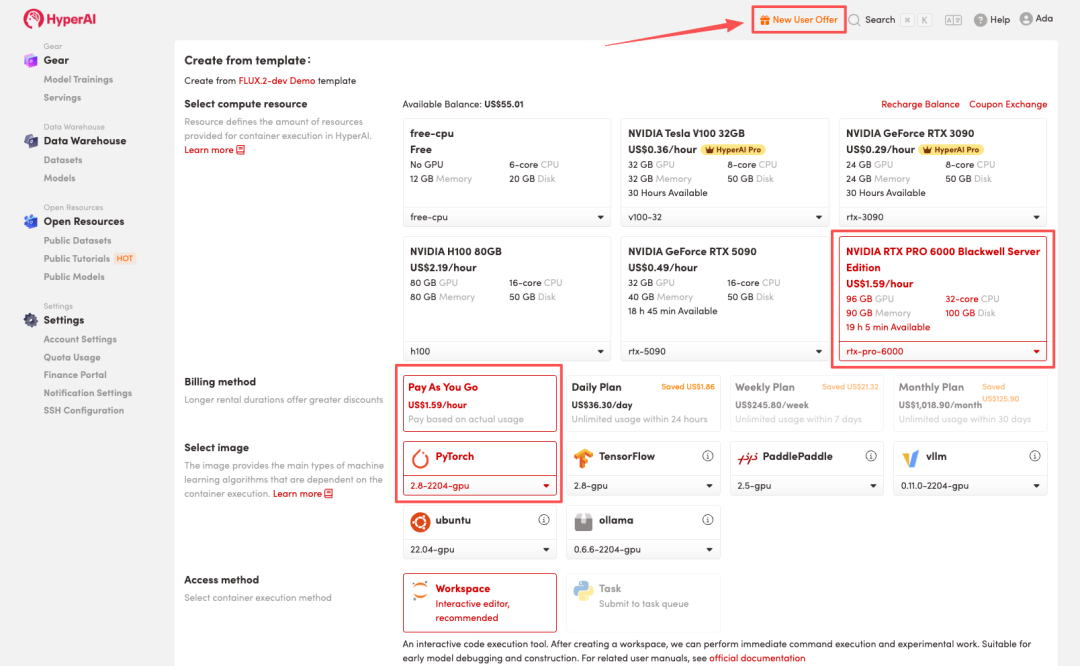
 3. Select the "NVIDIA RTX PRO 6000 Blackwell Server Edition" and "PyTorch" images, and choose "Pay As You Go" or "Daily Plan/Weekly Plan/Monthly Plan" as needed, then click "Continue job execution".
HyperAI is offering registration benefits for new users.**For just 1,youcanget5hoursofRTX5090computingpower(originalprice2.45).**The resource is permanently valid.
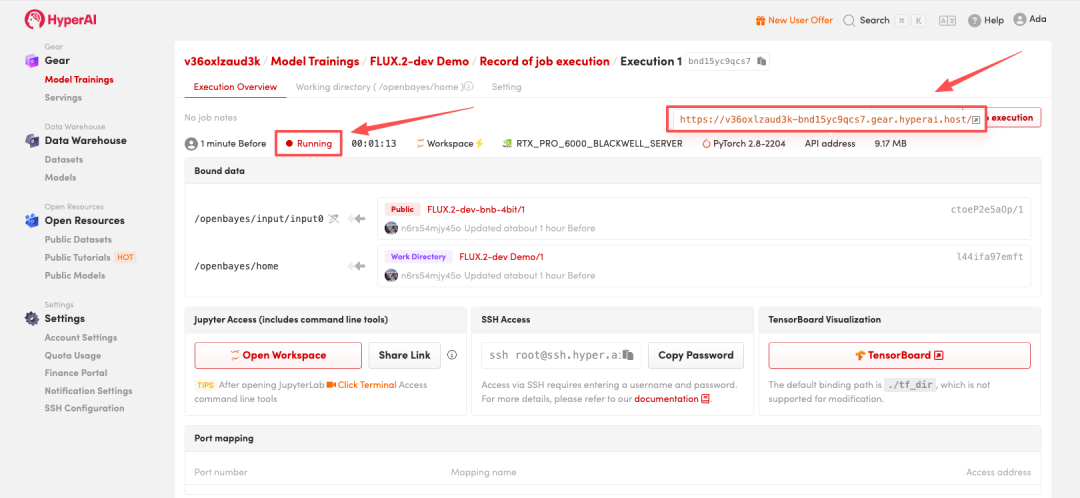
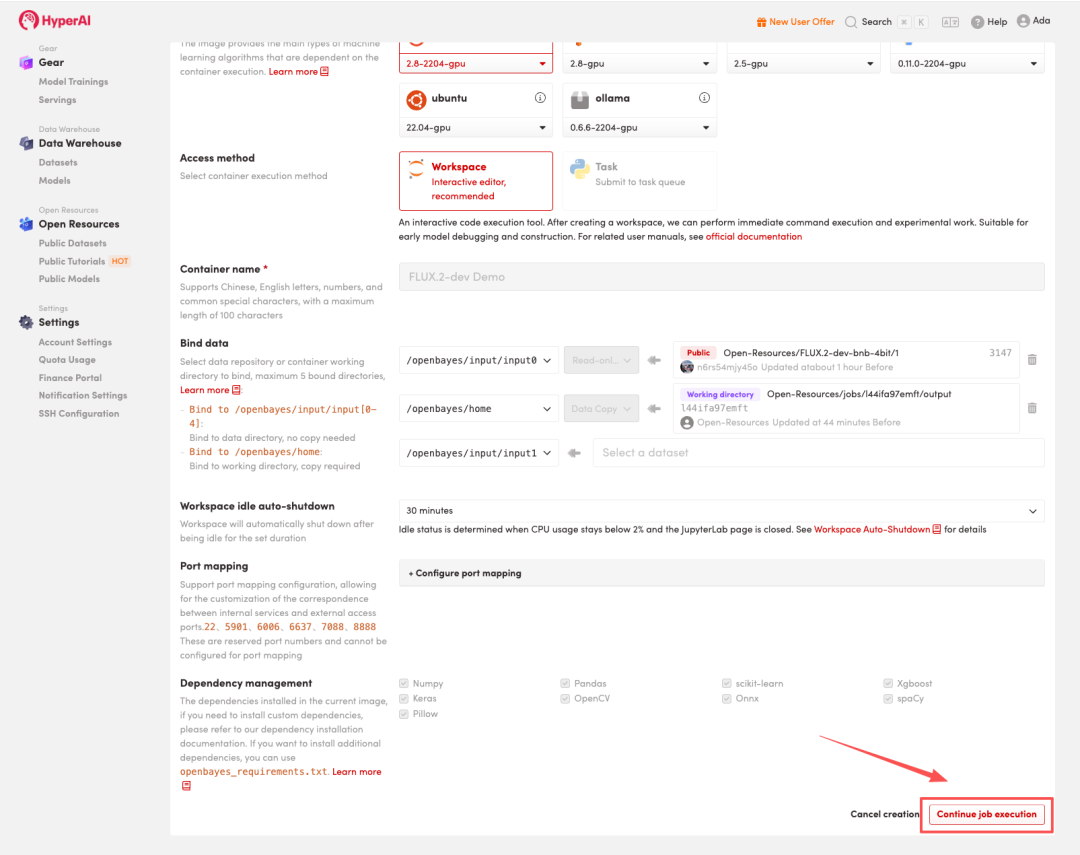 4. Wait for resource allocation. The first clone will take approximately 3 minutes. Once the status changes to "Running", click the jump arrow next to "API address" to go to the Demo page.
 Effect Demonstration
Once you enter the demo page, you can begin your creative journey! ⬇️
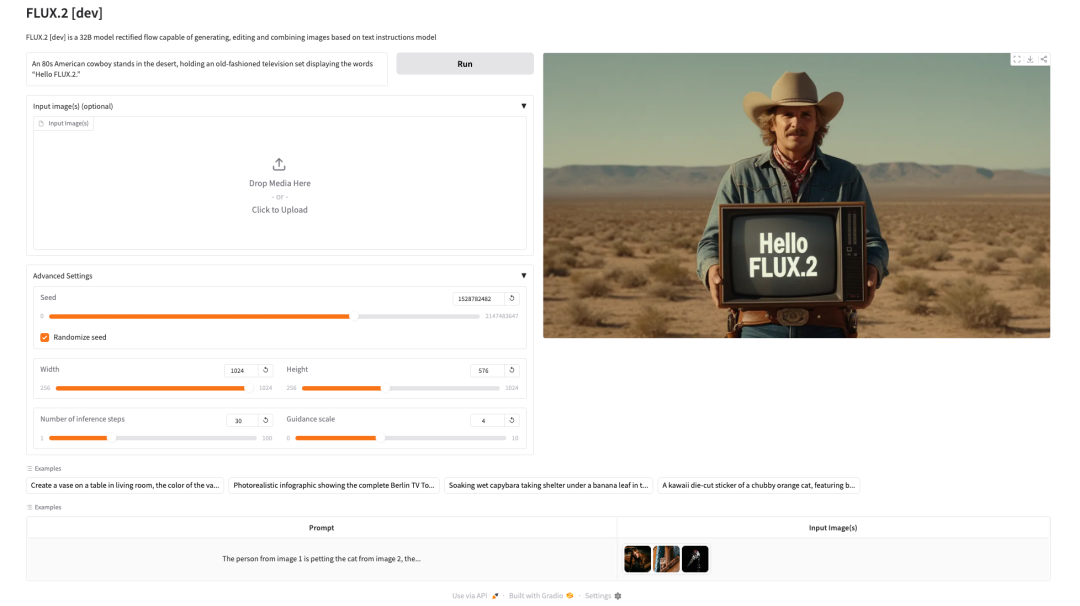
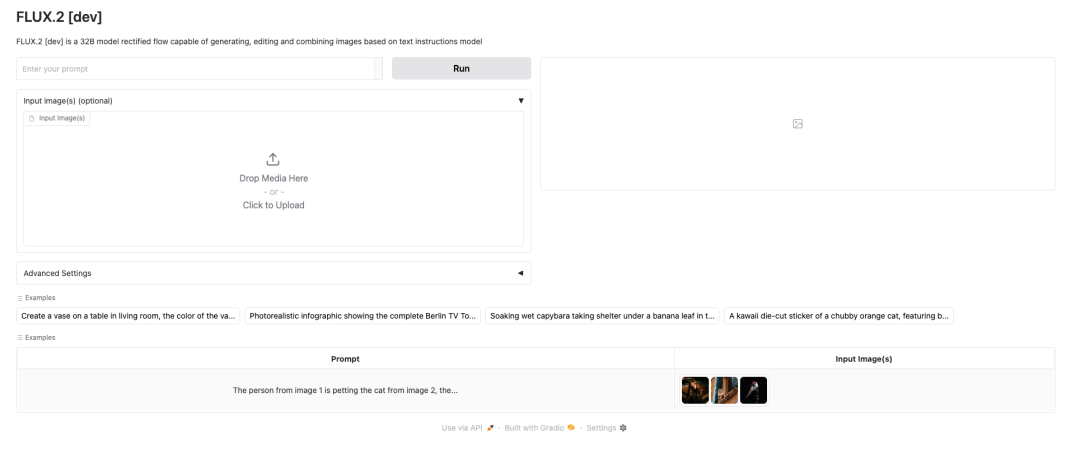 The following is a demonstration of text-to-image generation:
 The above is the tutorial recommended by HyperAI this time. Everyone is welcome to come and experience it!
Tutorial Link: