Command Palette
Search for a command to run...
Online Tutorial | SAM 3 Achieves Hinted Concept Segmentation With 2x Performance Improvement, Processing 100 Detection Objects in 30 Milliseconds

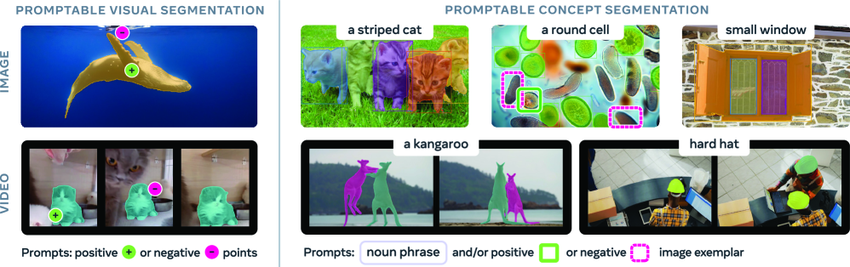
The ability to identify and segment arbitrary objects in visual scenes is a crucial foundation for multimodal artificial intelligence, with wide applications in robotics, content creation, augmented reality, and data annotation. SAM (Segment Anything Model) is a general-purpose AI model released by Meta in April 2023, proposing a cue-enabled segmentation task for images and videos, primarily supporting the segmentation of individual targets based on cues such as points, bounding boxes, or masks.
While the SAM and SAM2 models have made significant progress in image segmentation, they still haven't achieved the ability to automatically find and segment all instances of a concept within the input content. To fill this gap,Meta has released its latest iteration, SAM 3, which not only significantly surpasses the performance of its predecessor in cueable visual segmentation (PVS), but also sets a new standard for cueable concept segmentation (PCS) tasks.
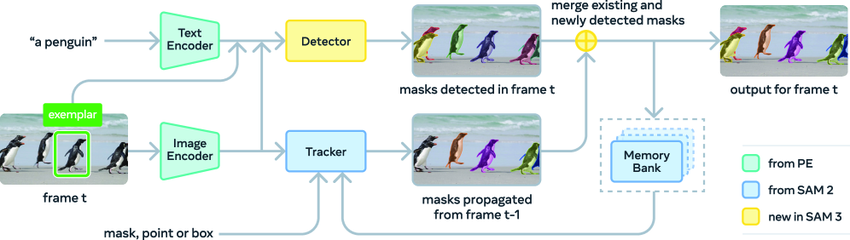
The tracker adopts the Transformer encoder-decoder architecture of SAM 2, supporting video segmentation and interactive optimization. This design of separating detection and tracking effectively avoids conflicts between the two tasks: the detector needs to maintain identity independence, while the tracker's core goal is to distinguish and maintain the identities of different objects in the video.
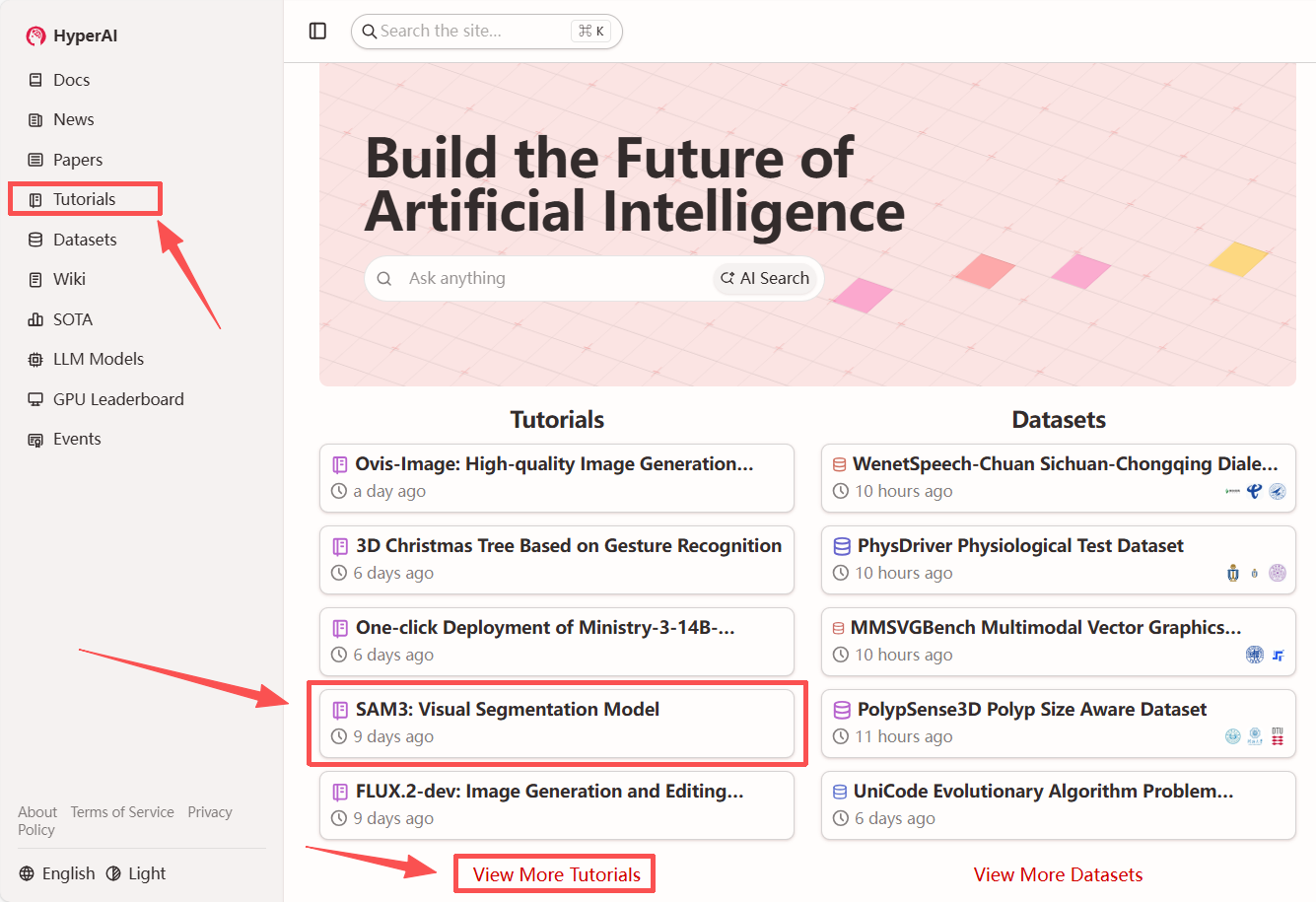
"SAM3: Visual Segmentation Model" is now available on the HyperAI website (hyper.ai) tutorial section. Start your creative journey now!
Tutorial Link:
View the paper:
https://hyper.ai/papers/2511.16719
Demo Run
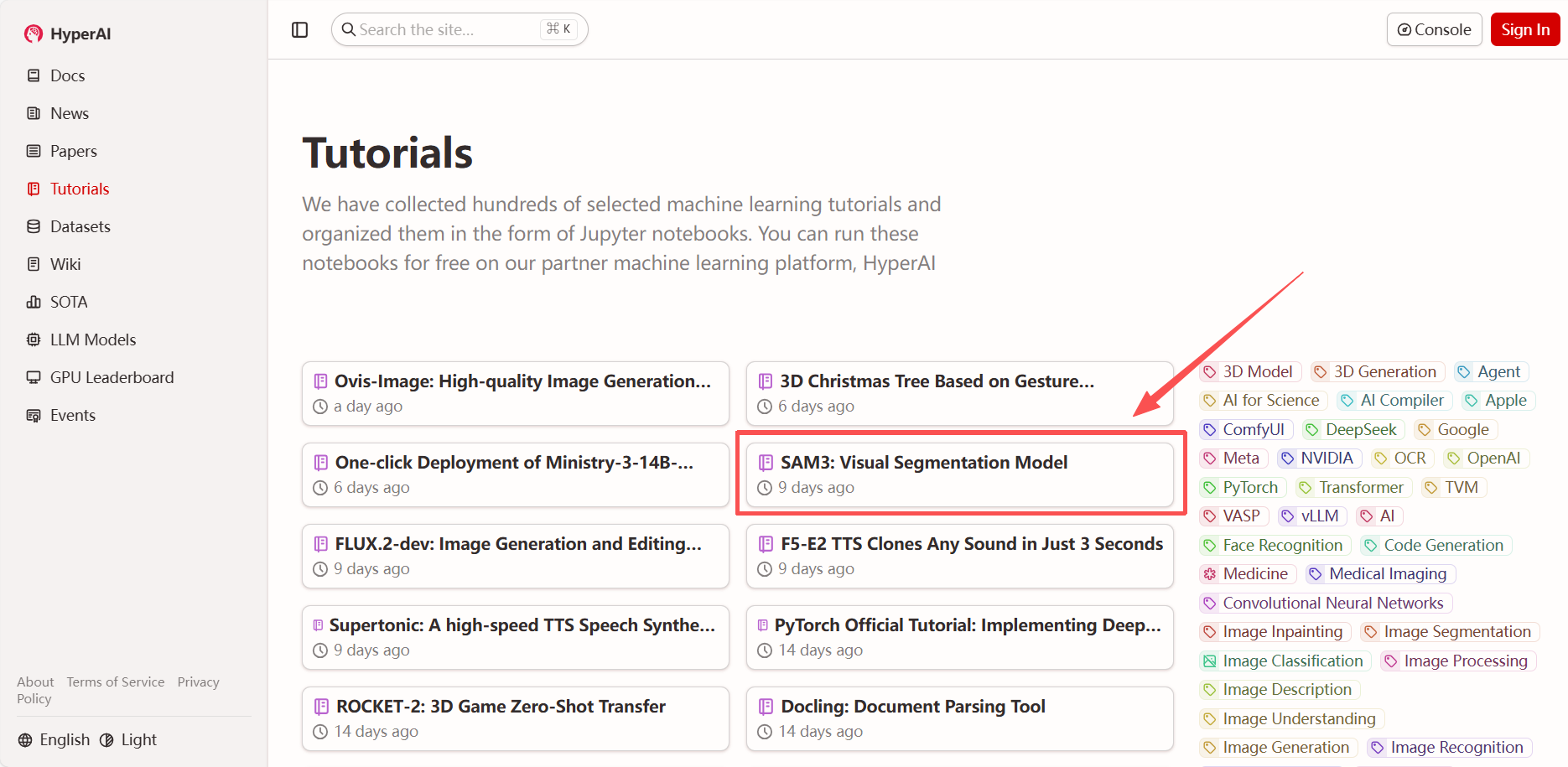
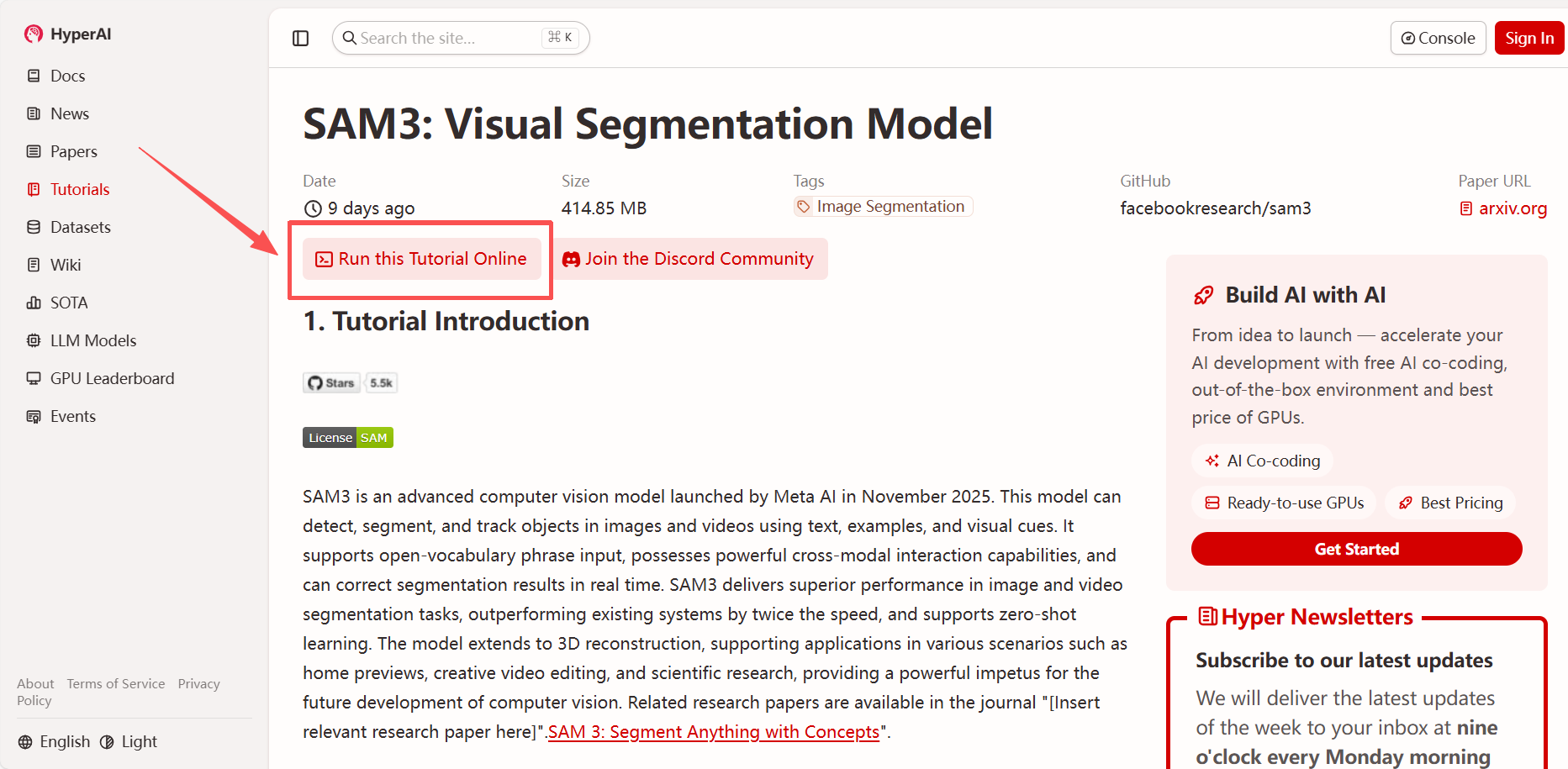
1. After entering the hyper.ai homepage, select "SAM3: Visual Segmentation Model", or go to the "Tutorials" page to select it. Then click "Run this tutorial online".
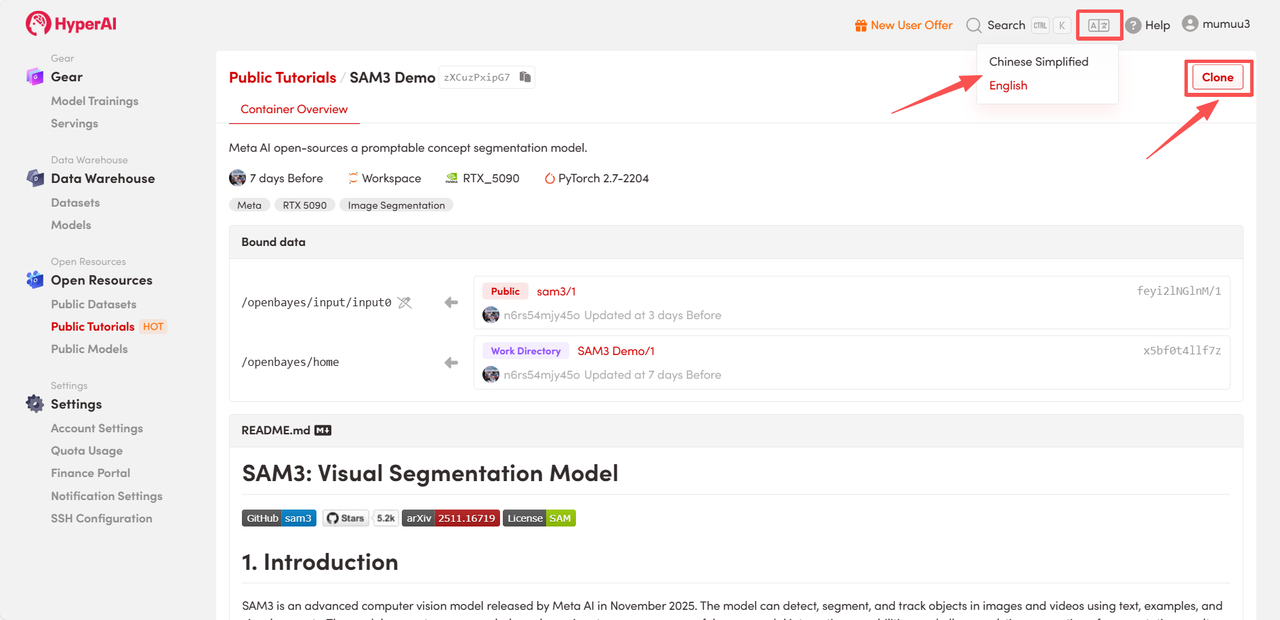
 2. After the page redirects, click "Clone" in the upper right corner to clone the tutorial into your own container.
Note: You can switch languages in the upper right corner of the page. Currently, Chinese and English are available. This tutorial will show the steps in English.
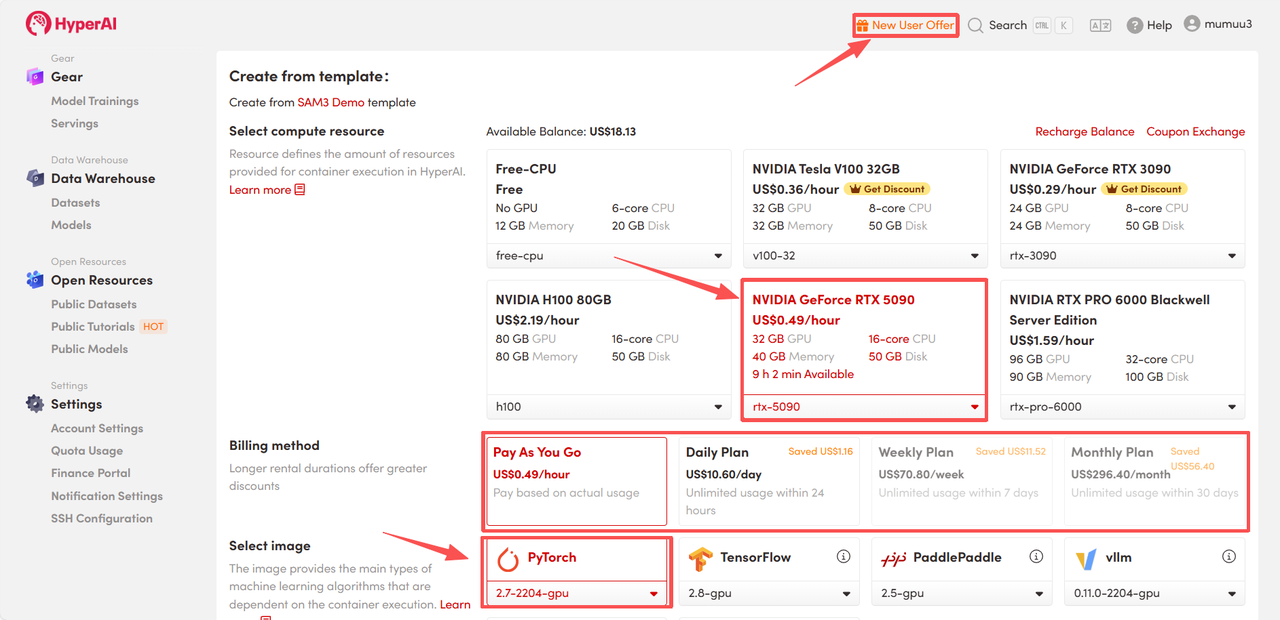
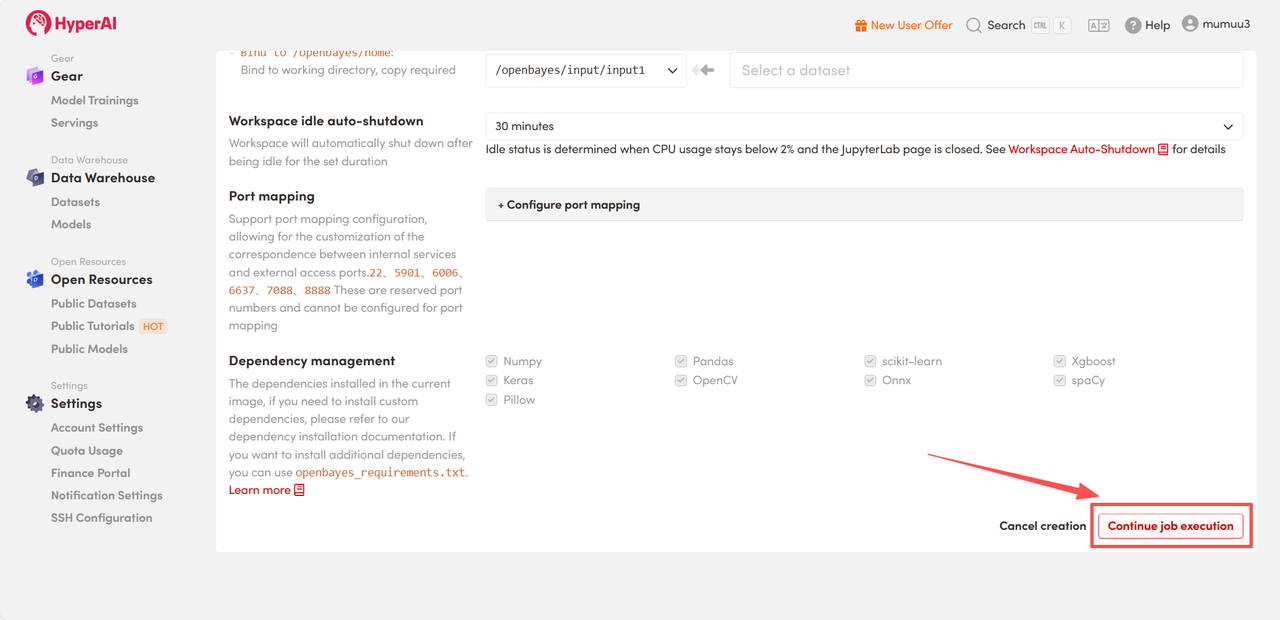
 3. Select the "NVIDIA GeForce RTX 5090" and "PyTorch" images, and choose "Pay As You Go" or "Daily Plan/Weekly Plan/Monthly Plan" as needed, then click "Continue job execution".
HyperAI is offering registration benefits for new users.**For just 1,youcanget5hoursofRTX5090computingpower(originalprice2.45).**The resource is permanently valid.
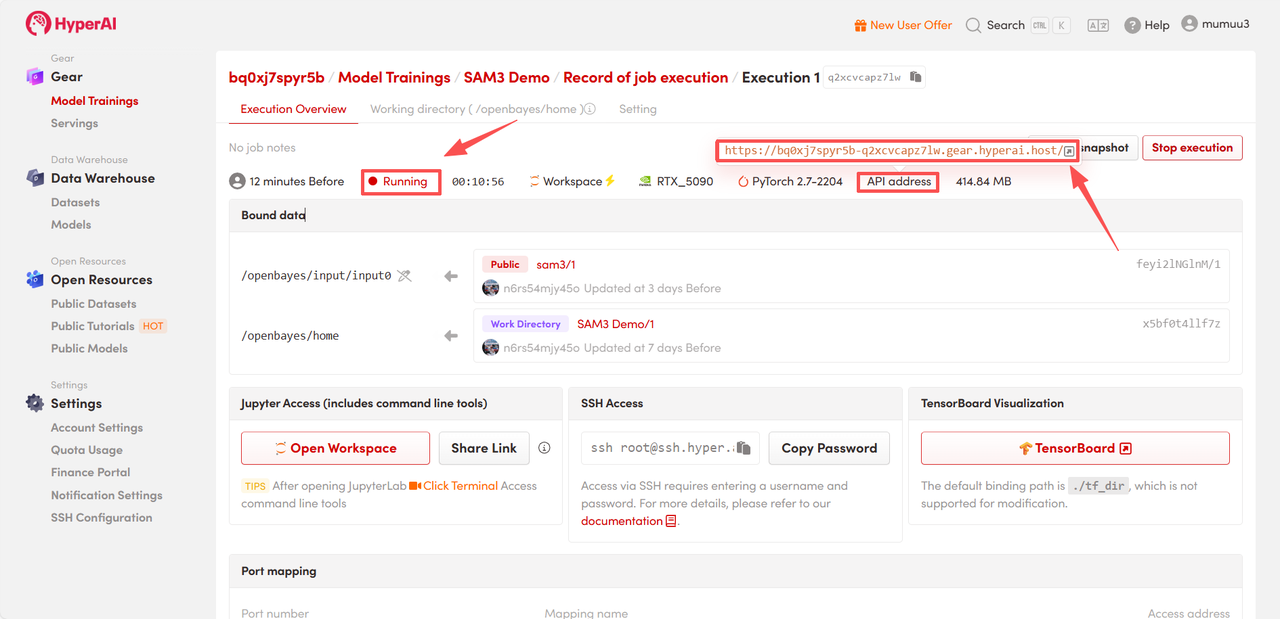
 4. Wait for resource allocation. The first clone will take approximately 3 minutes. Once the status changes to "Running", click the jump arrow next to "API address" to go to the Demo page.
 Effect Demonstration
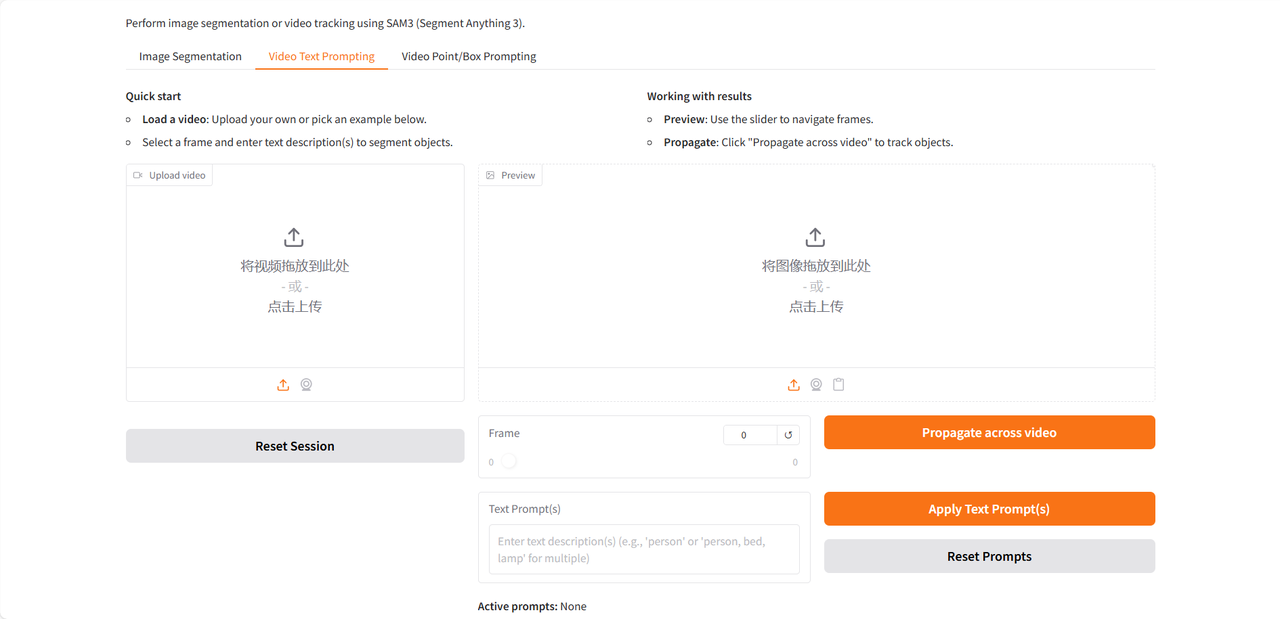
The demo page offers three functions: Image Segmentation, Video Text Prompting, and Video Point/Box Prompting, and only supports English input. This tutorial uses Video Text Prompting as an example.
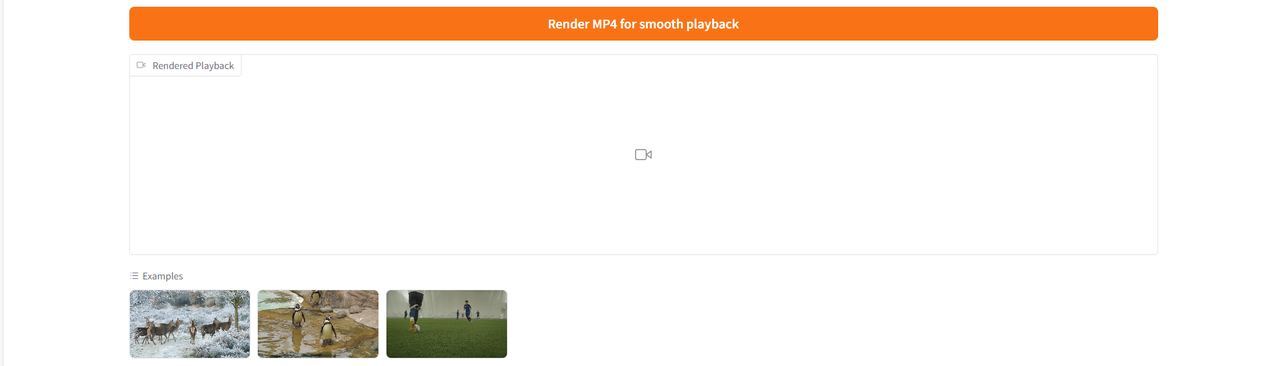
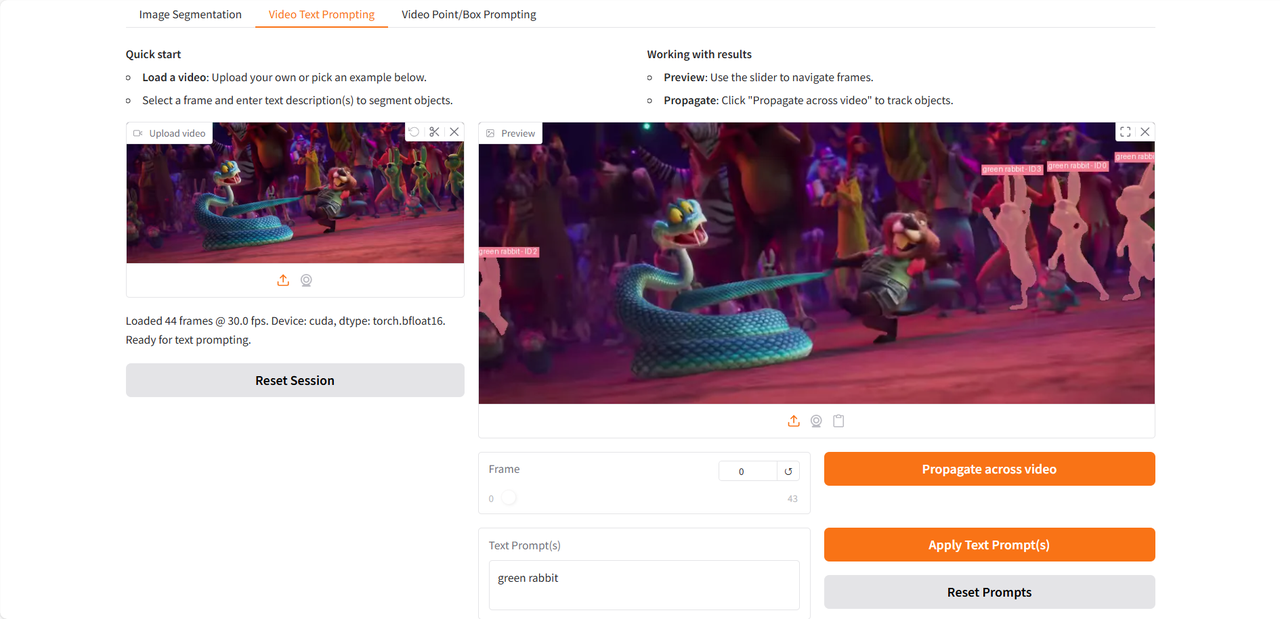
After uploading the test video, enter the noun phrases to be identified and segmented in the "Text Prompt(s)" field, then click "Apply Text Prompt(s)" and "Propagate across video" to apply the prompts. Finally, click "Render MP4 for smooth playback" to generate a video result with the identified target highlighted.
 Let's take a look at the test I conducted using a clip from the trailer of the recently released "Zootopia 2" 👇
 The above is the tutorial recommended by HyperAI this time. Everyone is welcome to come and experience it!
Tutorial Link: