Command Palette
Search for a command to run...
Online Tutorial | Huazhong University of Science and Technology and Xiaohongshu Hi Lab open-source dots.mocr, a state-of-the-art OCR Model That Perfectly Restores Document Structure and Can Convert Graphics to SVG.

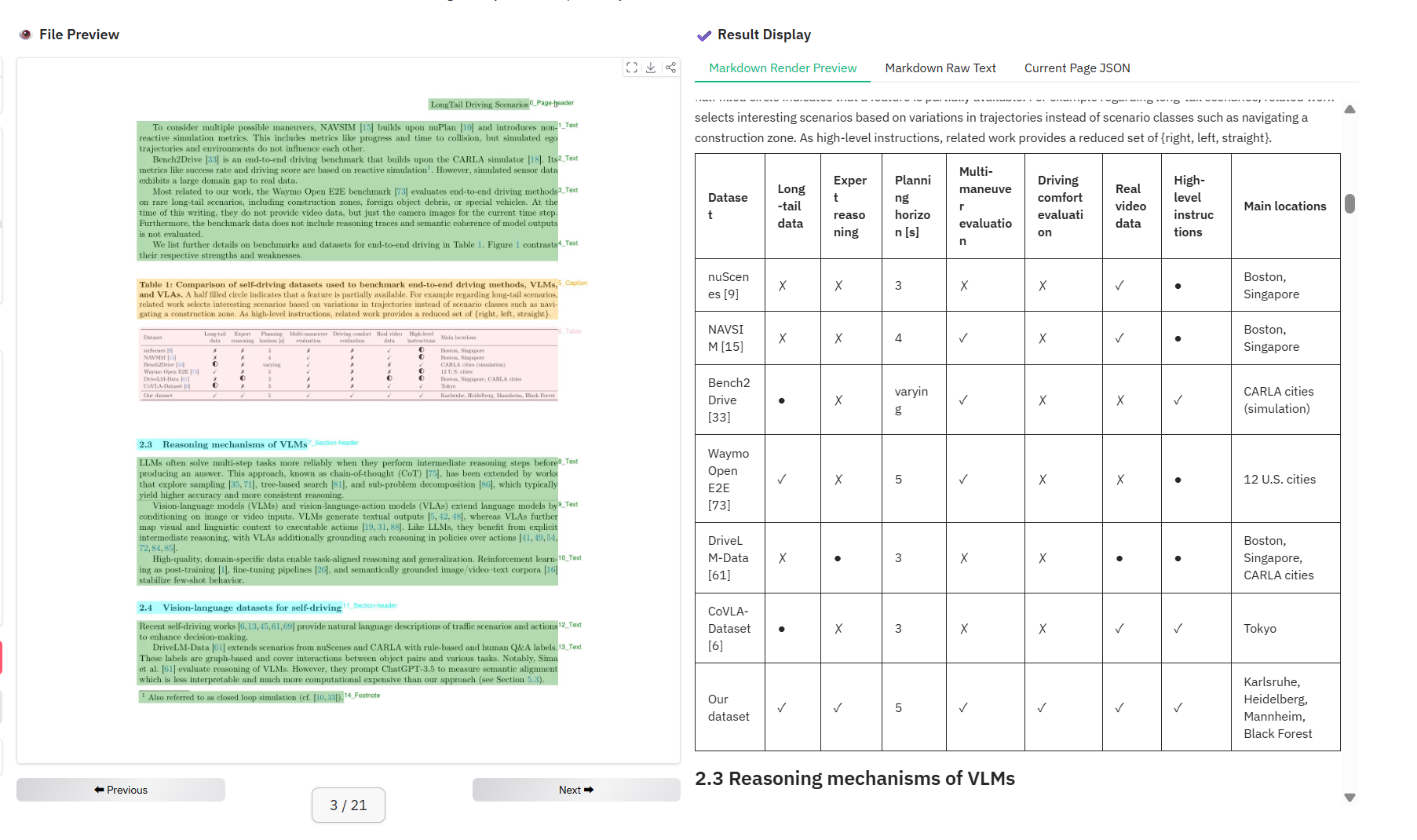
Traditional OCR often falls short when faced with complex charts, tables, and multilingual content in massive documents. This is mainly because its core capabilities are focused on text recognition, often simply cropping complex visual elements such as charts, formulas, and UI layouts into images, resulting in the destruction of document structure and loss of semantic relationships, making it difficult to meet the needs of high-quality information extraction and reconstruction.
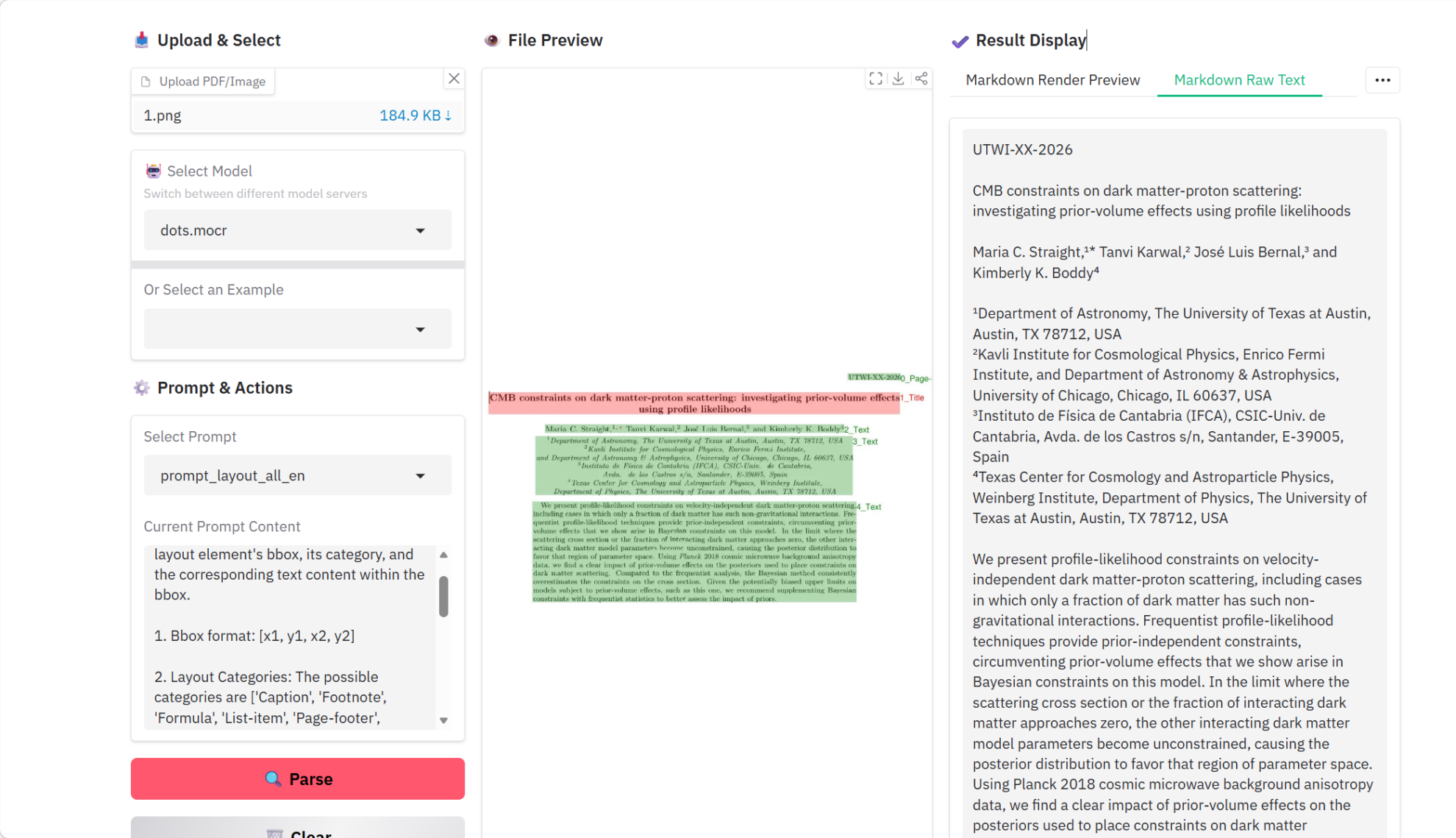
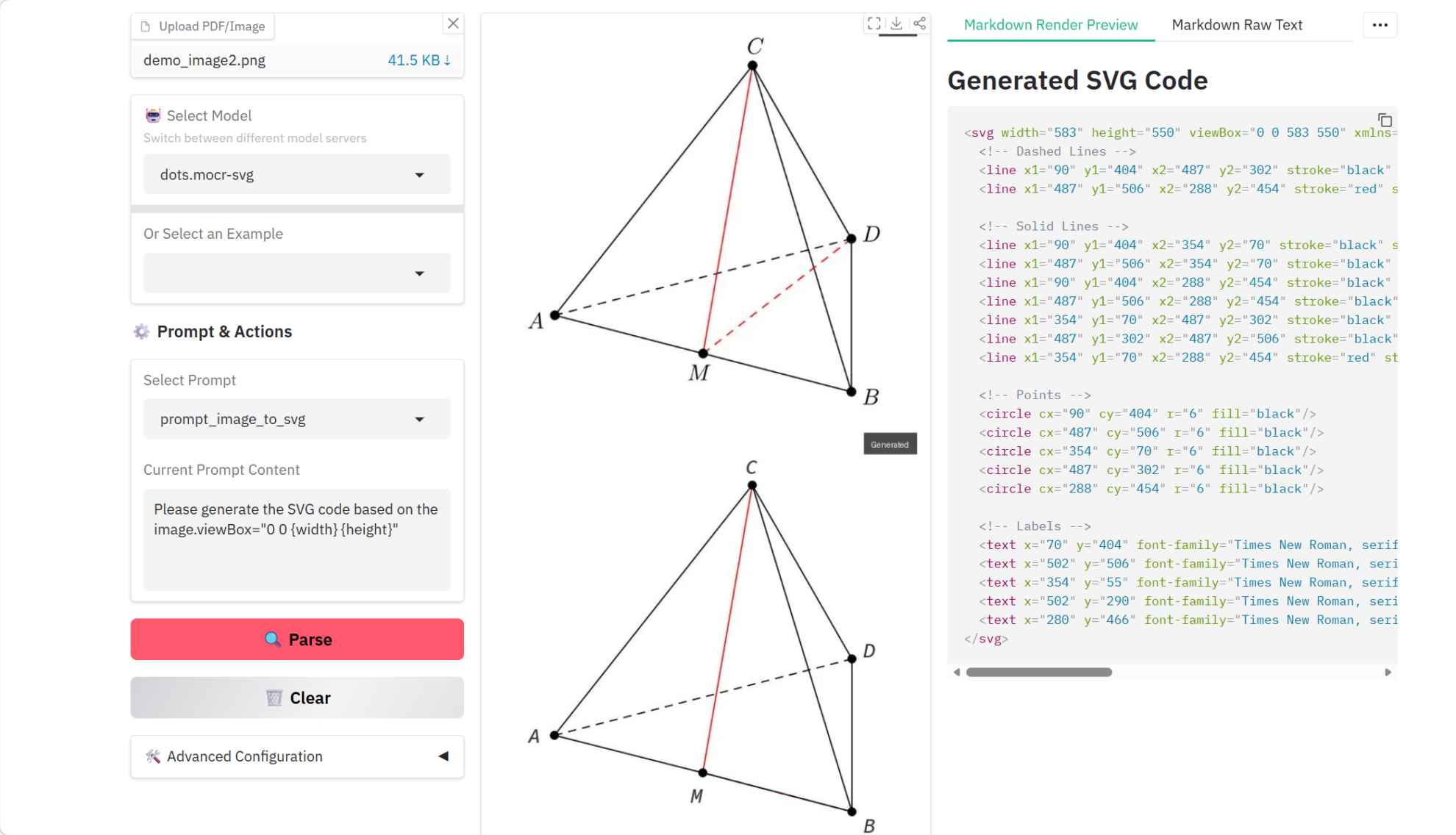
In response to this, Huazhong University of Science and Technology and Xiaohongshu's hi lab jointly open-sourced dots.mocr, which can parse all visual elements in a document, such as text, charts, and tables, into unified structured data, and can even directly convert graphics into editable SVG code. It not only greatly enhances the depth and breadth of document understanding, but also achieves industry-leading levels in the automated processing of complex documents.
Currently, the tutorial section of the HyperAI official website (hyper.ai) has launched the "dots.mocr Multimodal Document Parsing Tutorial", allowing users to experience the new paradigm of multimodal document parsing online.
Online running link:
Demo running
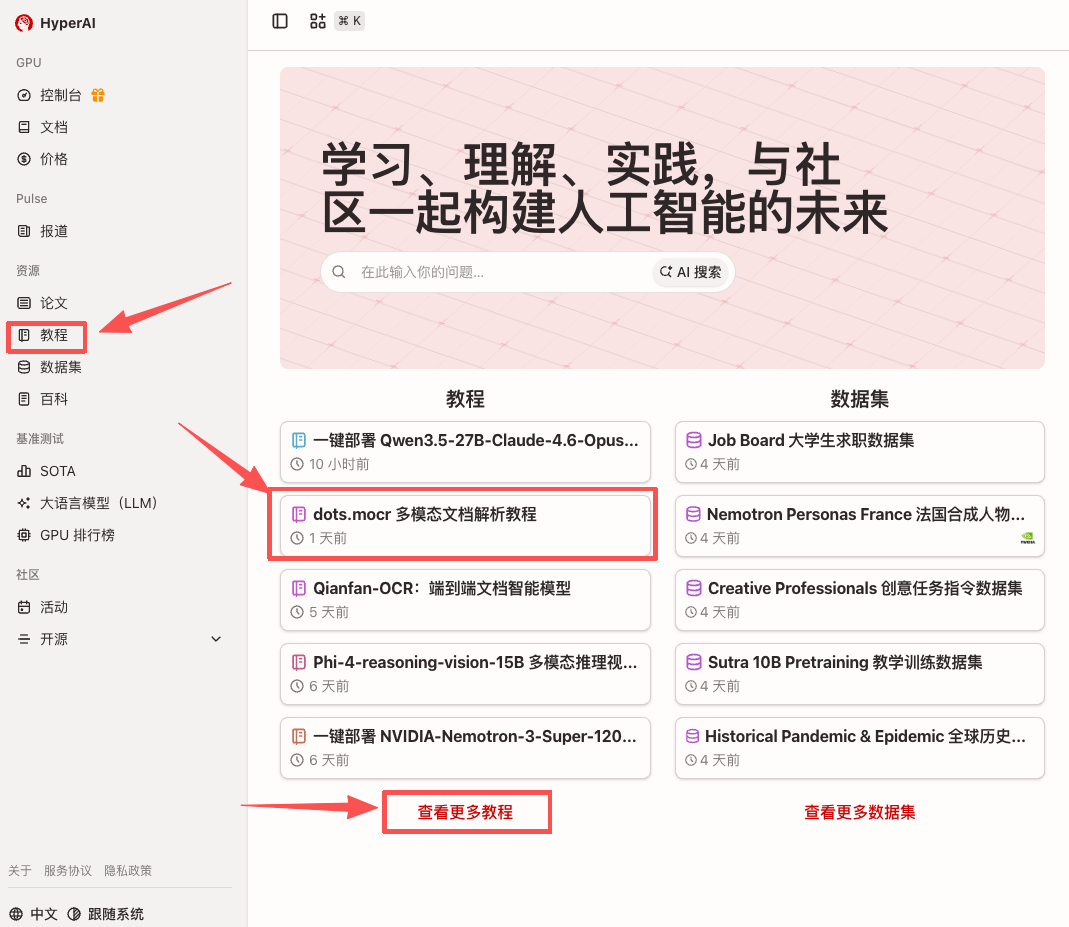
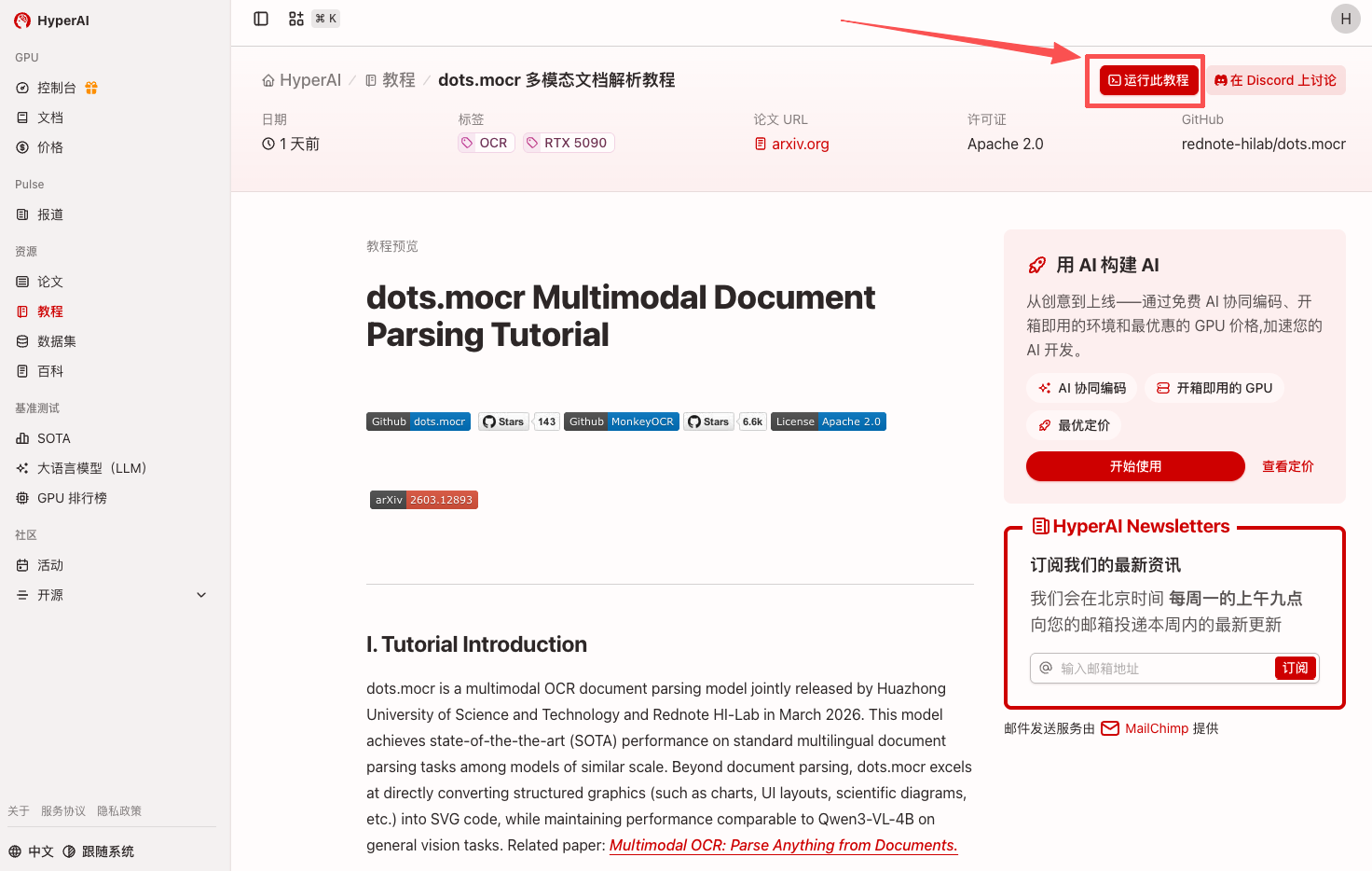
1. After entering the hyper.ai homepage, select the "Tutorials" page, or click "View More Tutorials" and select "..."dots.mocr Multimodal Document Parsing TutorialClick "Run this tutorial online".
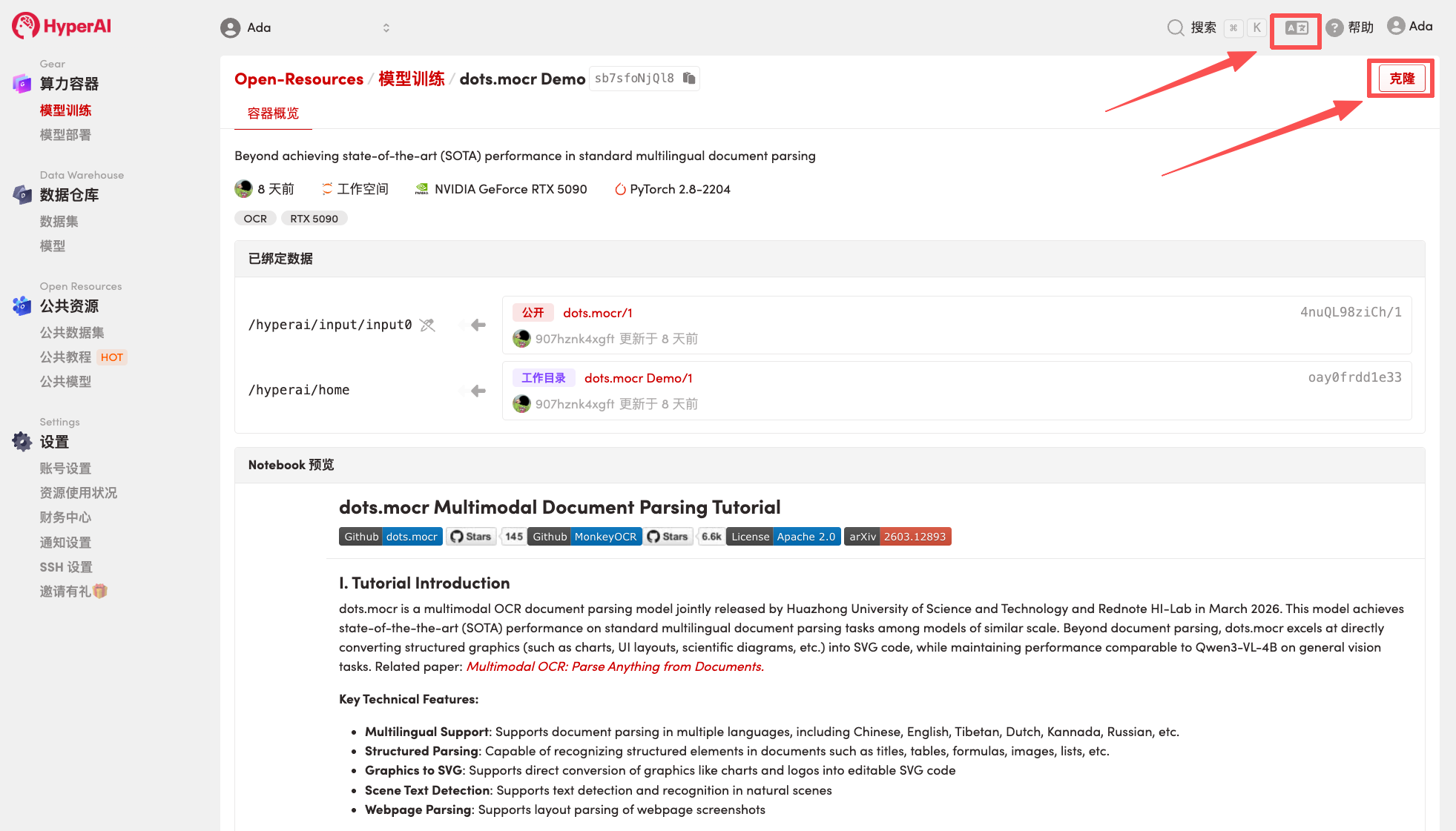
 2. After the page redirects, click "Clone" in the upper right corner to clone the tutorial into your own container.
Note: You can switch languages in the upper right corner of the page. Currently, Chinese and English are available. This tutorial will show the steps in English.
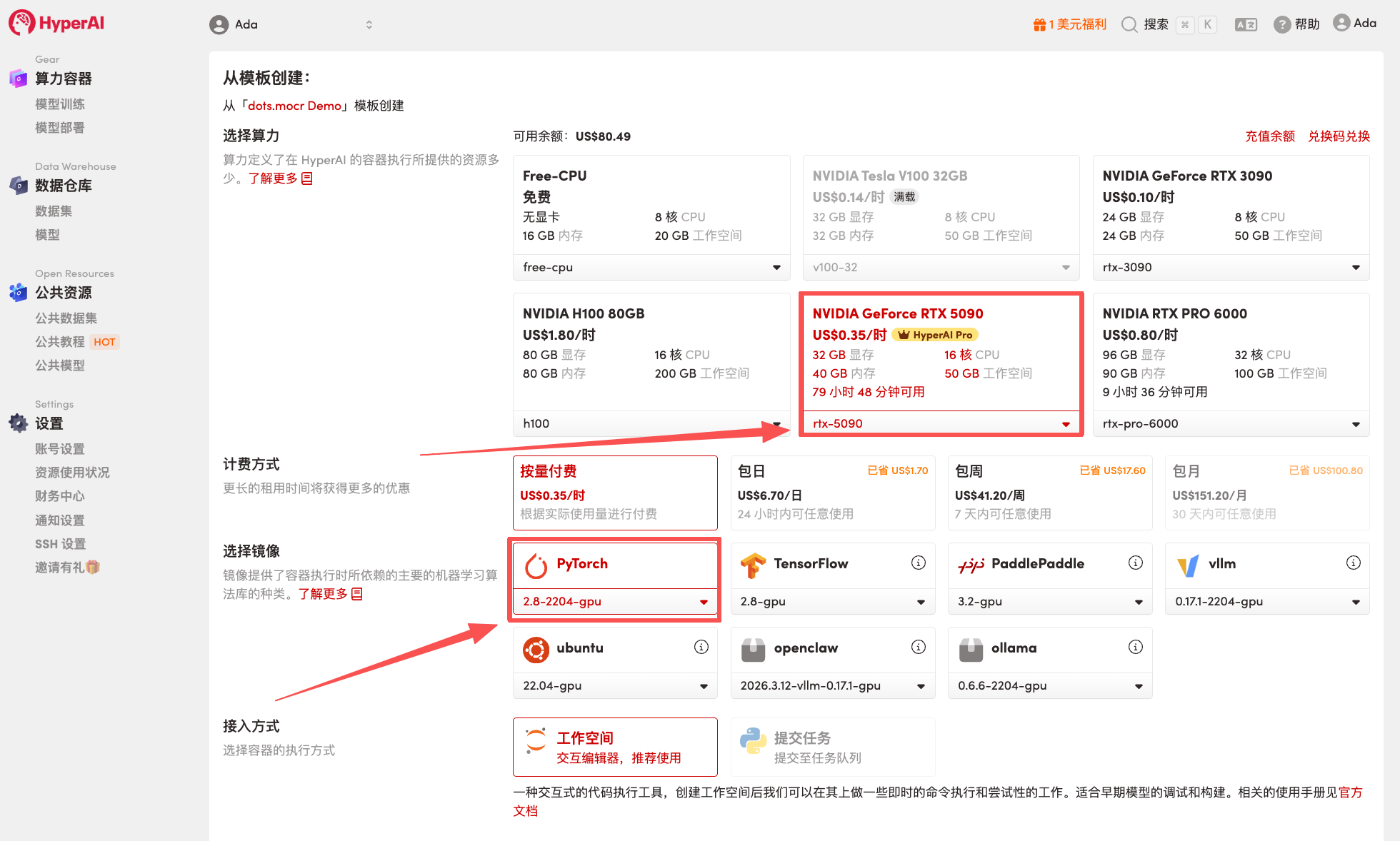
 3. Select the "NVIDIA GeForce RTX 5090" and "PyTorch" images, and choose "Pay As You Go" or "Daily Plan/Weekly Plan/Monthly Plan" as needed, then click "Continue job execution".
HyperAI is offering registration benefits for new users.**For just 1,youcanget20hoursofRTX5090computingpower(originalprice7).**The resource is permanently valid.
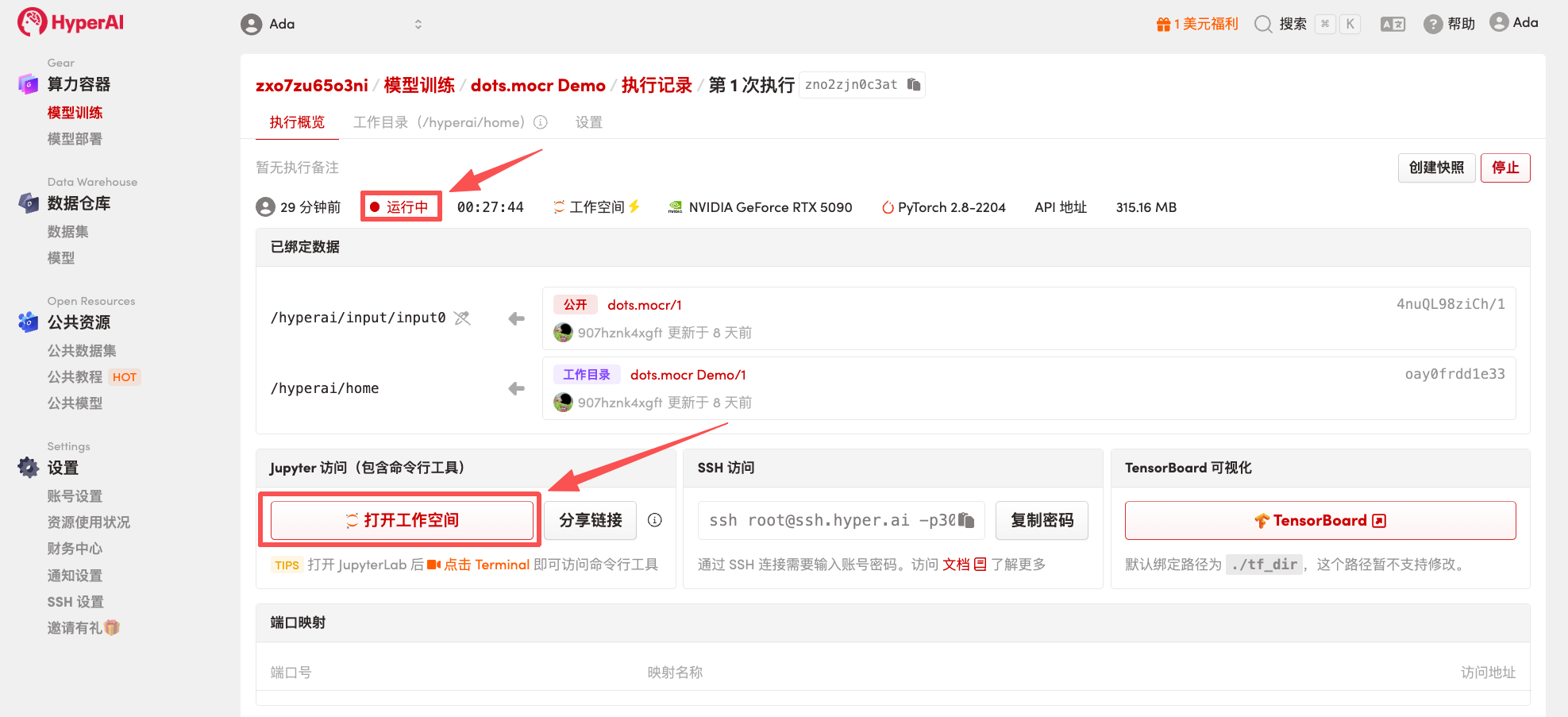
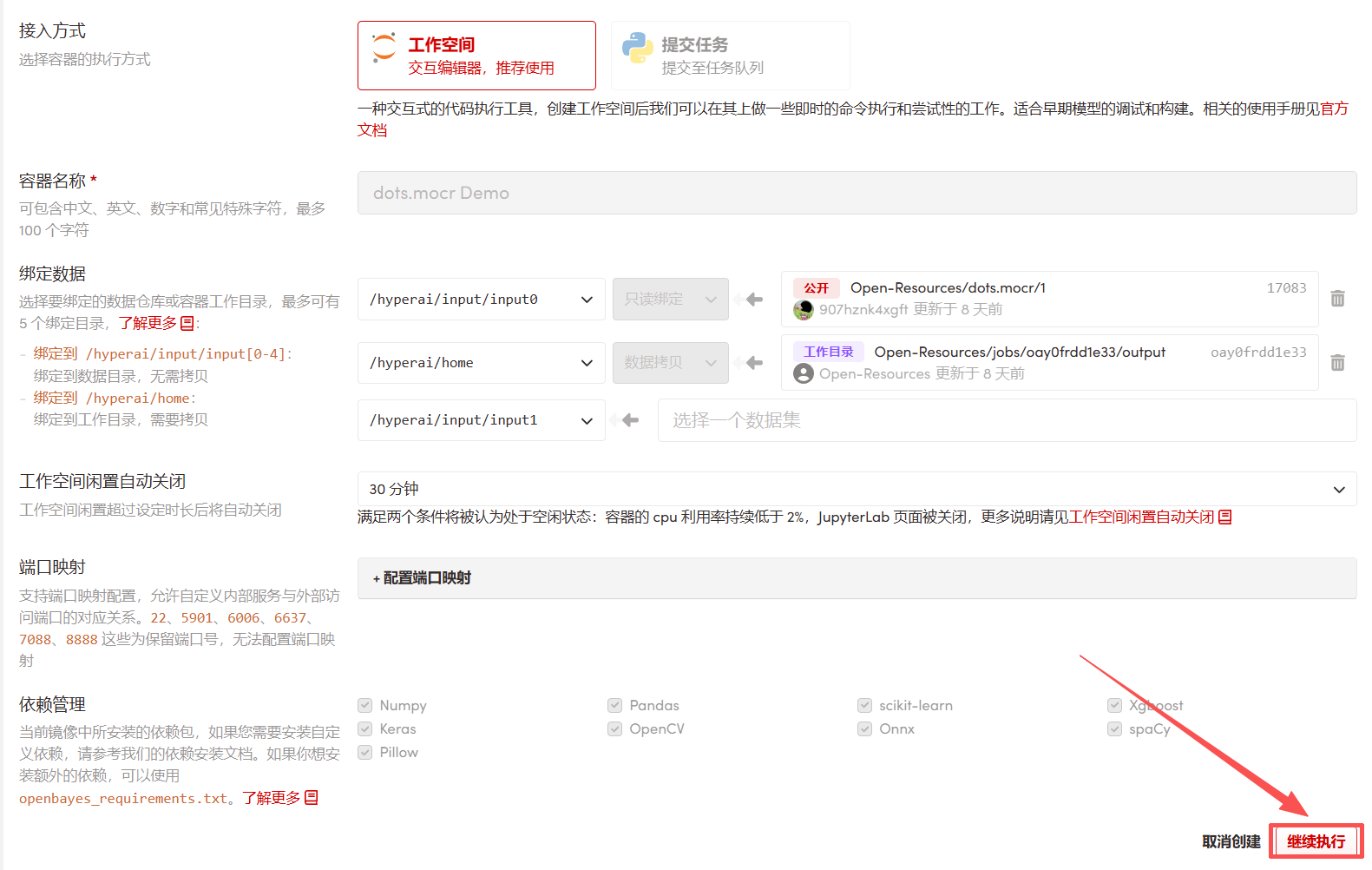 4. Wait for resources to be allocated. Once the status changes to "Running", click "Open Workspace" to enter the Jupyter Workspace.
 Effect Demonstration
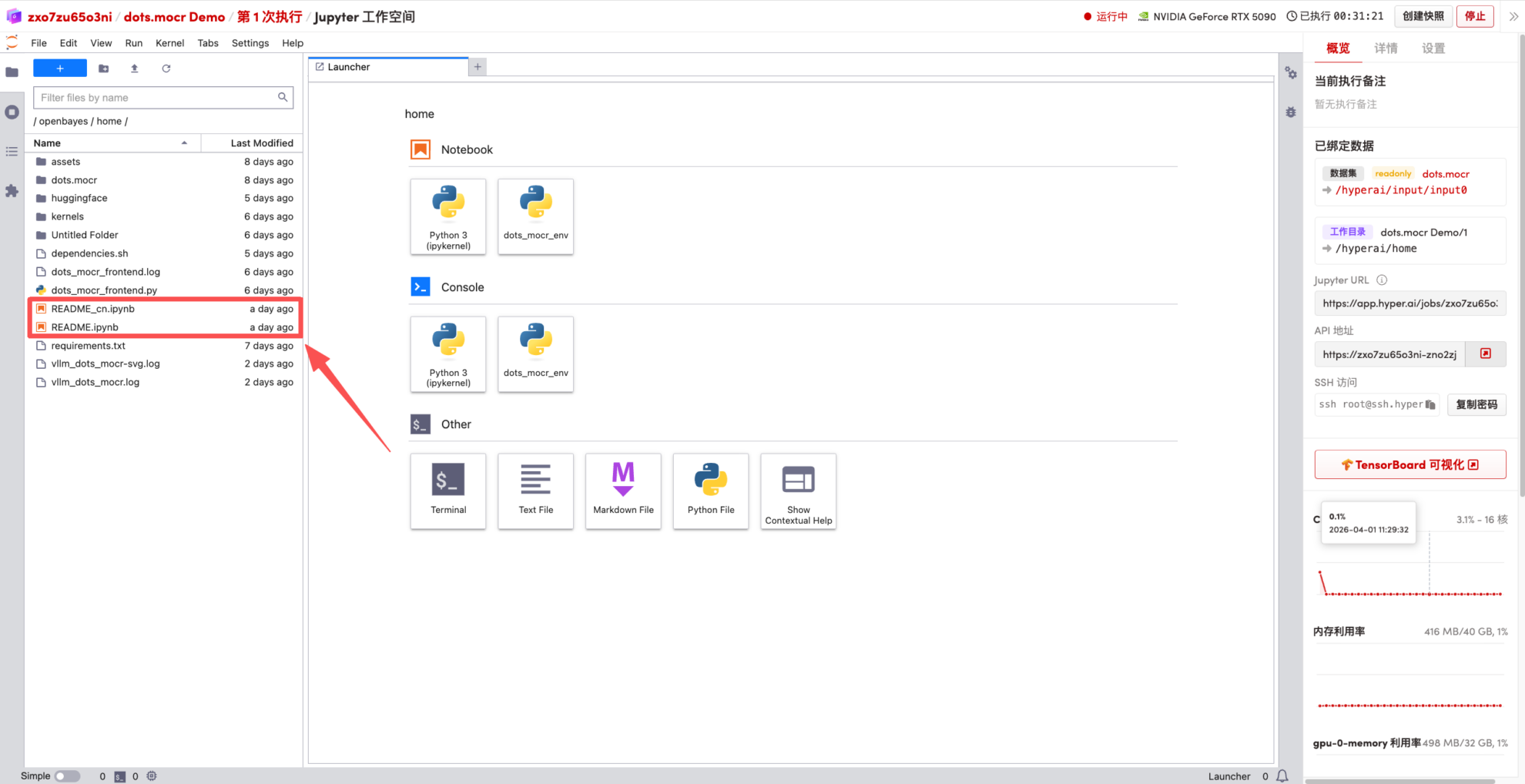
1. After the page redirects, click on the README page on the left, and then click Run at the top.
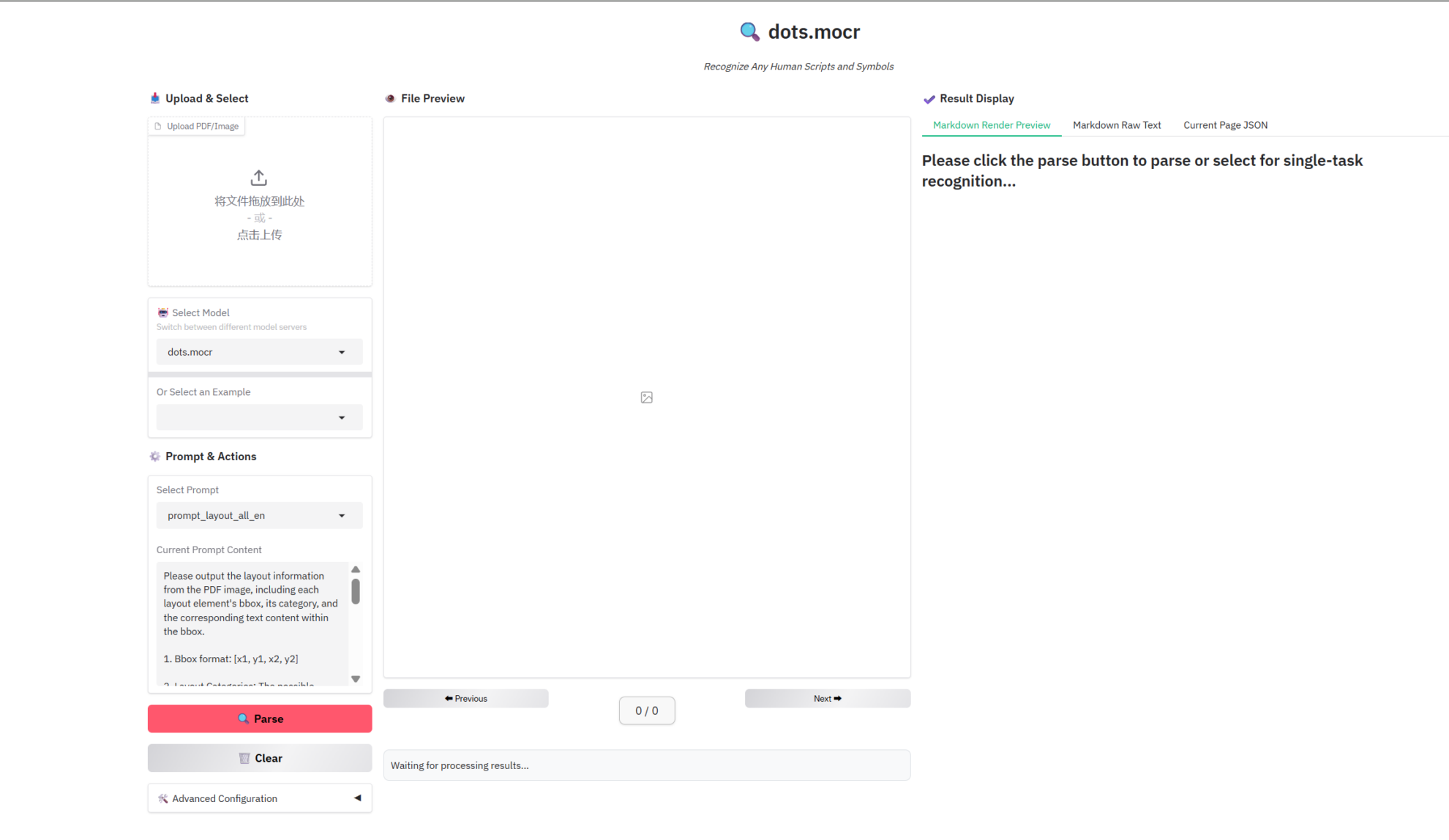
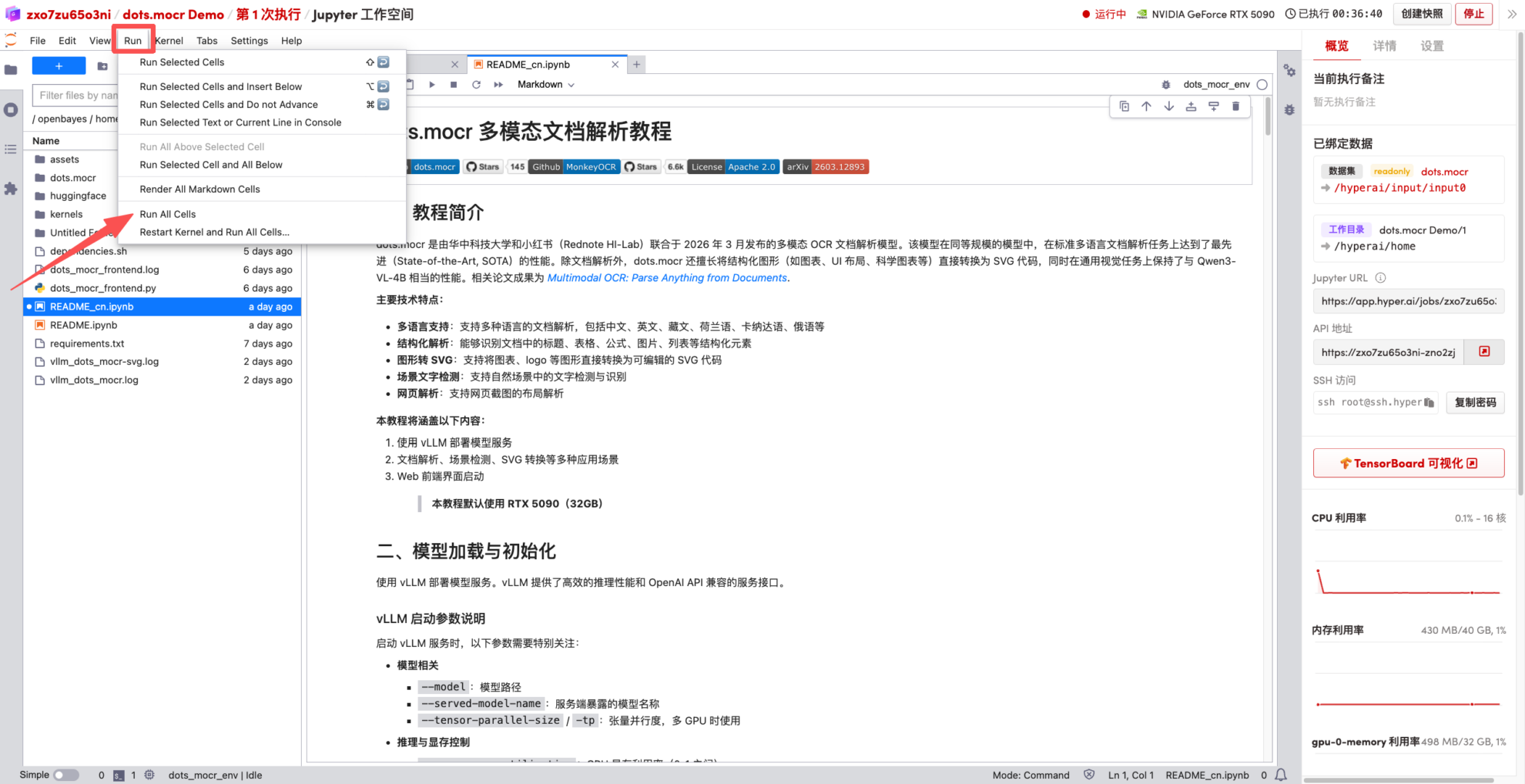 2. Once the process is complete, click the API address on the right to jump to the demo page.
 Achievements
 Tutorial Link:https://go.hyper.ai/tx8FW