Command Palette
Search for a command to run...
Online Tutorials | Quick Deployment With Free CPU Resources, Covering Popular open-source Models Such As Qwen 3.5/DeepSeek-R1/Gemma 3/Llama 3.2, etc.

The iteration speed of open source models is skyrocketing. From tech giants to startups and research teams, new models are constantly emerging in various benchmark tests. However, in this rapidly spinning gears of AI, the barriers for developers to enter innovative technologies still exist.
Today, the open-source community is rapidly forming a highly active model ecosystem. Against this backdrop, more and more developers hope to deploy and test new models more easily and quickly to evaluate their capabilities and explore potential application scenarios. However, in practice…GPU resource costs, complex environment configurations, and high hardware barriers remain major obstacles for many developers when attempting to deploy models.
In fact, thanks to the continuous optimization of quantification techniques and reasoning frameworks,**Many mainstream open-source models are already able to complete basic inference and functional verification in a CPU environment.**This provides developers with new possibilities for model experience and prototype development under low-cost conditions.
It is worth mentioning that, in order to facilitate rapid and low-barrier project deployment for global developers,**HyperAI offers free CPU quotas, with Basic users able to run a single task for up to 12 hours continuously and Pro users for up to 24 hours continuously.**At the same time, HyperAI's "Tutorials" section has also launched online tutorials for running popular open-source models such as Qwen, DeepSeek, Gemma, Llama, and GLM on CPU. These tutorials provide a complete deployment process from environment preparation and model download to inference and execution, allowing users to complete model inference experience and basic development testing without having to deploy a complex local environment.
Click to learn more about HyperAI Pro:Free CPU usage / 30 hours of GPU usage credit / 70GB of super-large storage, HyperAI Pro is officially launched!
CPU deployment of Qwen3.5-9B-GGUF:
CPU deployment of Qwen2.5-14B-Instruct-GGUF:
CPU deployment of Qwen2.5-3B-Instruct-GGUF:
CPU deployment of DeepSeek-R1-Distill-Qwen-1.5B-GGUF:
CPU deployment DeepSeek-Coder-V2-Lite-Instruct-GGUF:
CPU deployment of Gemma-3-1b-it-GGUF:
CPU deployment of Llama-3.2-3B-Instruct-GGUF:
CPU deployment of gpt-oss-20b-GGUF:
CPU deployment of Phi-4-mini-instruct-GGUF:
CPU deployment of GLM-4-9B-chat-GGUF:
This article will use "Deploying Qwen3.5-9B-GGUF on CPU" as an example to demonstrate the tutorial.
Demo Run
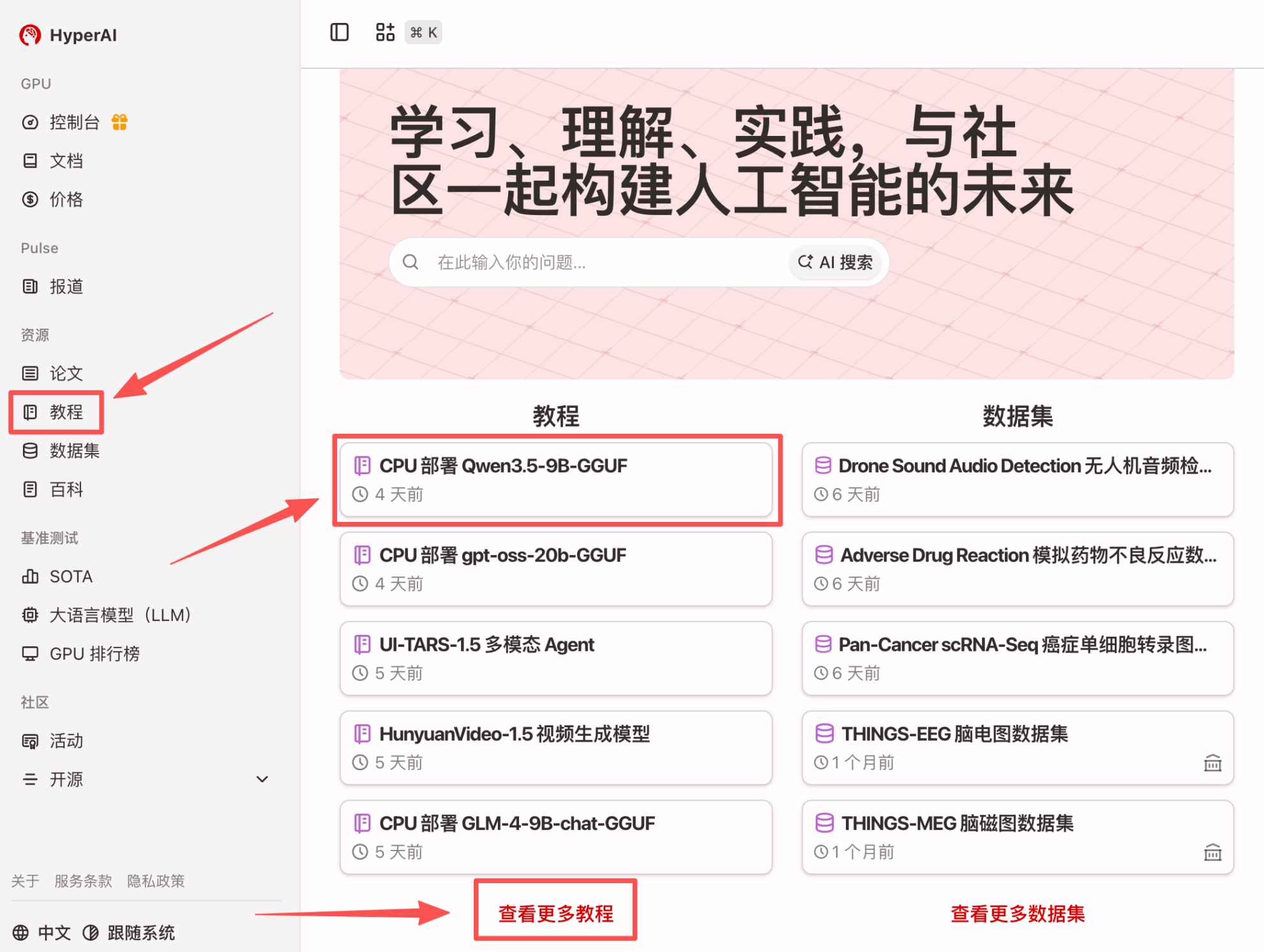
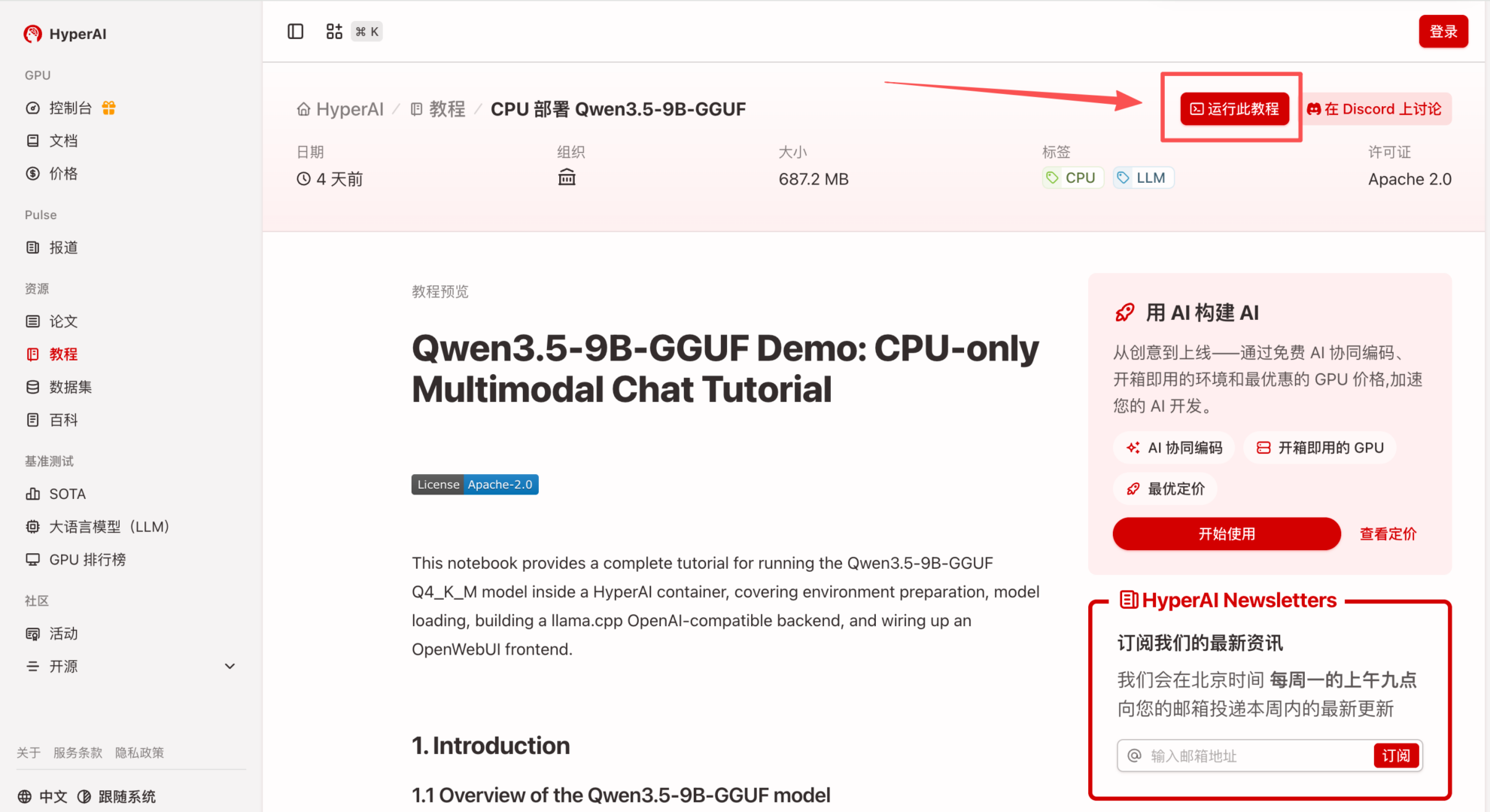
1. After entering the hyper.ai homepage, select the "Tutorials" page, or click "View More Tutorials", select "CPU Deployment Qwen3.5-9B-GGUF", and click "Run this tutorial online".
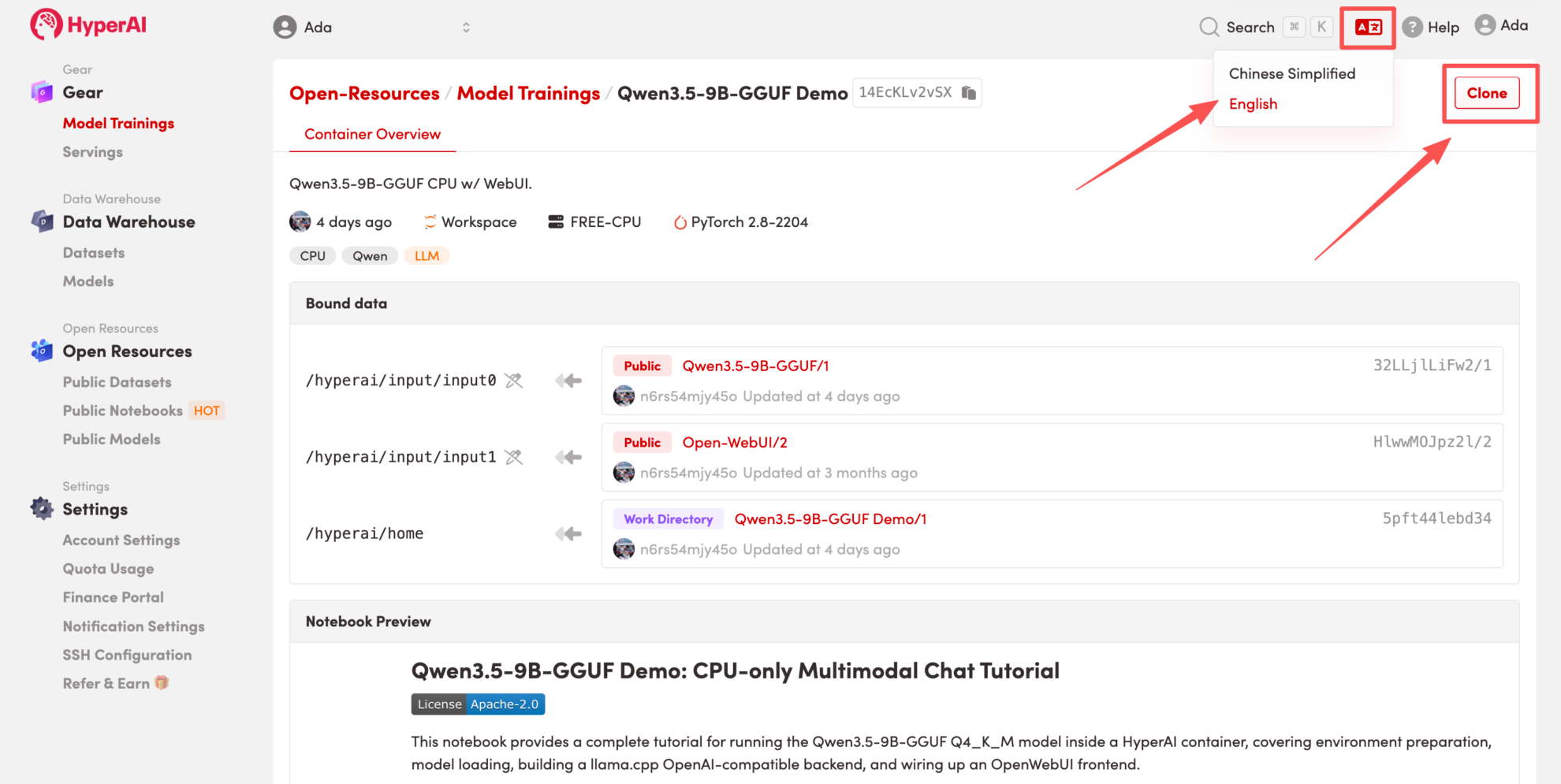
 2. After the page redirects, click "Clone" in the upper right corner to clone the tutorial into your own container.
Note: You can switch languages in the upper right corner of the page. Currently, Chinese and English are available. This tutorial will show the steps in English.
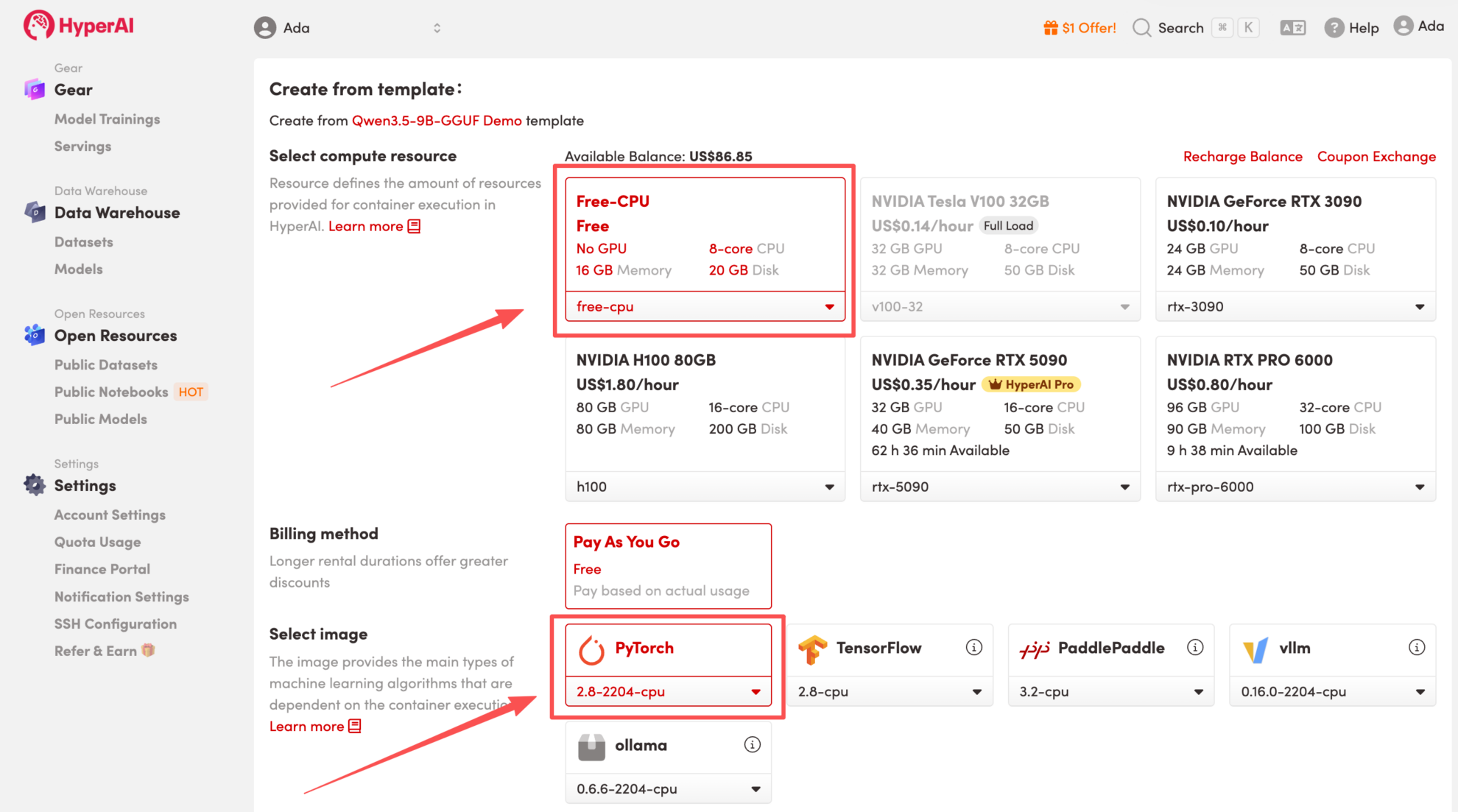
 3. Select the "Free-CPU" and "PyTorch" images, and click "Continue job execution".
HyperAI is offering registration benefits for new users.**For just 1,youcanget20hoursofRTX5090computingpower(originalprice7).**The resource is permanently valid.
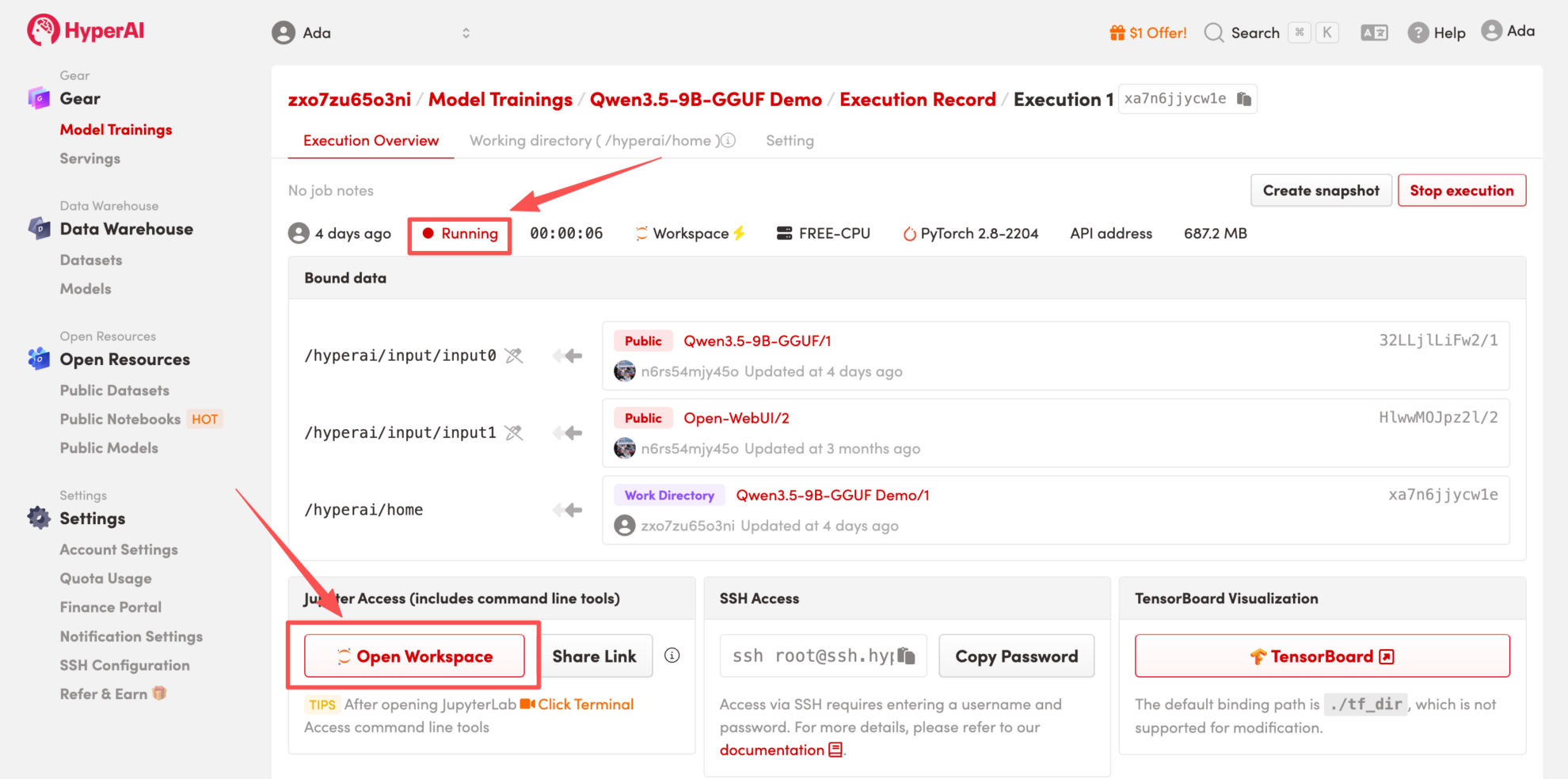
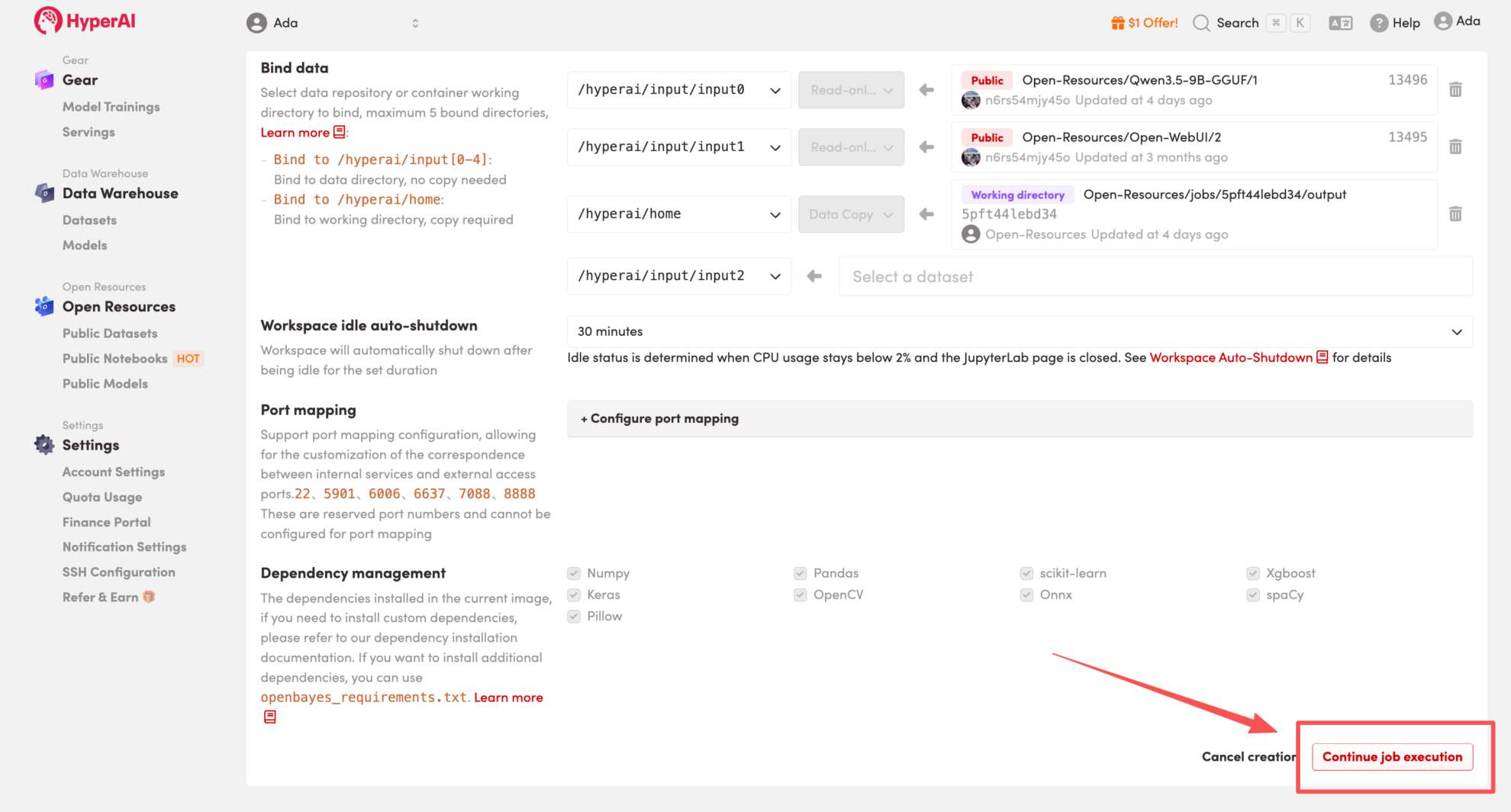 4. Wait for resources to be allocated. Once the status changes to "Running", click "Open Workspace" to enter the Jupyter Workspace.
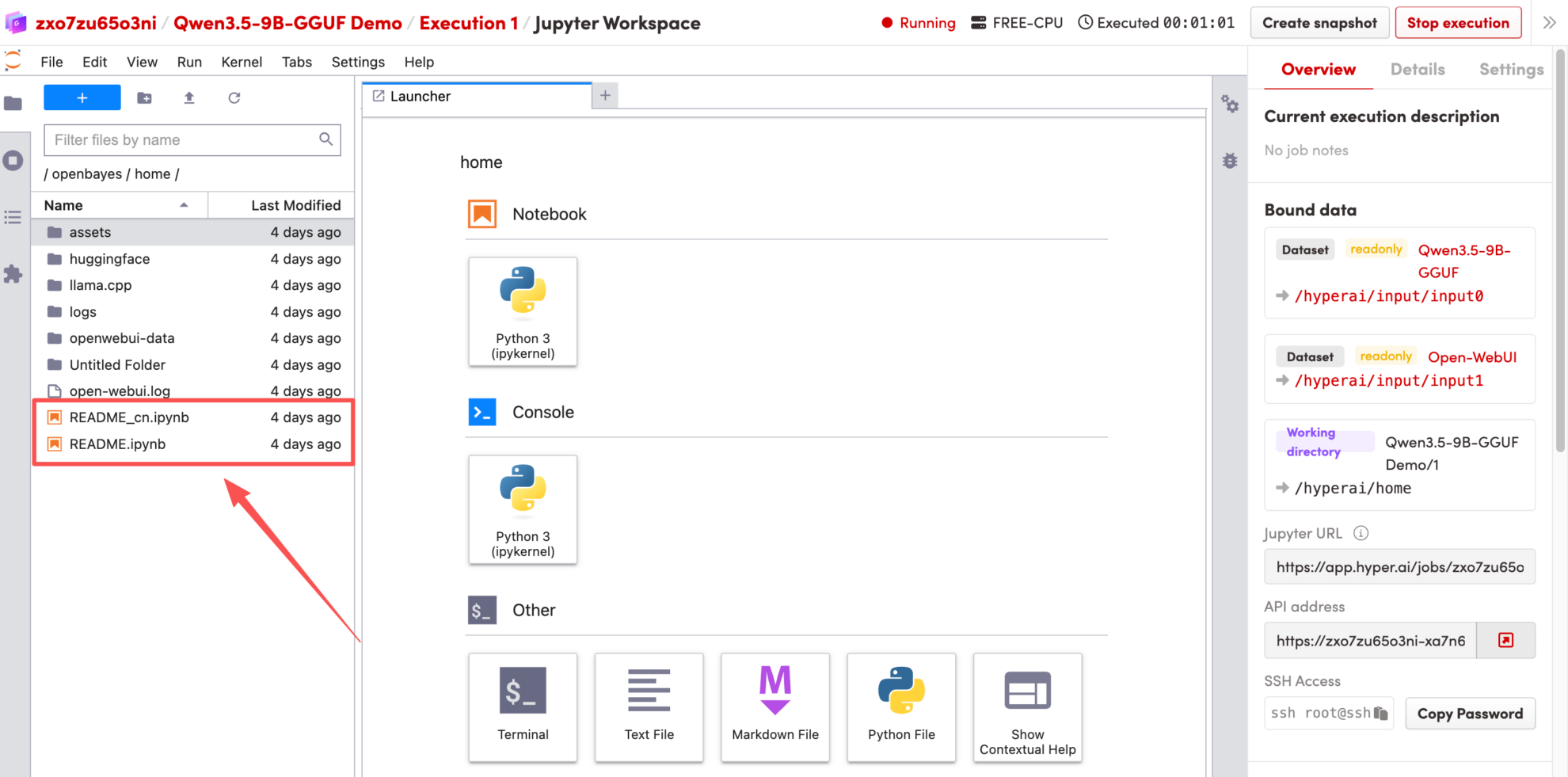
Effect Demonstration
1. After the page redirects, click the README file on the left, and then click Run at the top of the page.
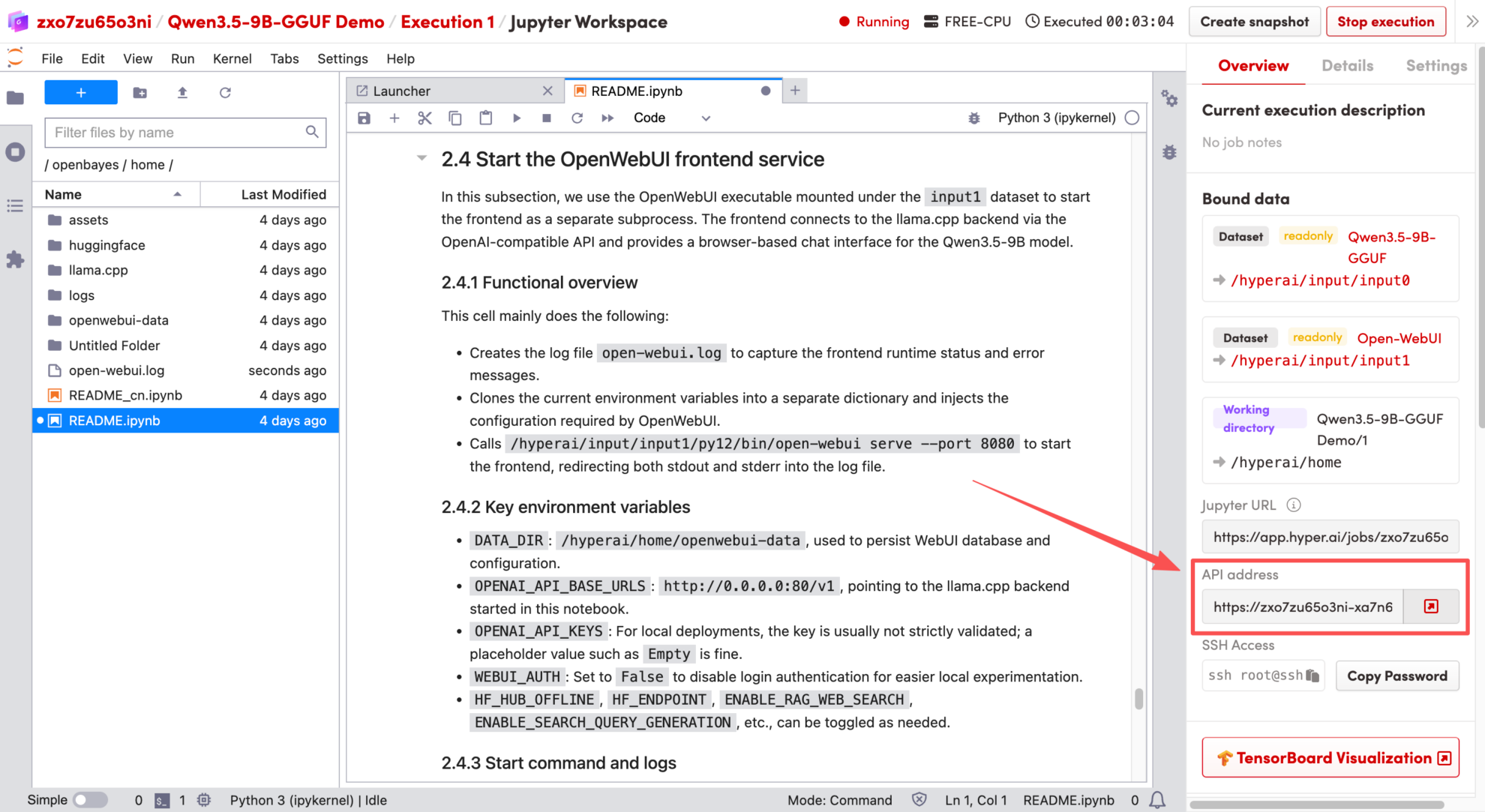
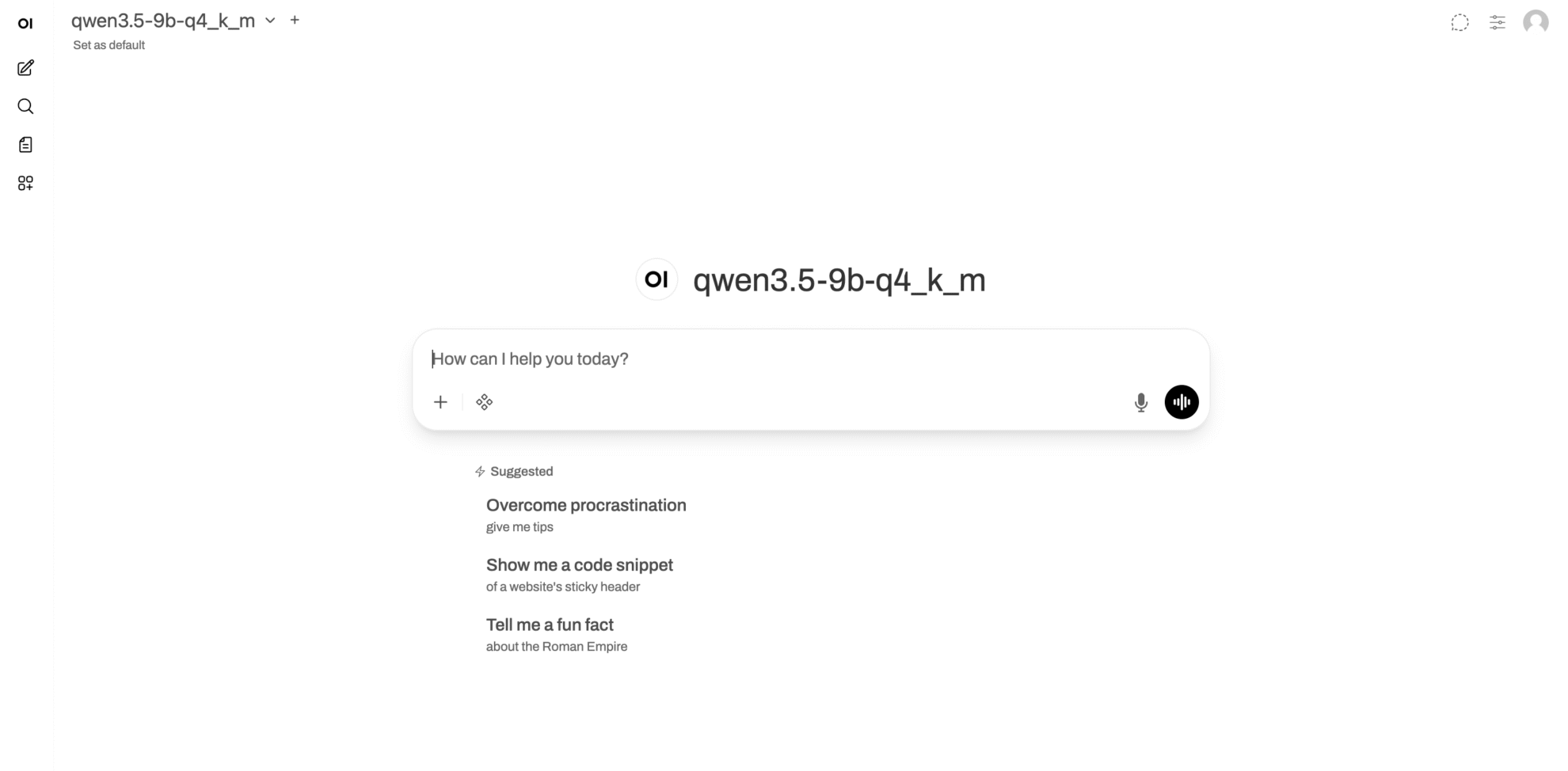
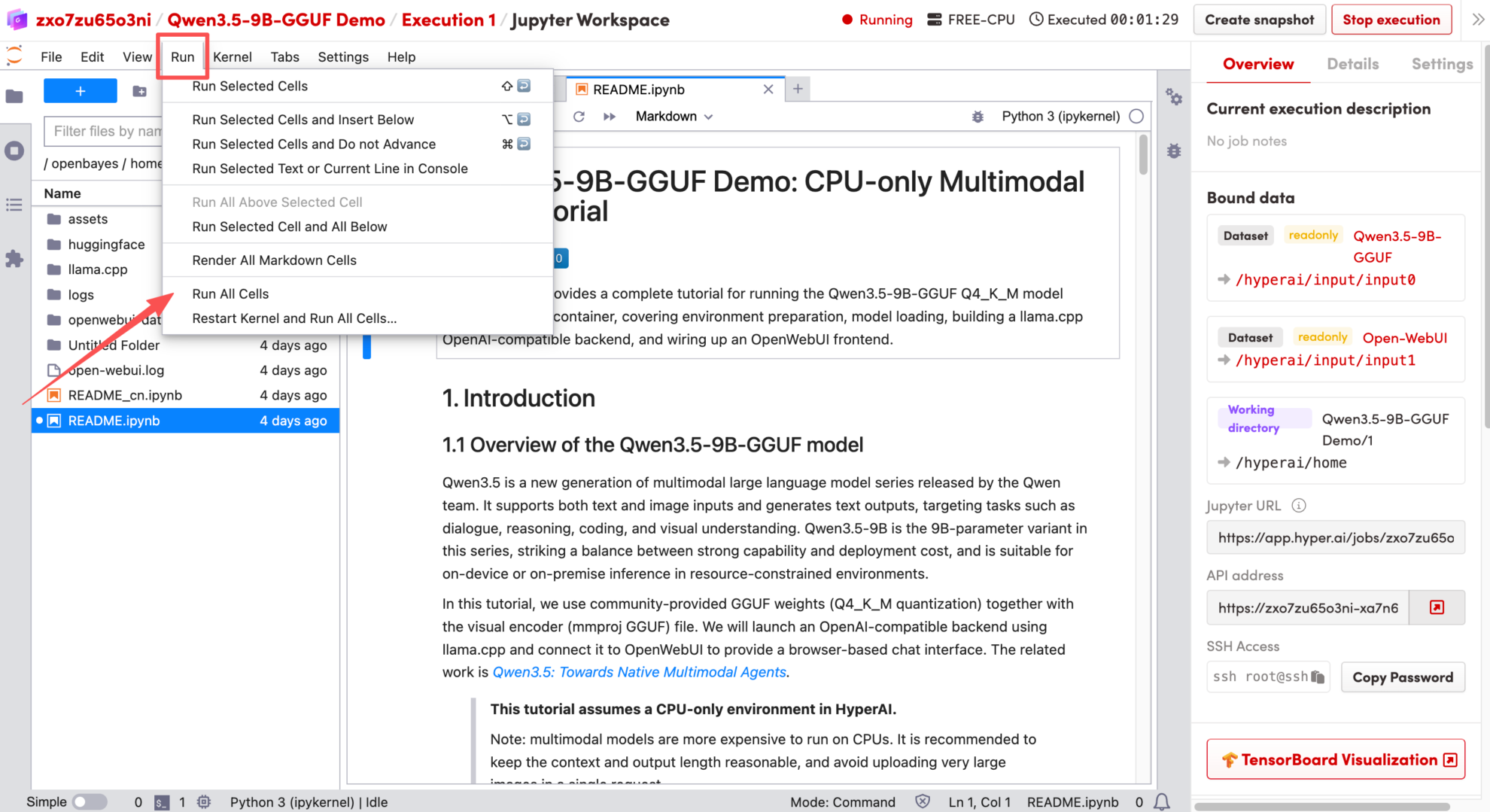 2. Once the process is complete, click the API address on the right to jump to the demo page.
 The above is the tutorial recommended by HyperAI this time. Everyone is welcome to come and experience it!