Command Palette
Search for a command to run...
Google I/O Conference | Full Analysis of Ticket Registration and Payment Steps

2018 I/O Conference official website:
https://events.google.com/io/registration/
Click APPLY to enter the registration page
01
Log in to your Gmail account
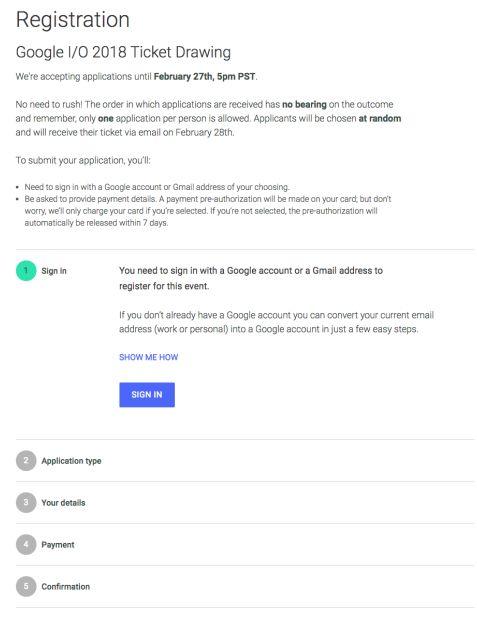
Tips:
1. The registration process (including payment) is limited to 30 minutes. Please prepare your credit card and other documents and complete it in time;
2. The registration deadline is 5:00 pm PST (Pacific Standard Time) on February 27, which is 6:00 am Beijing time on February 28;
3. Click to read the original text and enter the registration page;
02
Select Ticket Type
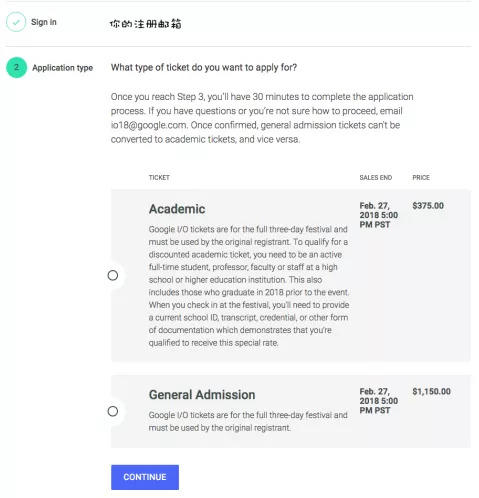
Tips:
Academic tickets are for full-time students, teachers or staff of higher education institutions, and require a complete and valid ID card;
03
Enter personal information
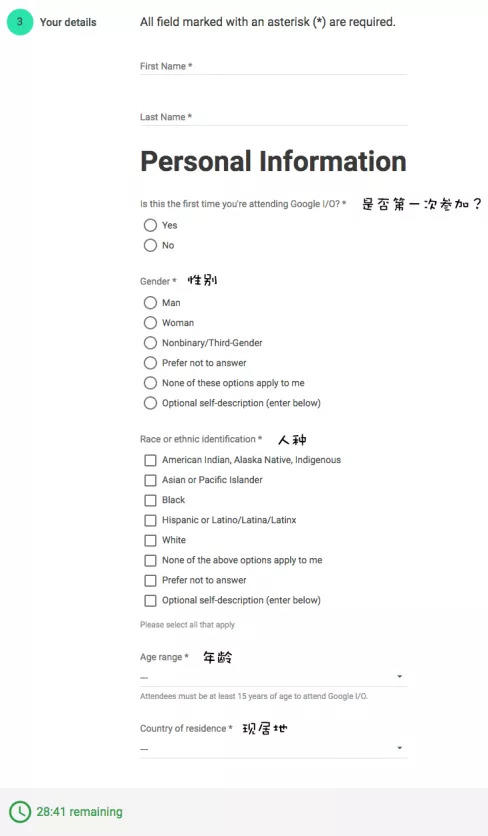
04
Personal career information
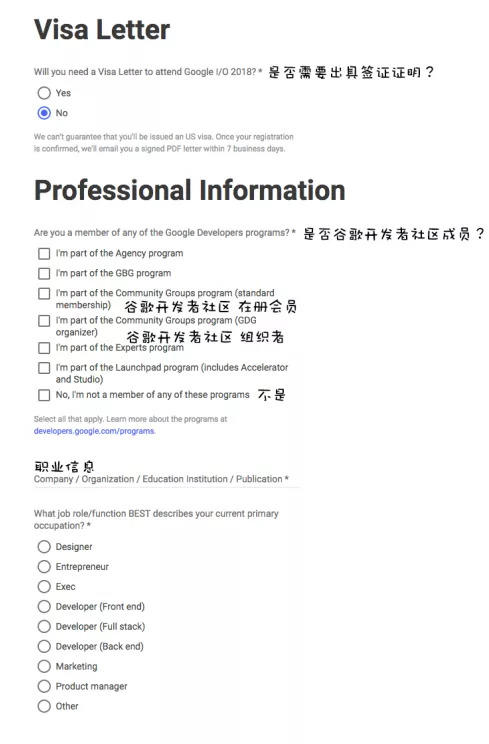
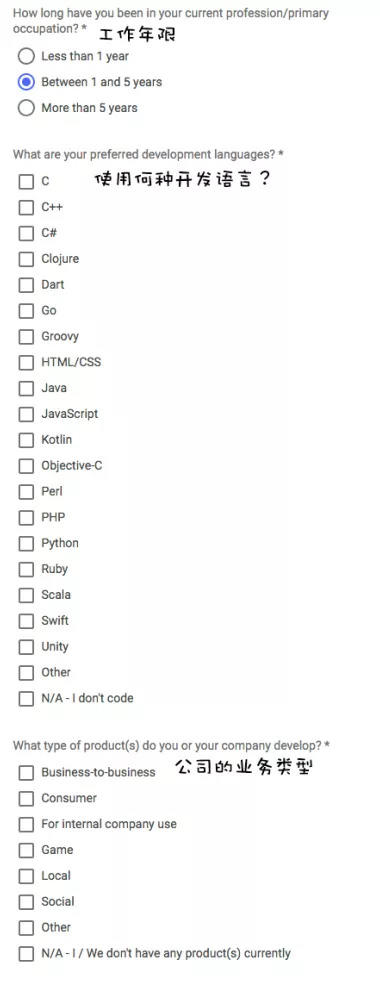
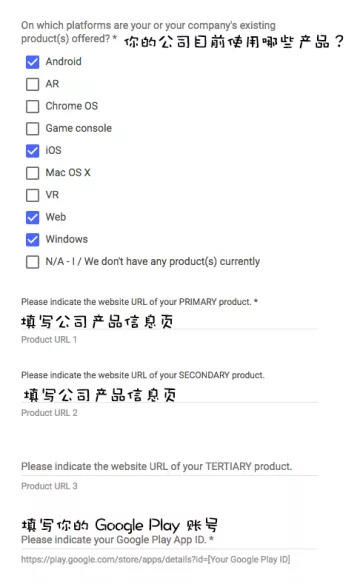
05
Event details
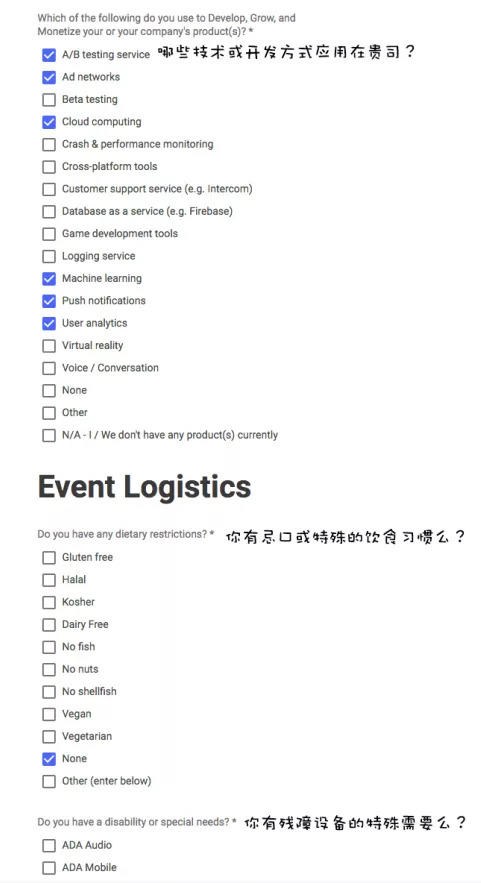
06
Payment Information
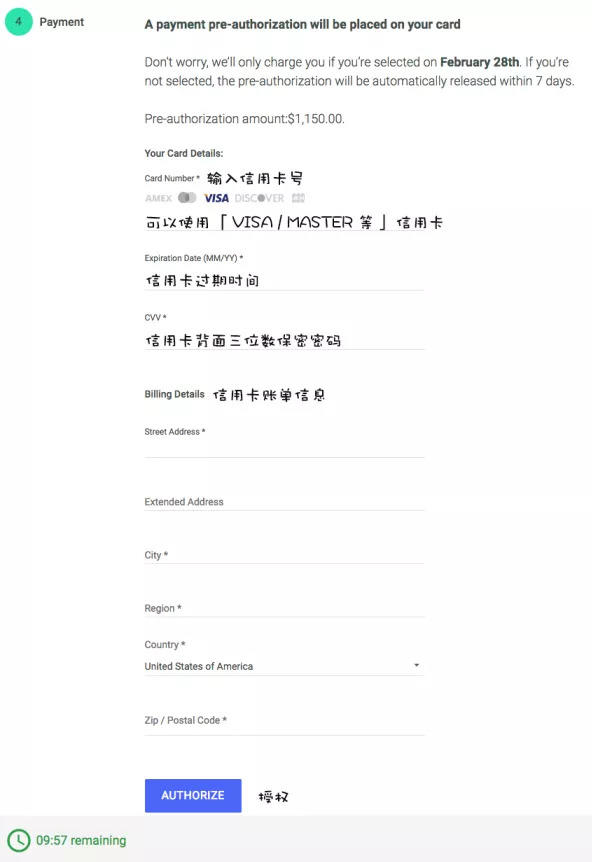
Tips:
1. Please confirm whether the credit card type can be used for payment;
2. After this step is completed, the credit card will be charged immediately. If the registration fails and the number is not drawn, a refund will be made;
07
Registration information confirmation
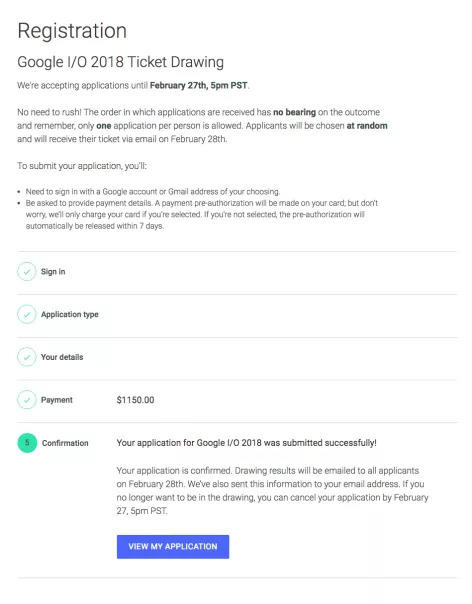
Tips:
After completing the registration, you will receive a "registration completed" confirmation, not a "registration successful" confirmation message;
08
Order Information
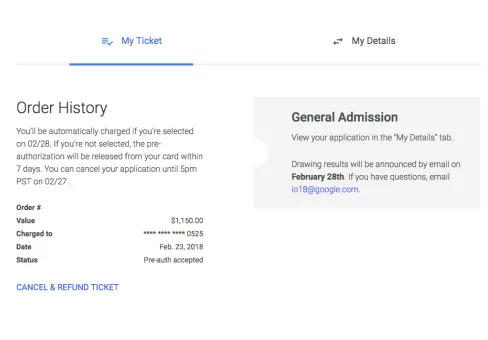
Tips:
1. Wait for Google to draw lots and keep an eye on email notifications;
2. If you encounter any problems, please contact the editor of the official account;

Historical articles (click on the image to read)

"Why is October 24th Programmers' Day?"

"This paper is poisonous!"

"How to explain artificial intelligence to relatives and friends?"

HyperAI
Public account ID: HyperAI
focus on